



INTRODUCTION
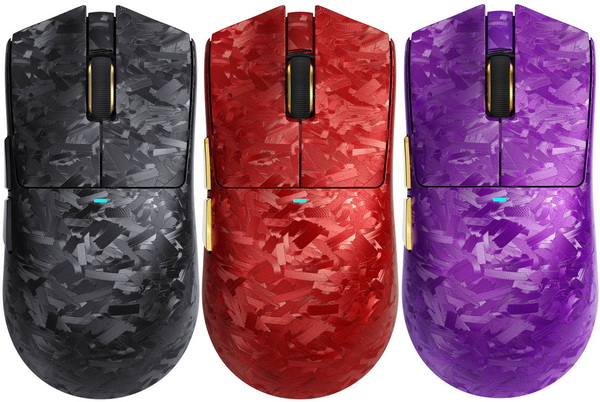
A good gaming mouse is more than a simple accessory—it’s a precision tool shaped by ergonomics, sensor performance, and the ongoing debate between wired consistency and wireless convenience. Modern sensors capture micro‑adjustments with startling accuracy, switches have become more tactile and reliable, and wireless protocols have matured enough that the old latency gap has practically disappeared. As expectations rise, every new model has to prove its worth through comfort, responsiveness, and real‑world stability. The ATTACK SHARK X11 Ultra Wireless gaming mouse positions itself as a lightweight, fast‑tracking option built for players who want cable‑free freedom without sacrificing control.
The logo of ATTACK SHARK is a shark. Shark is the overlord of the sea, a natural hunter, and dominates the game world. ATTACK SHARK is a gaming peripherals brand focusing on the high-end market. We are committed to providing professional e-sports gaming mice, e-sports keyboards, customized mechanical keyboards and accessories to gamers. ATTACK SHARK will serve players in the global market with affordable prices, high standards, customization and continuous innovation.
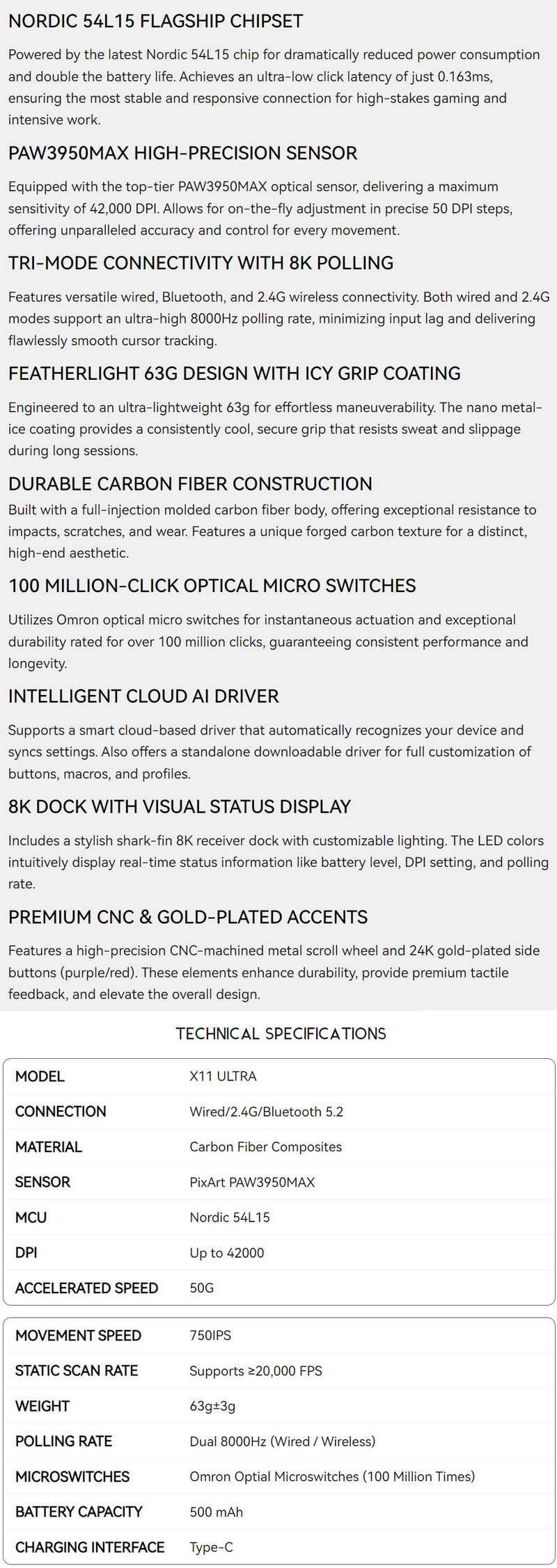
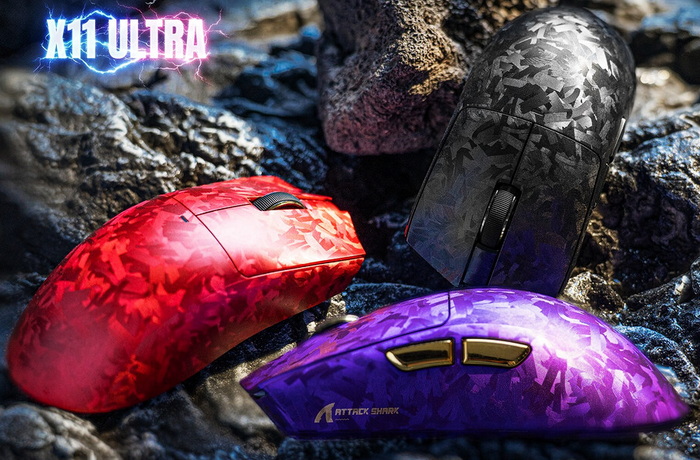
The X11 Ultra wireless gaming mouse (currently available in black, red and purple colors) leans heavily into high‑end engineering, combining a carbon‑fiber composite shell with flagship internals that push performance well beyond typical gaming‑mouse territory. Its core is the Nordic 54L15 MCU, a controller designed for ultra‑efficient power handling and exceptionally fast input processing, enabling click latency to drop to 0.163ms while extending battery endurance. Paired with it is the PixArt PAW3950MAX, a sensor capable of 42000DPI, 750IPS tracking, 50G acceleration, and granular 50‑DPI step tuning giving the mouse the kind of precision normally reserved for top‑tier competitive gear. The X11 Ultra’s tri‑mode connectivity (USB-C, 2.4G, Bluetooth v5.2) is backed by a true 8000Hz (8K) polling rate in both wired and 2.4G modes, ensuring motion data is delivered with minimal delay and exceptionally smooth tracking. Despite the performance focus, the mouse stays at a remarkably light 63g, helped by its injection‑molded carbon‑fiber body and a nano‑metal “icy grip” coating that keeps the surface cool and stable during long sessions. The primary switches are OMRON optical microswitches rated for 100 million clicks, while the scroll wheel and side buttons lean into premium materials, CNC‑machined metal and 24K gold plating, respectively. Rounding out the package is the 8K shark‑fin receiver dock, which doubles as a visual status display for DPI, battery, and polling rate, and the Intelligent Cloud AI Driver, offering automatic device recognition and full customization of macros, profiles, and button mappings.
SPECIFICATIONS AND FEATURES
PACKAGING AND CONTENTS
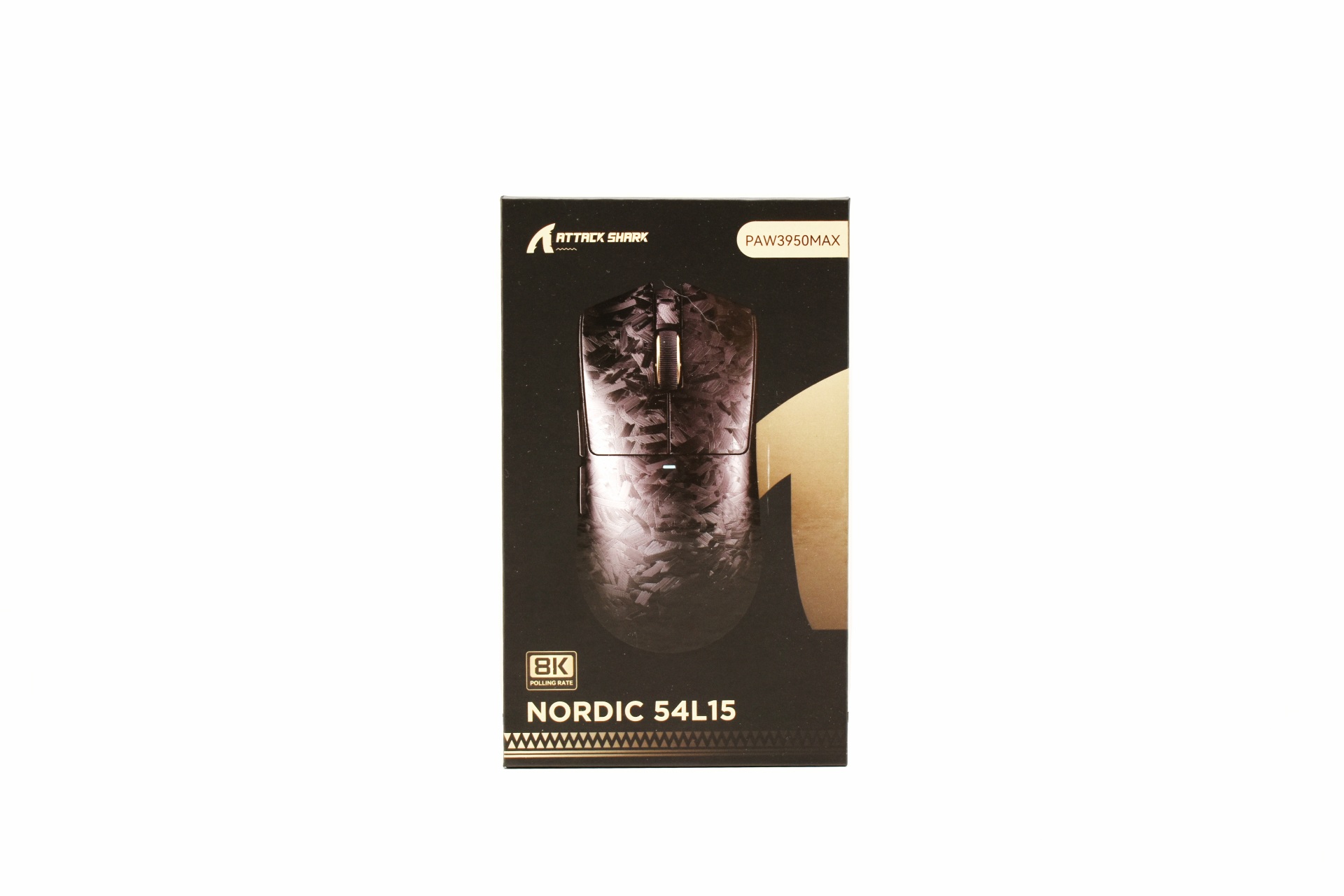
ATTACK SHARK uses a black box to ship the X11 Ultra the front of which is taken by a large product picture (regardless of included color the black version is showcased) surrounded by their logo and the main product features.
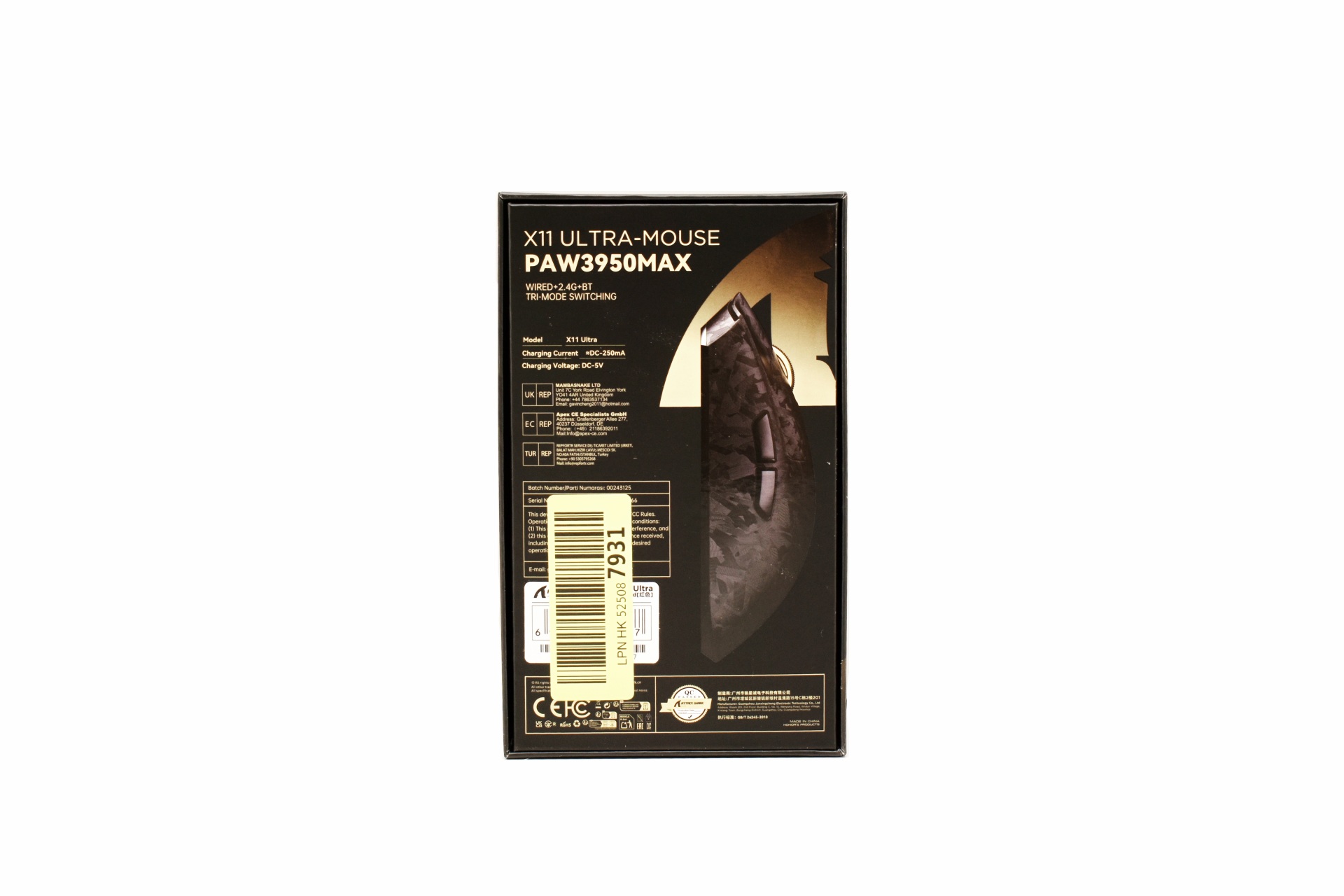
At the rear we find yet another product picture along with the main product features, serial number and barcode and contact information about ATTACK SHARK.
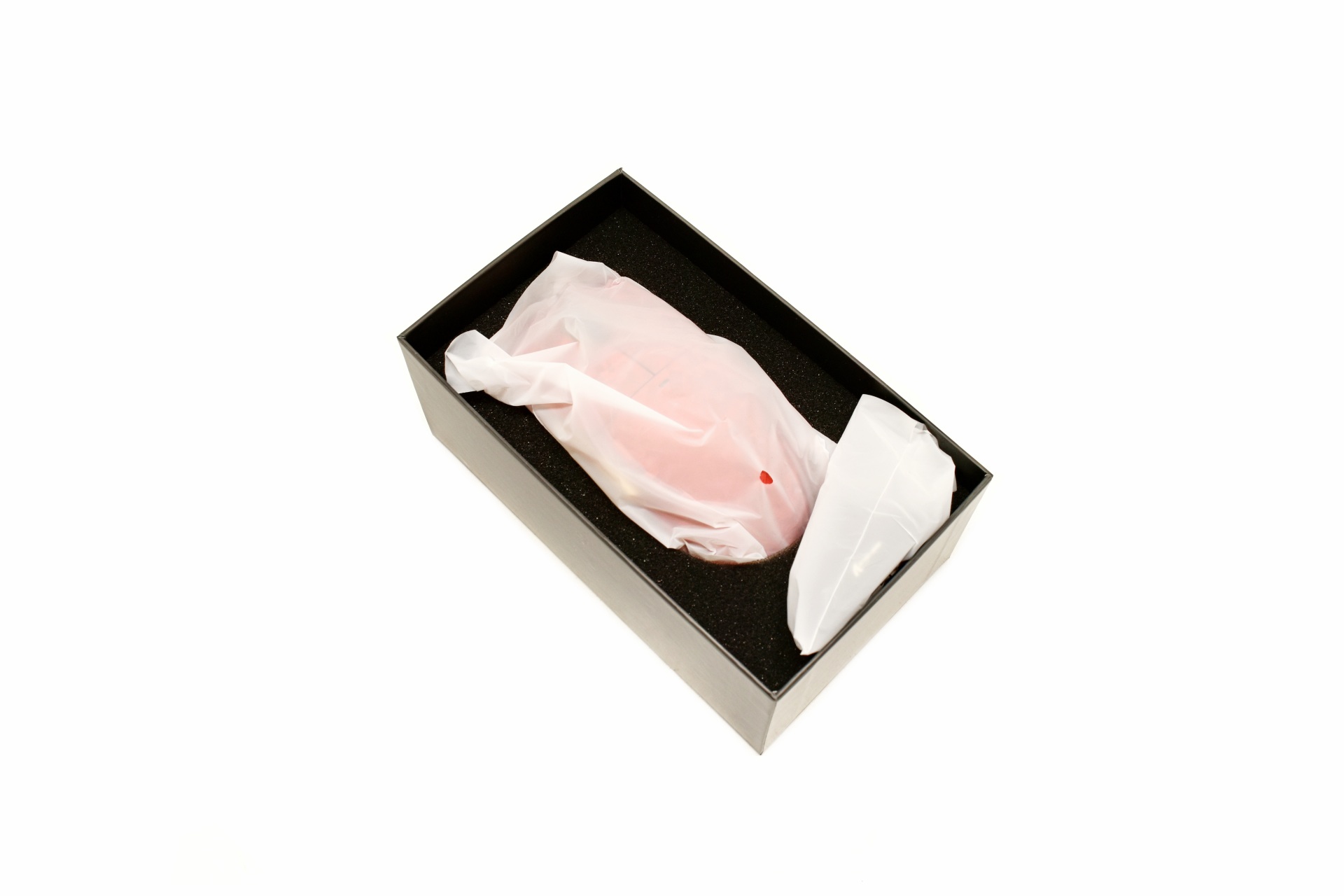
The mouse is wrapped inside a synthetic bag and placed in a formed piece of foam.
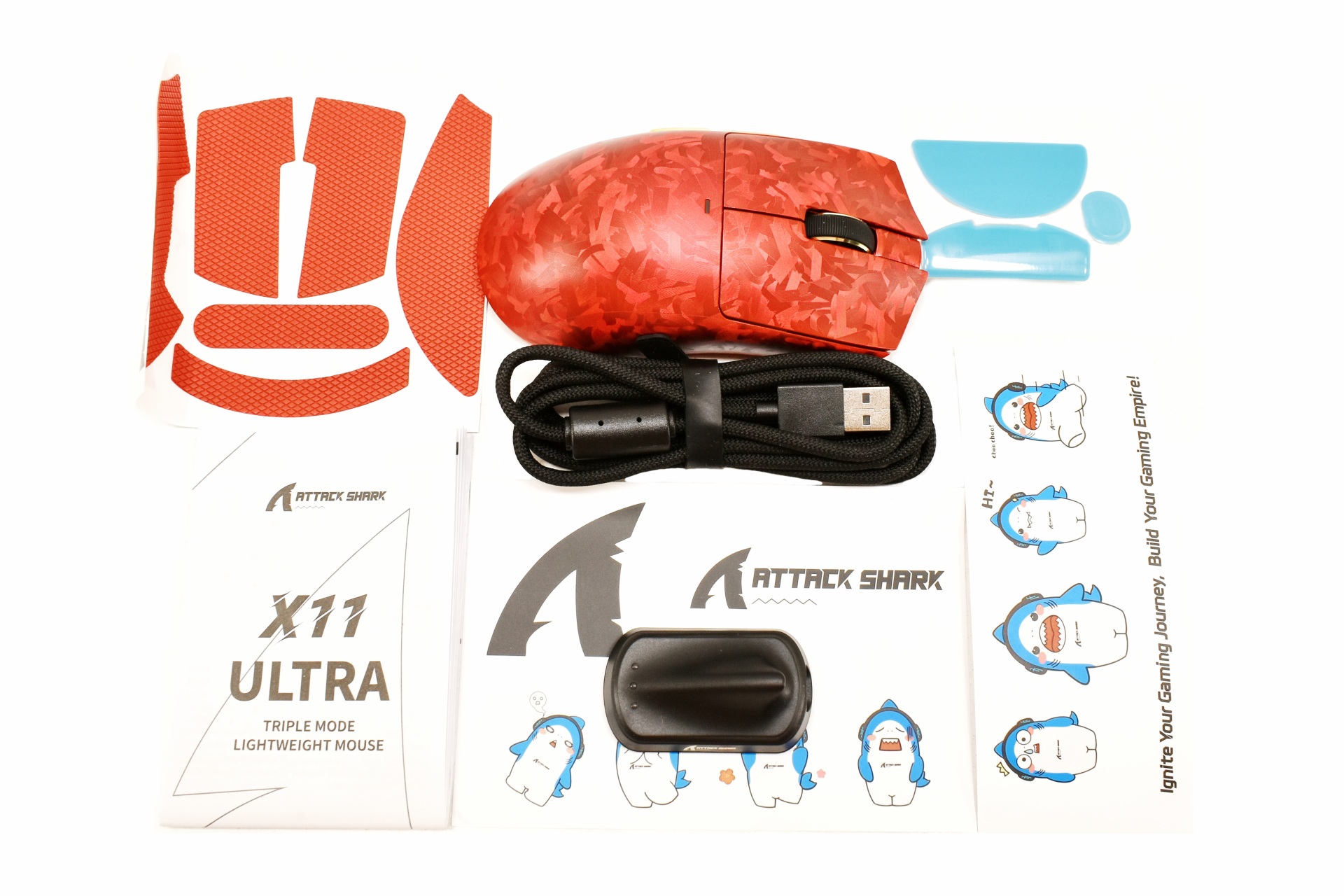
Along with the X11 Ultra and its USB-C braided cable inside the box you'll also find the 2.4GHz dongle, replacement feet, textured stickers (for improved grip), several shark stickers and the quick start guide.
THE X11 ULTRA
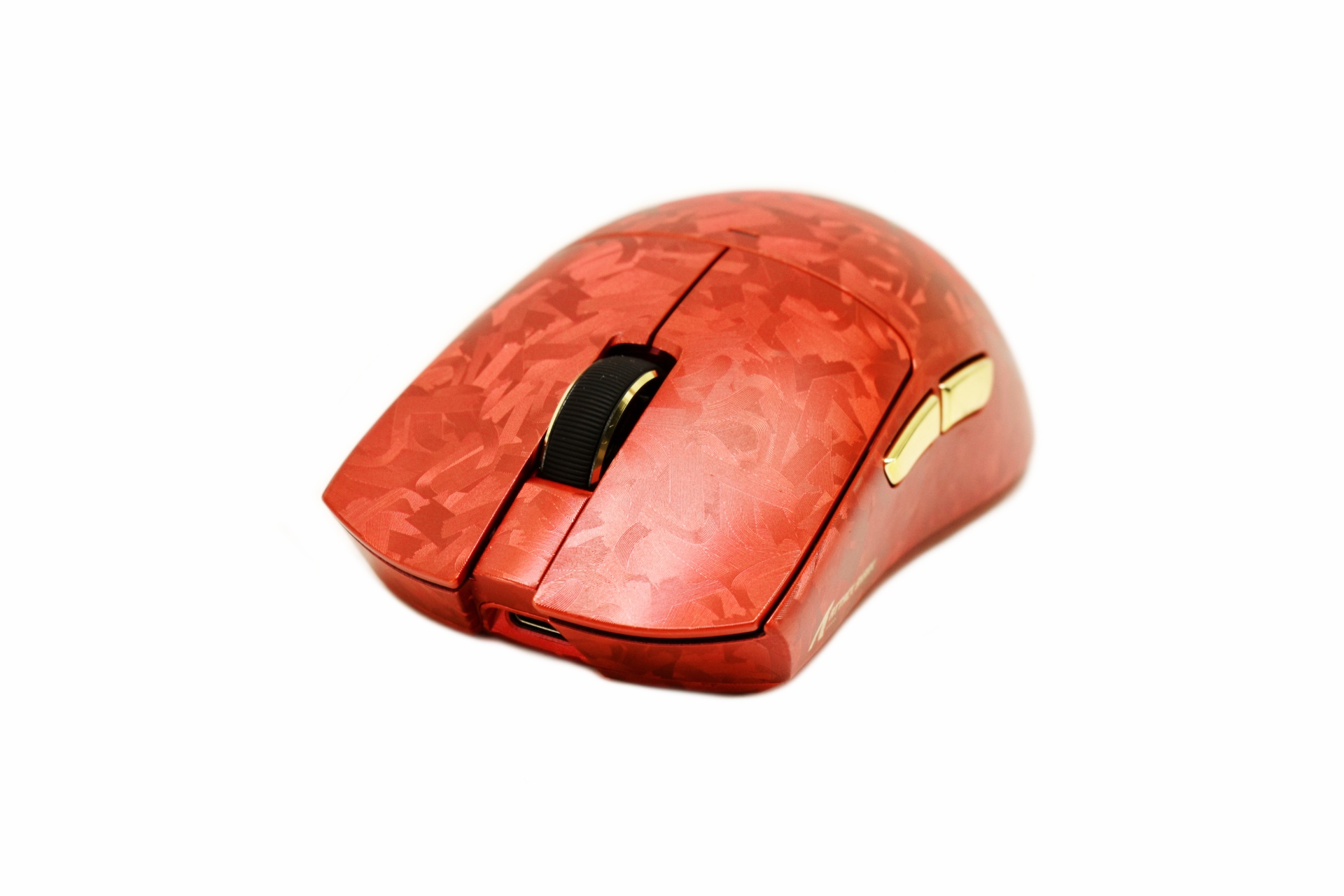
The 63g heavy X11 Ultra measures 126.5mm (4.98in) in length, 63.2mm (2.48in) in width and 39.5mm (1.55in) in height/thickness.
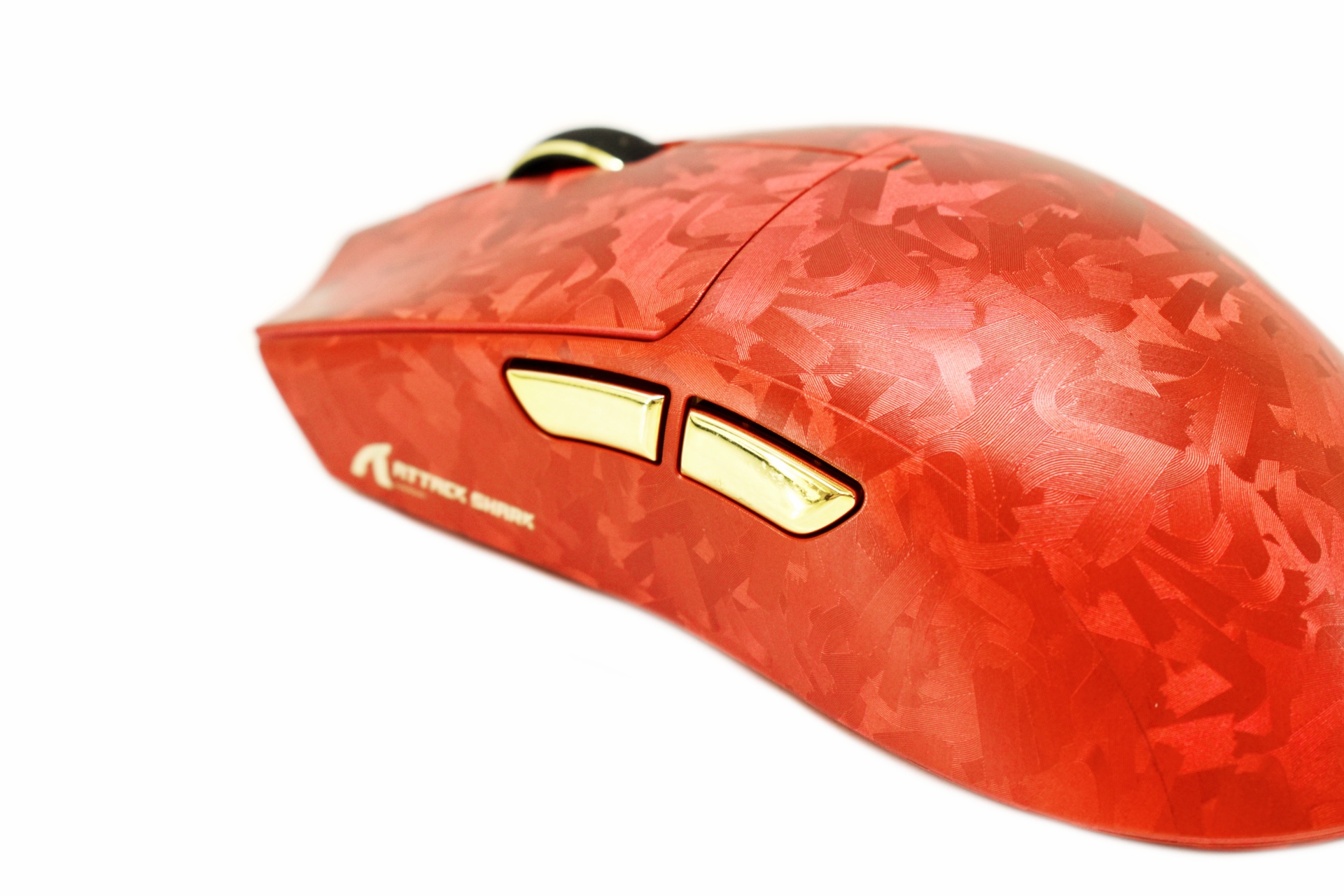
Both the red and purple color models have two gold programmable buttons on the left side.
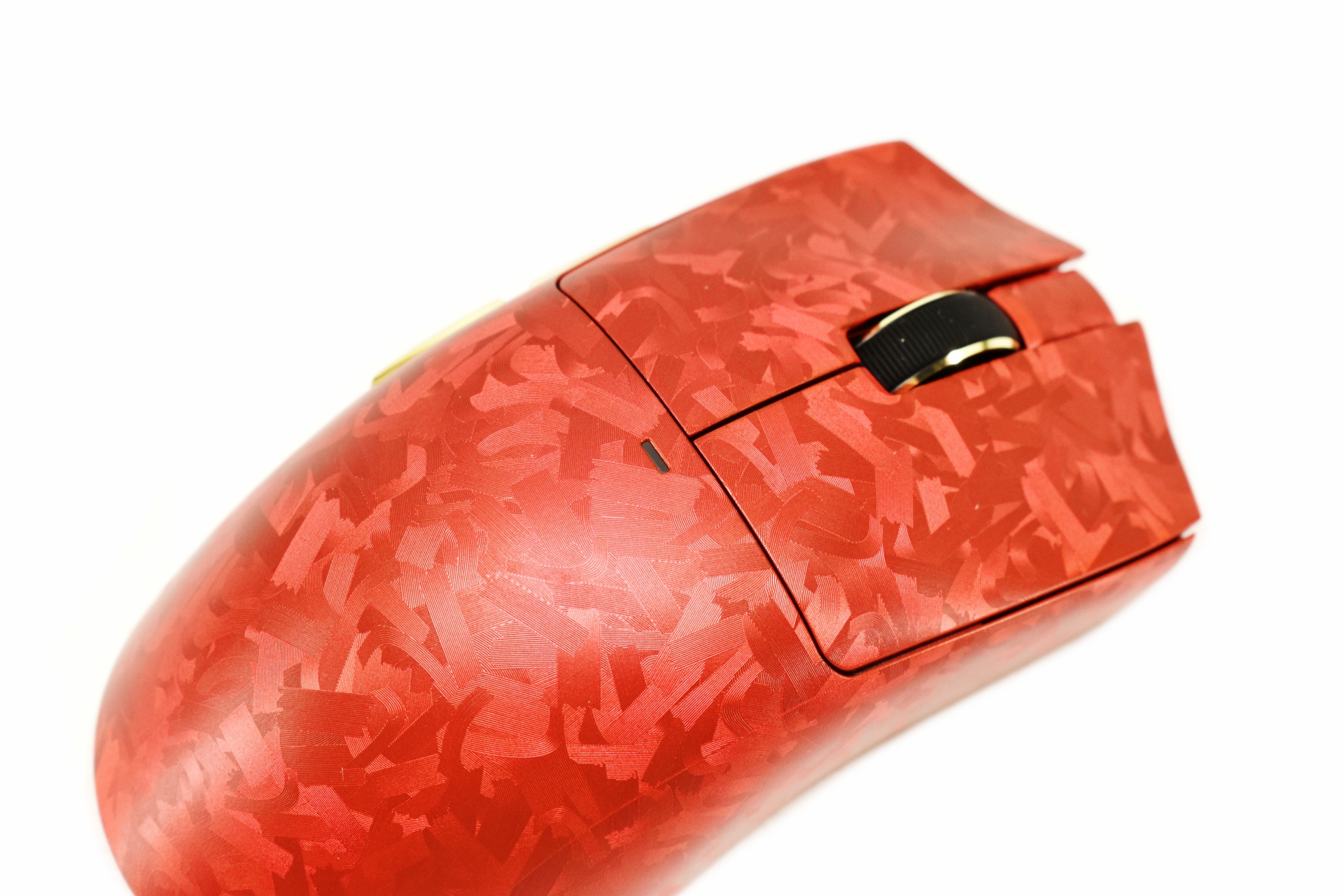
The DPI/mode selection LED is placed at the top (as usual).
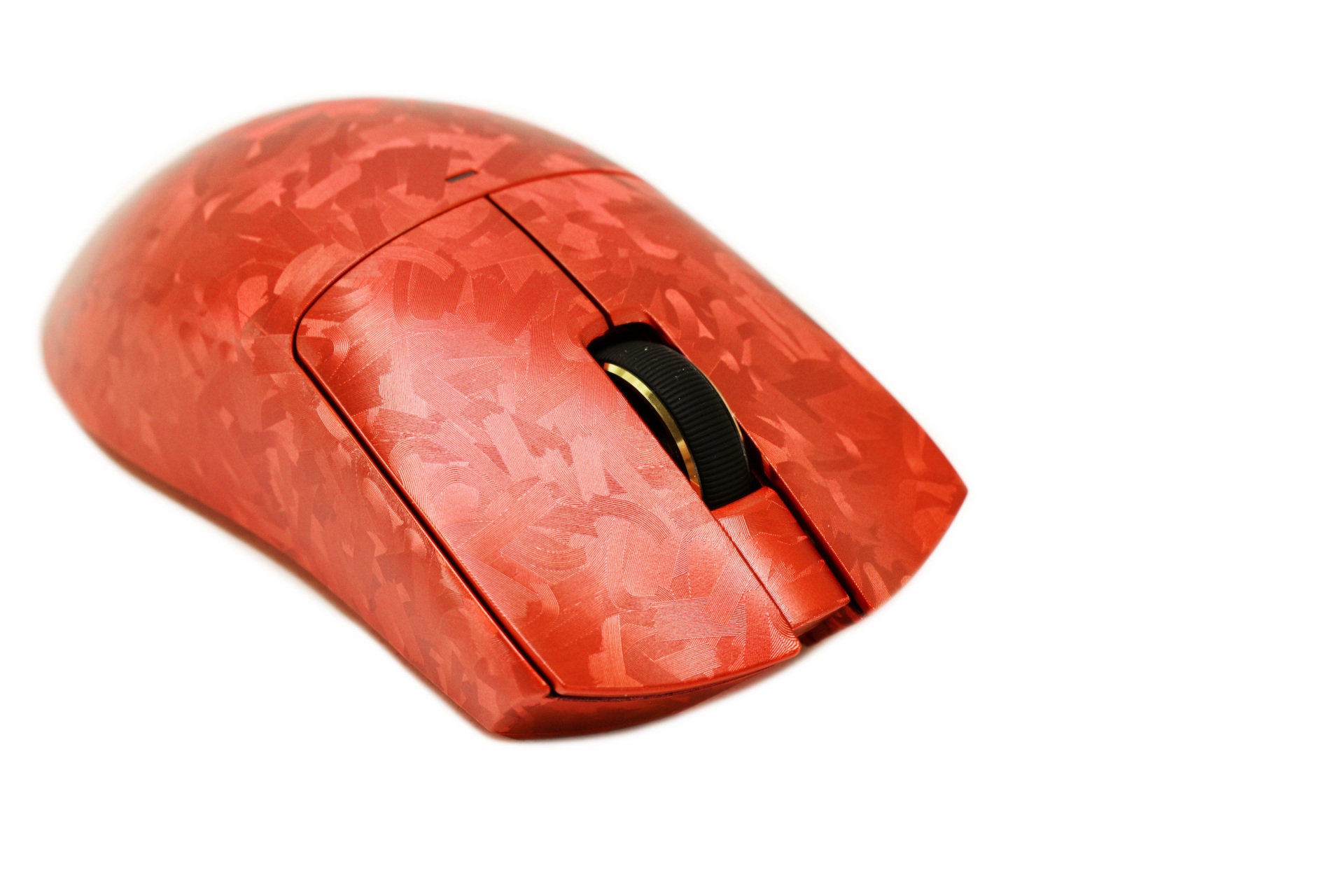
Both primary buttons are optical ones made by OMRON and as for the clickable scroll wheel it's rubber coated (with gold rings on the sides).
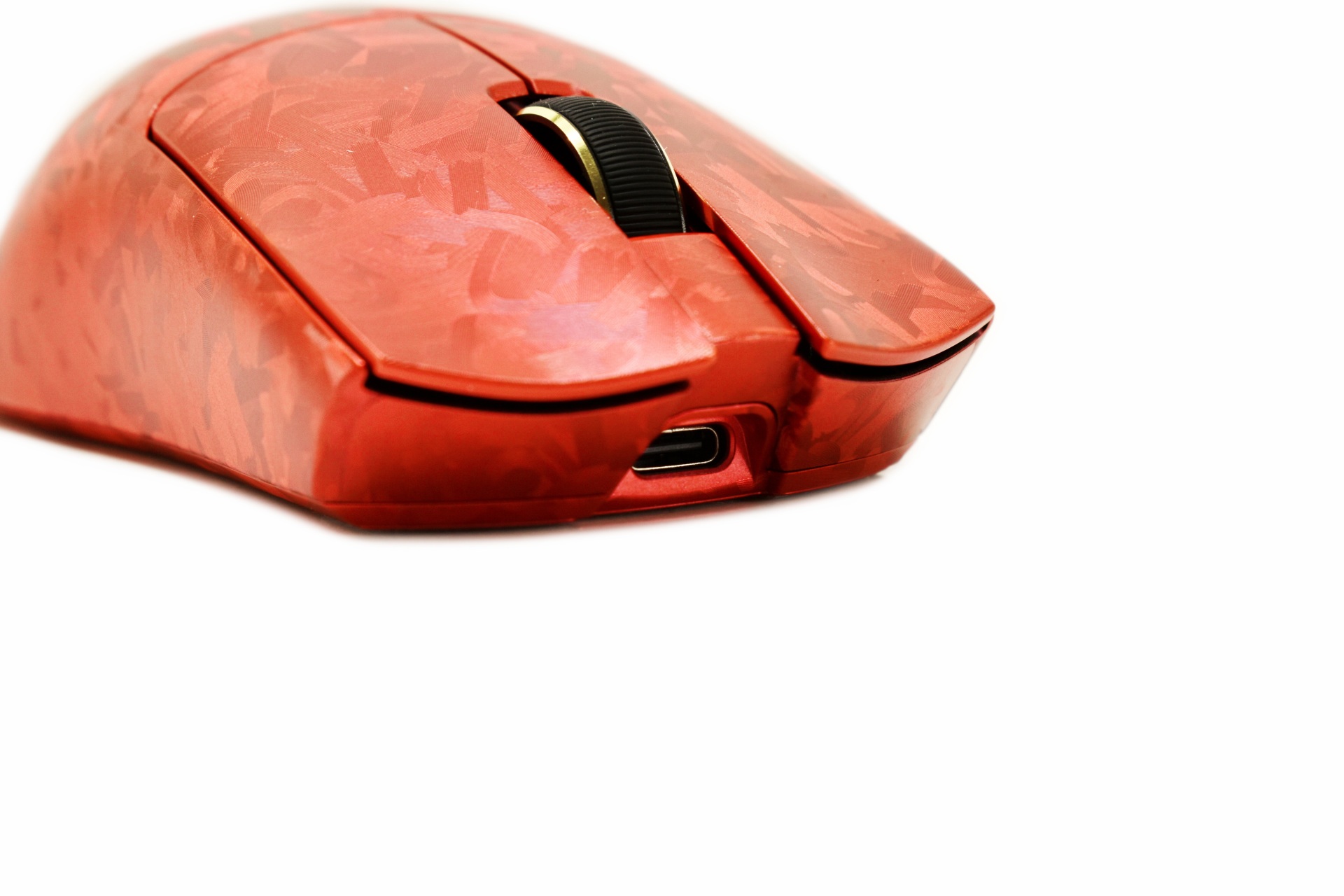
As always, the USB-C port is located at the lower front end of the mouse.
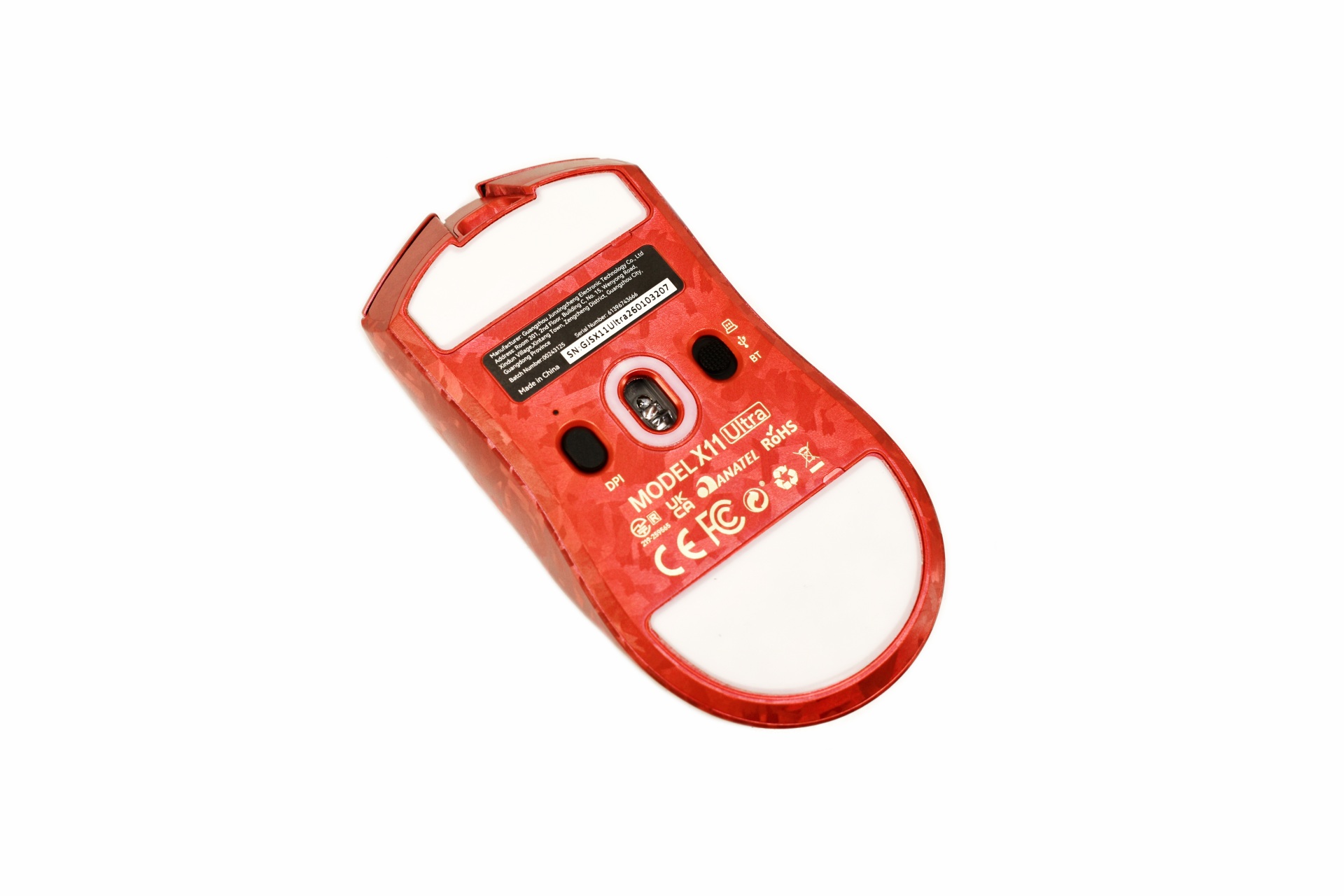
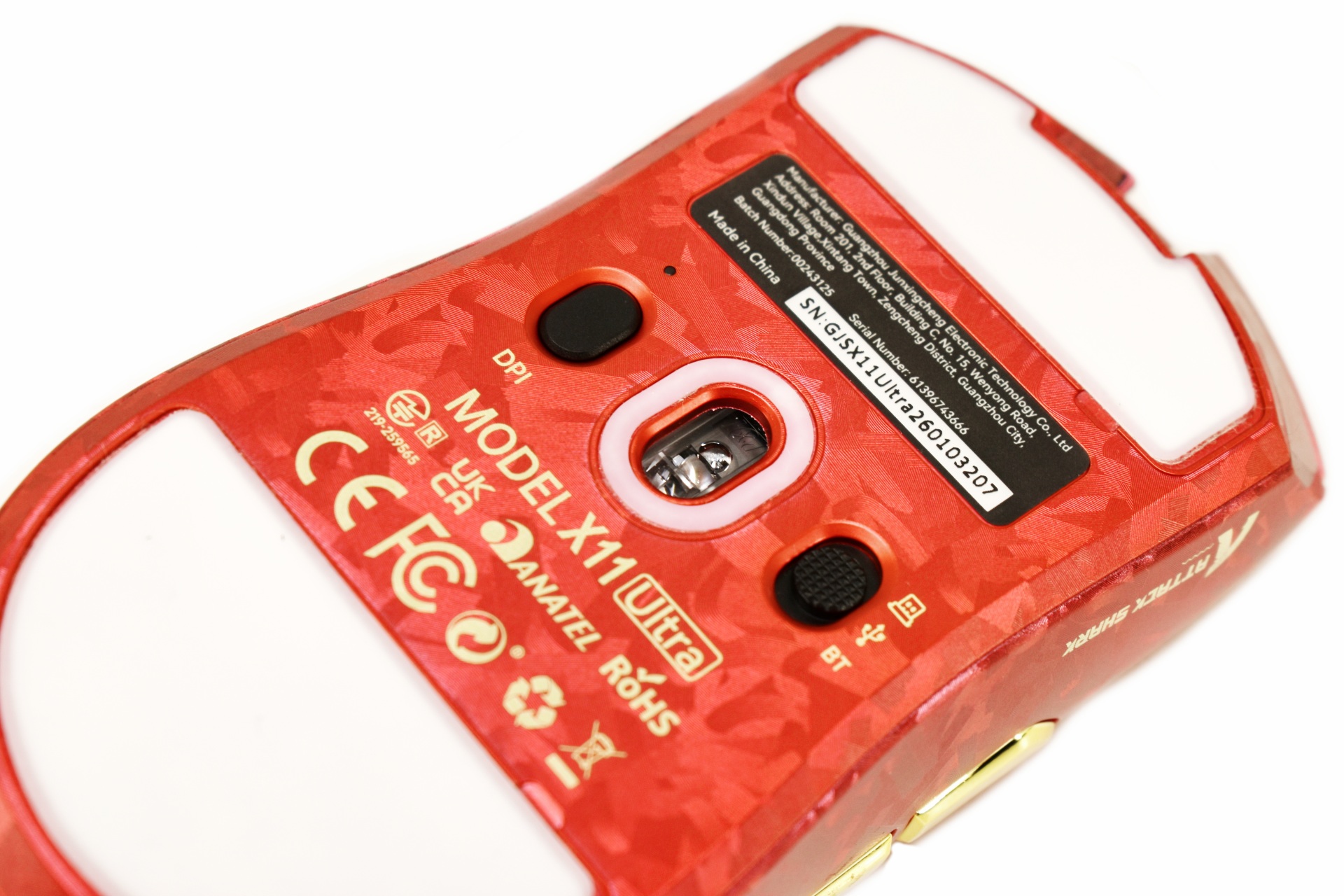
Turning the mouse over we find a sticker with its serial number and barcode, two large PTFE feet, DPI selection button, 2.4GHz/Bluetooth/USB-C switch and the PixArt PAW3950MAX sensor lens.
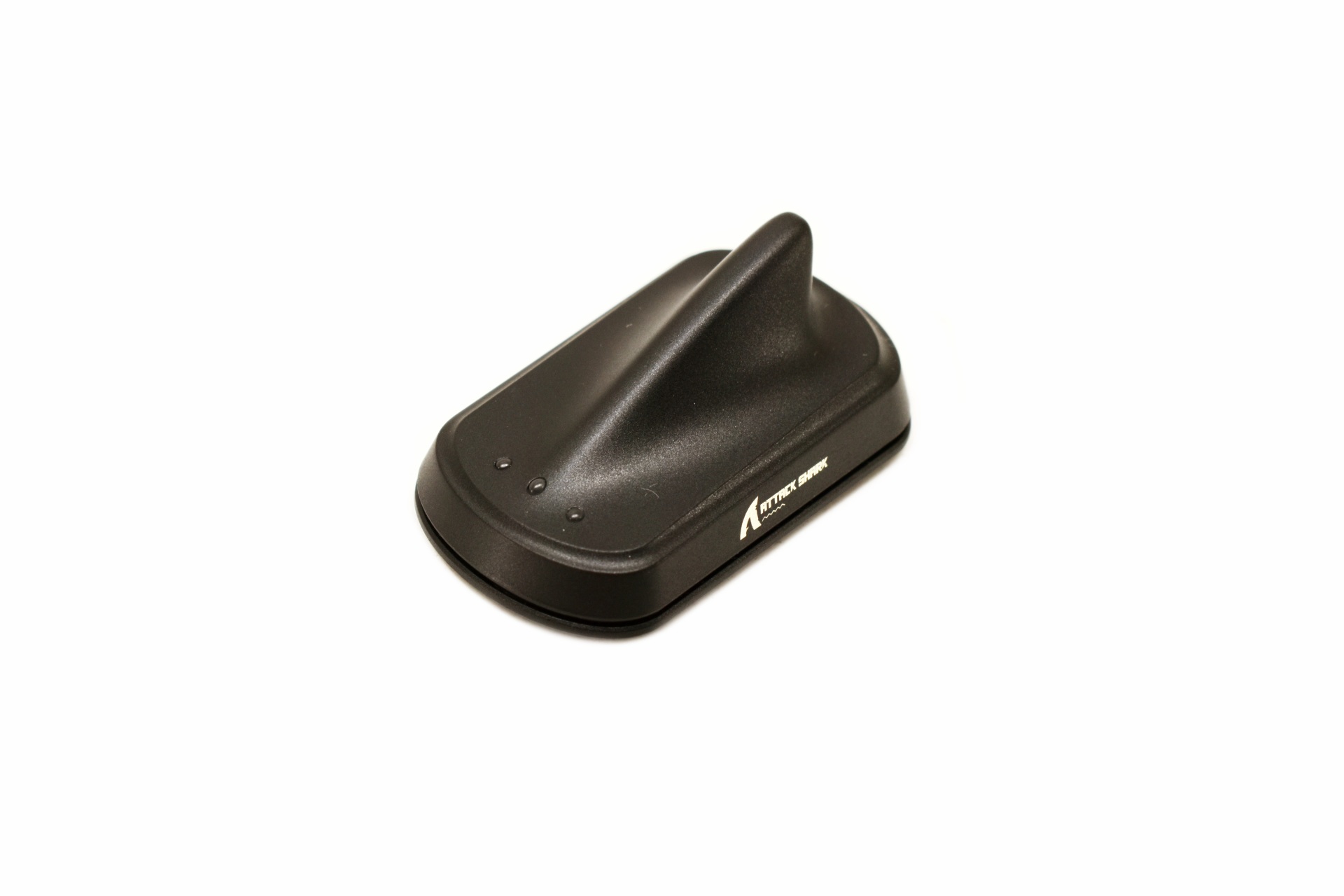
The 2.4GHz dongle has 3 activity LEDs at the front and a fin desin which makes it stand out compared to its competition (it's also significantly larger).
CONTROL SOFTWARE
ATTACK SHARK offers their own control software for their gaming mice so for complete control I recommend using it.
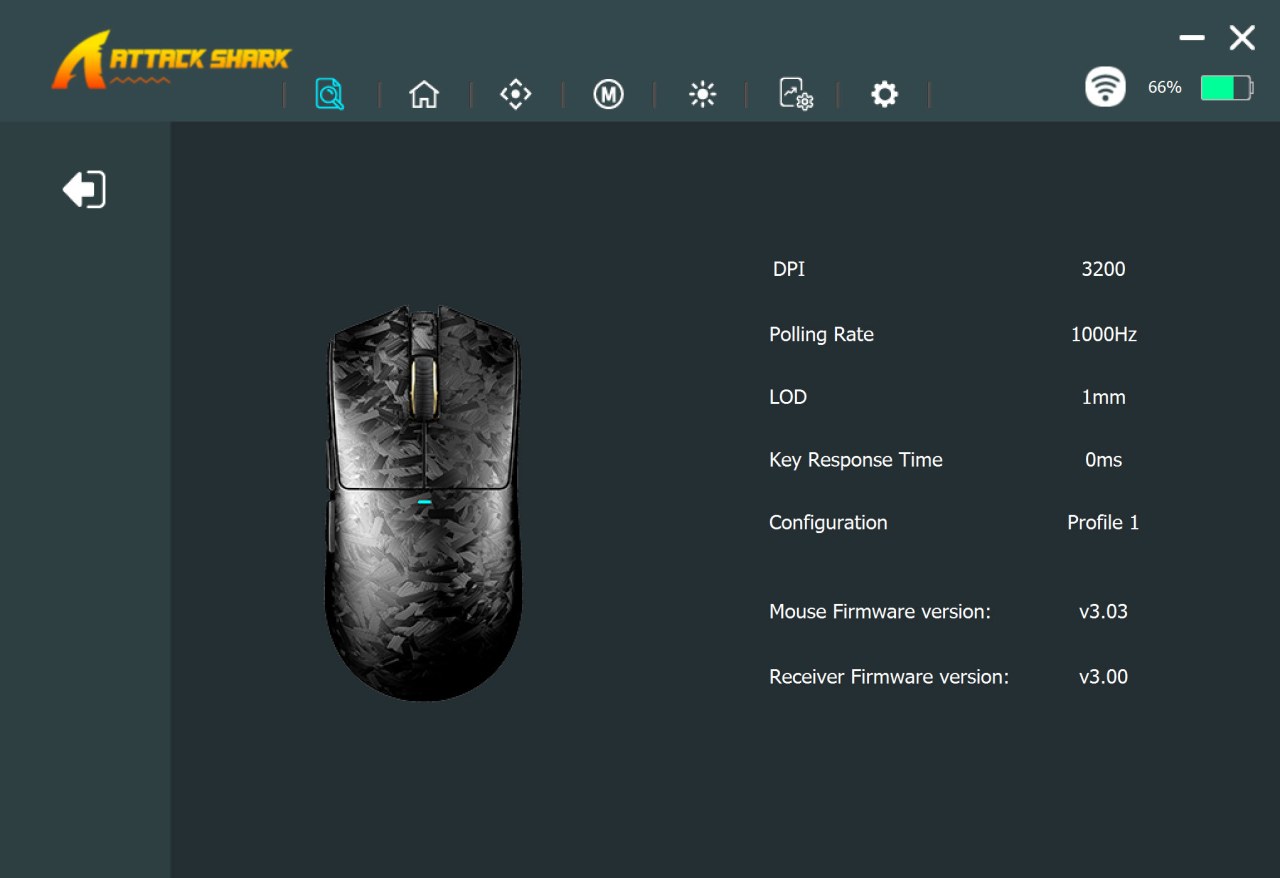
From the initial tab you can see the current settings for the mouse (signal and battery life display is on the top right corner).
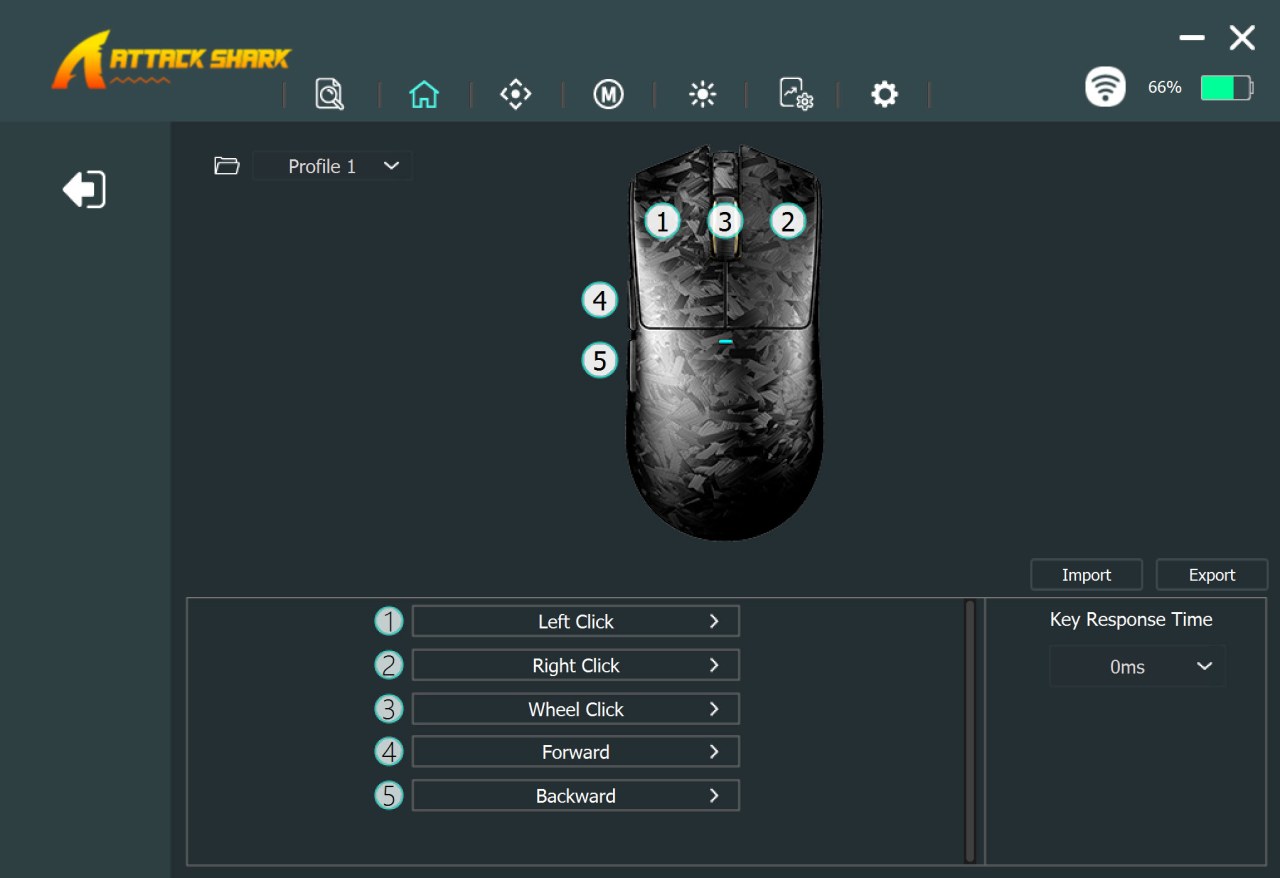
Second tab allows you to remap/program all 5 buttons on the X11 Ultra.
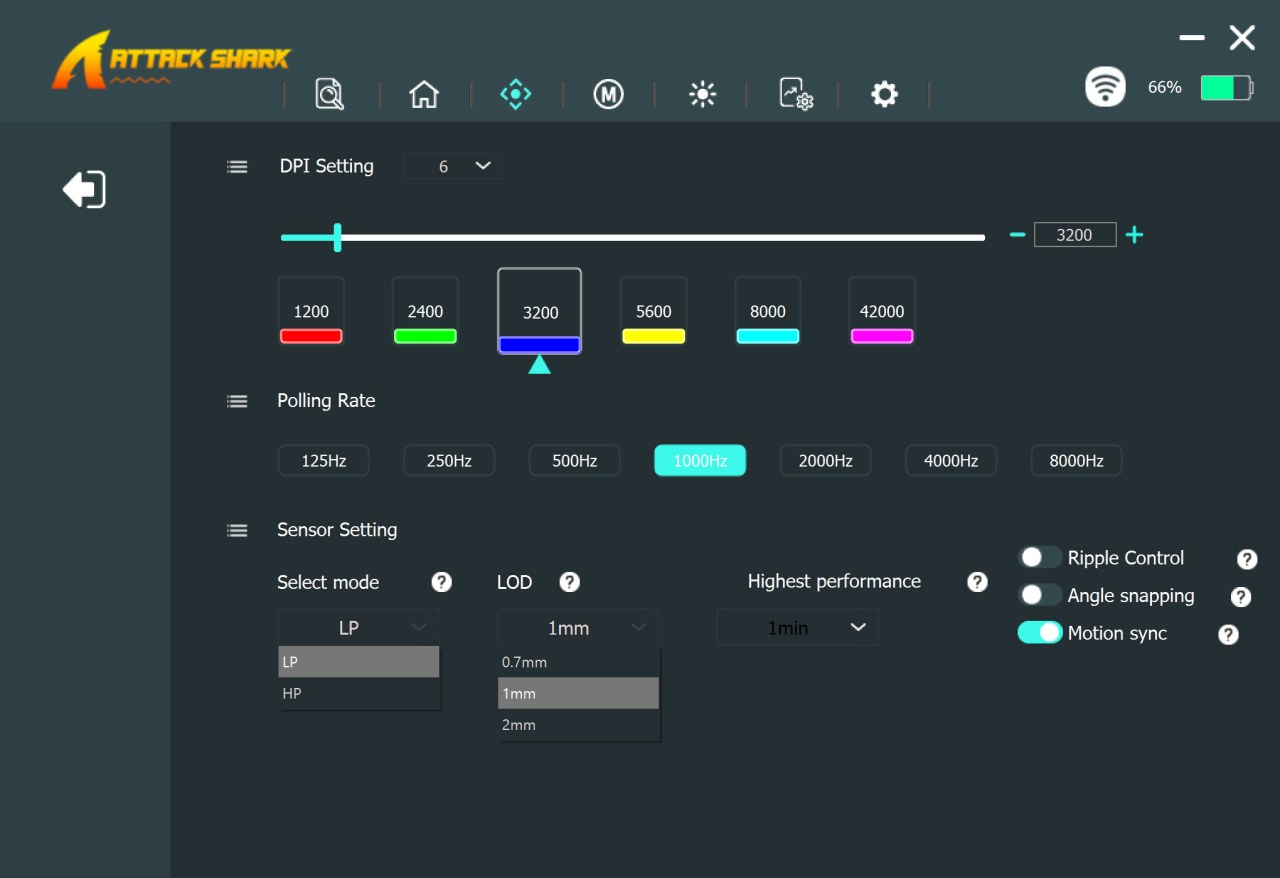
Inside the third tab we find the DPI adjustment bar, 6 DPI modes, polling rate, laser sensor mode and lod and features like angle snapping, ripple control and motion sync.
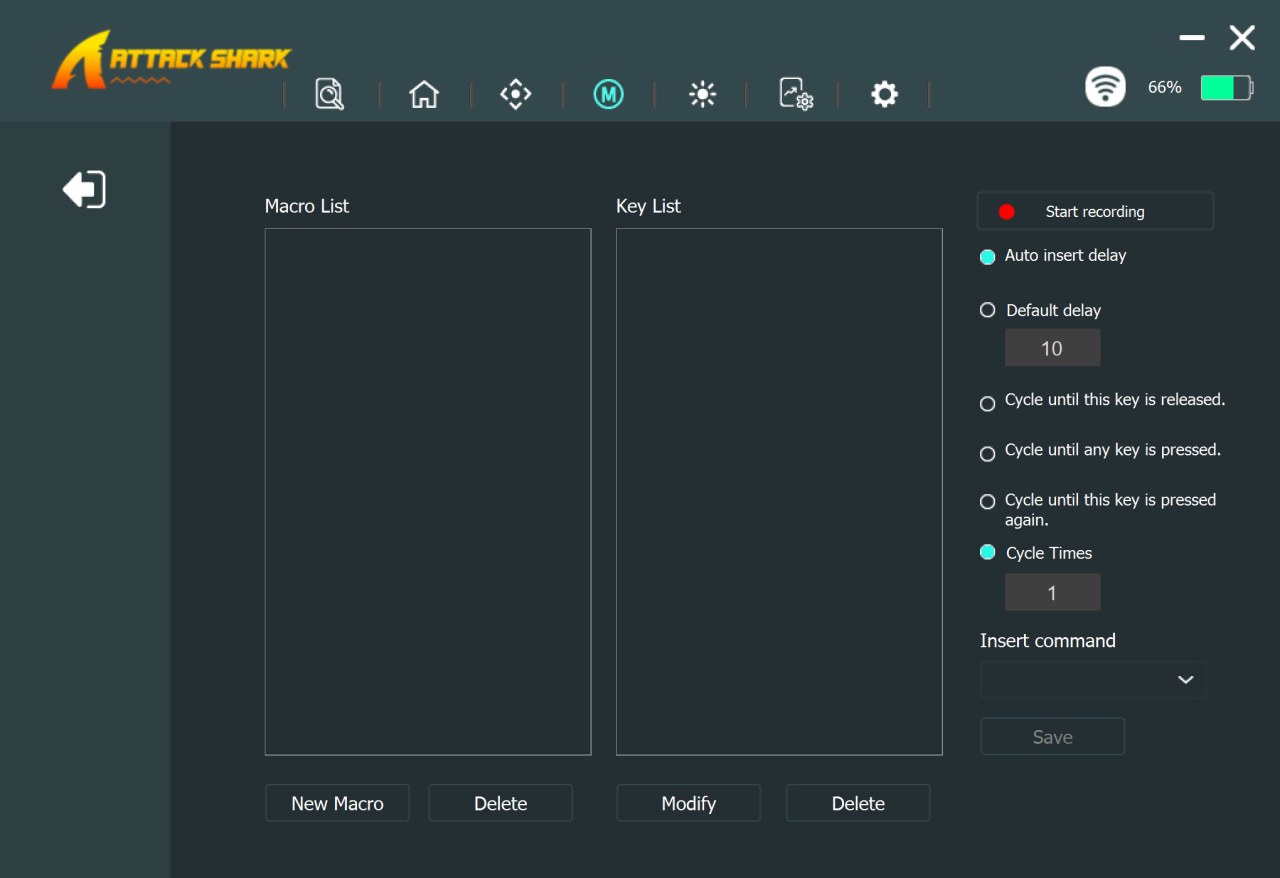
Fourth tab allows the end user to create macros.
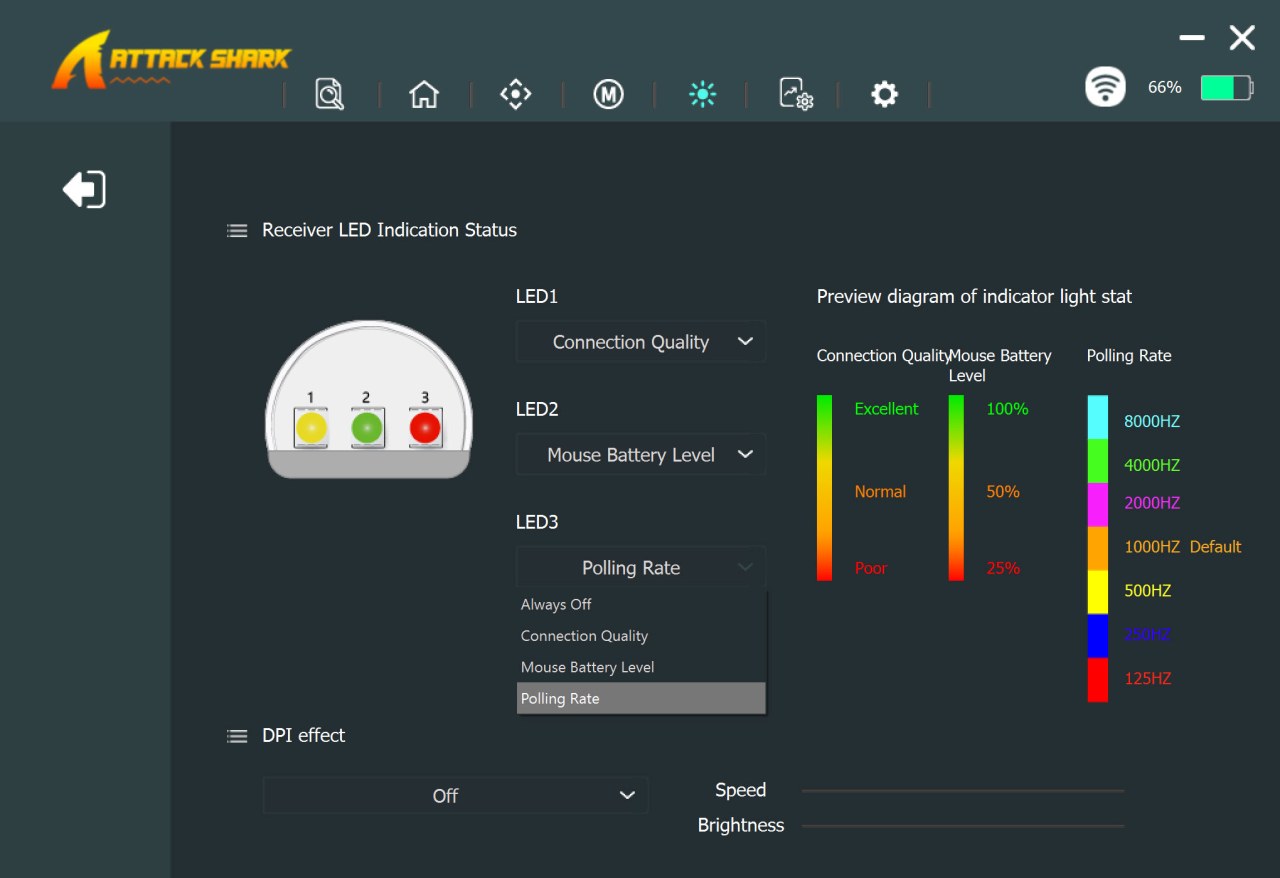
The 2.4GHz receiver LED colors can be controlled from the fifth tab as seen above.
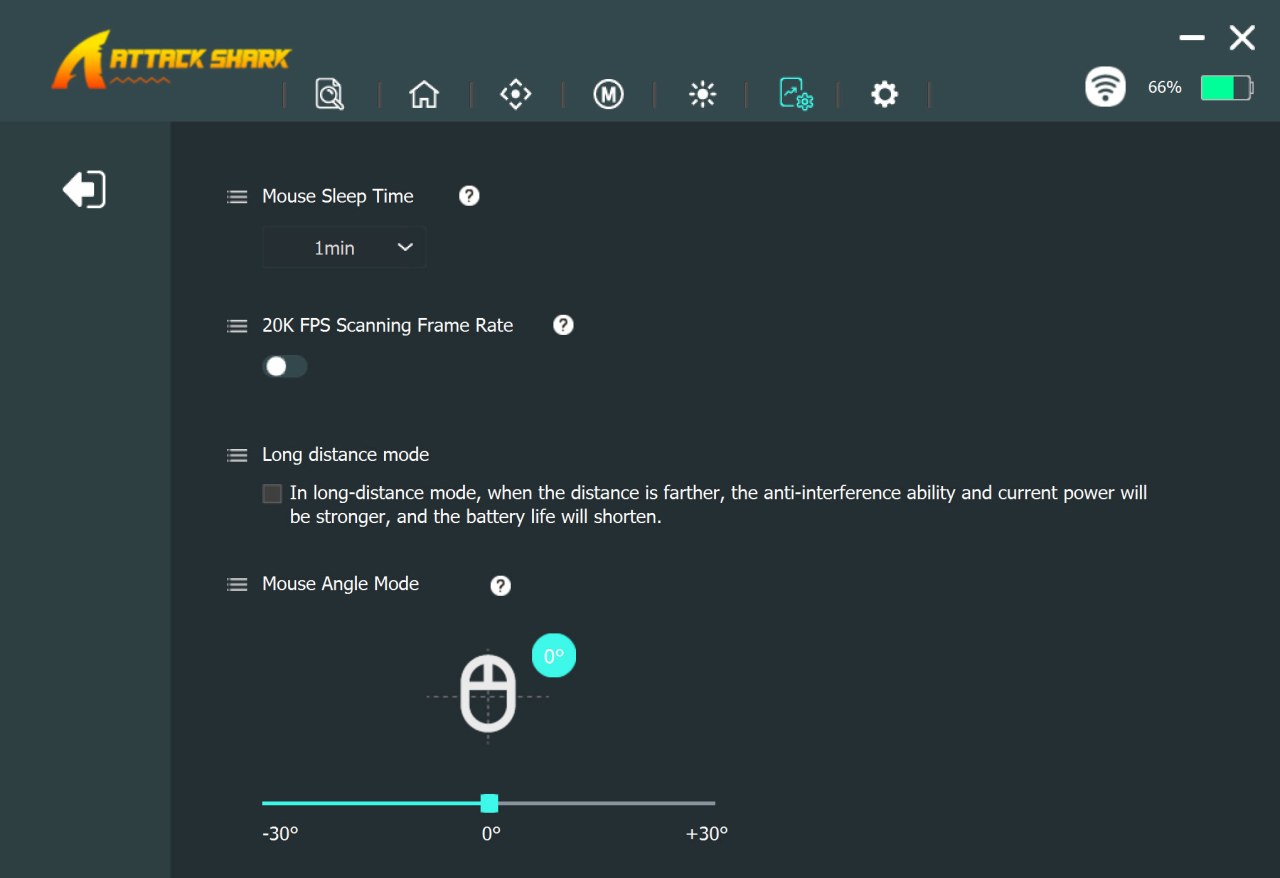
Sleep time, scanning frame rate, long distance mode and angle mode are all placed in the seventh tab.
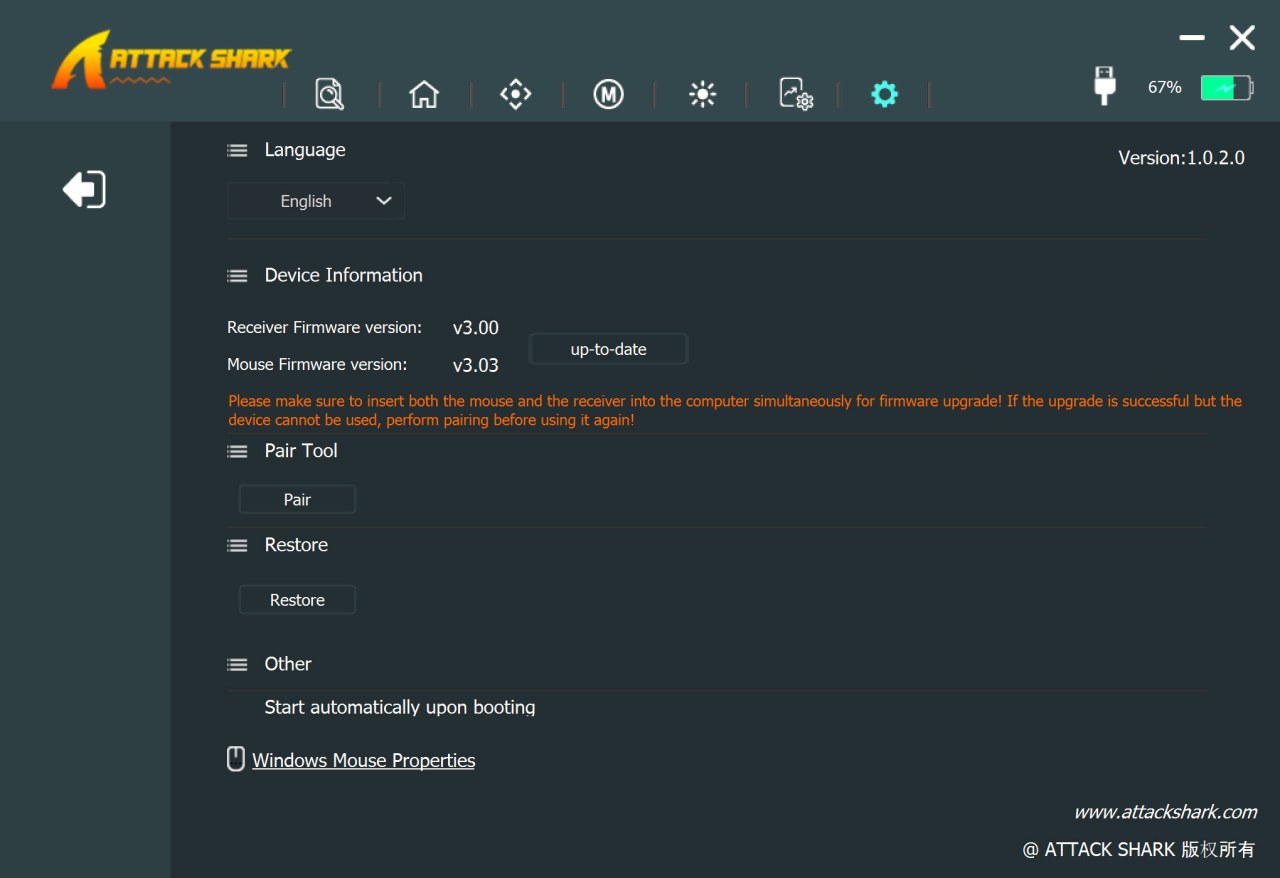
From the final tab you can change the language, check for firmware updates (both for the mouse and the receiver), pair the mouse wirelessly, restore factory settings and launch the software on startup.
CONCLUSION
By the end of my evaluation, the X11 Ultra wireless gaming mouse by ATTACK SHARK had proven itself as a mouse that prioritizes accuracy, comfort, and premium craftsmanship. The PAW3950MAX sensor and 8K polling rate make every movement feel crisp and controlled, while the carbon‑fiber chassis keeps the mouse lightweight without sacrificing durability. Battery endurance was consistently strong, landing around 40 hours at 8K, around over 50 hours at 1K, and stretching toward 60 hours with lighter use. Wireless range stayed reliable (even from the next room), and the forged‑carbon finish paired with the icy‑grip coating adds a refined touch. The shape leans a bit larger than what my hand prefers, the 2.4G dongle feels bulkier than necessary, and the control software needs a bit work (looks outdated) but those are small trade‑offs in an otherwise polished, high‑performance package.
At the time of my review the X11 Ultra wireless gaming mouse by ATTACK SHARK retails for USD64.31 inside the USA (Amazon.com) and for 65.63Euros inside the EU (Amazon.de) and so it’s priced on the lower end compared with its immediate competition. Overall, I don’t have anything bad to say about the X11 Ultra, it’s very fast, equally accurate, battery life is great, signal strength will satisfy even the most demanding users and as for design it’s among the best-looking gaming mice I’ve used to date and these are the reasons it gets the Golden award.

PROS
- Build Quality
- PixArt PAW3950MAX Sensor
- Nordic 54L15 MCU
- Wired & Wireless Use (2.4GHz / Bluetooth v5.2)
- 8kHz Wireless Rate
- Design & Colors (Black, Red & Purple)
- Primary Buttons Responsiveness (OMRON Optical)
- Price (For Some)
CONS
- Overall Size (For Some)
- Control Software (Looks Outdated)