





INTRODUCTION
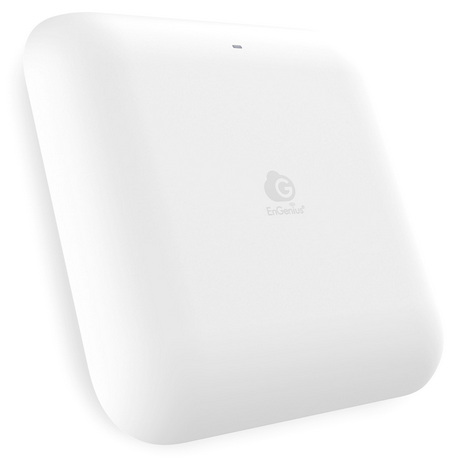
We rarely think about Wi‑Fi until it fails us, a dropped call, a buffering video, a sluggish upload or download, all these can easily become annoying. With more devices, heavier workloads, and denser environments, the pressure on wireless networks has never been higher. Access points are the backbone that carry that load, shaping how well a space performs under real‑world demand. EnGenius is pushing forward with its Cloud7 ecosystem, and the ECW520 Access Point steps in as a Wi‑Fi 7‑ready solution built for environments that demand both performance and cloud‑native control.
EnGenius Technologies Inc. is an industry leader in secure, cloud-driven networking solutions for enterprise and SMB environments. With over 25 years of innovation, EnGenius enables organizations to build smart, scalable, and easily managed networks with best-in-class total cost of ownership (TCO).
The EnGenius ECW520 leans heavily on the Qualcomm Networking Pro 1220 (IPQ9574) platform, a Wi‑Fi 7 system built around a high‑performance quad‑core CPU and a 12‑stream tri‑band architecture capable of handling dense multi‑client environments with low latency and high concurrency. The NP1220 brings native support for 320MHz channels, 4K QAM, Multi‑Link Operation (MLO), Adaptive Interference Puncturing, and advanced OFDMA/MU‑MIMO scheduling, all of which feed directly into the ECW520’s 2x2x2 tri‑band radio design. On the 6GHz band, the AP taps into the wide EHT320 channel widths for high peak throughput and reduced contention, while the 5GHz and 2.4GHz radios maintain backward compatibility for legacy clients. EnGenius pairs this with a 2.5GbE PoE+ uplink, ensuring the wired side isn’t the bottleneck when Wi‑Fi 7 features are fully engaged. The AP is rated for 1,250 sq. ft. of coverage and up to 512 concurrent clients, making it suitable for offices, retail, hospitality, MDUs, and healthcare deployments. Management is handled through the license‑free EnGenius Cloud, offering remote provisioning, monitoring, automated firmware/security updates, and Cloud To‑Go mobile access. Security is anchored by WPA3 Enterprise, and the unit carries a five‑year hardware warranty, positioning the ECW520 as a cost‑efficient but technically capable entry point into the Cloud7 ecosystem.
SPECIFICATIONS AND FEATURES

PACKAGING AND CONTENTS
Once again EnGenius uses a plain cardboard box to ship the product the front of which just has their logo and a product description.
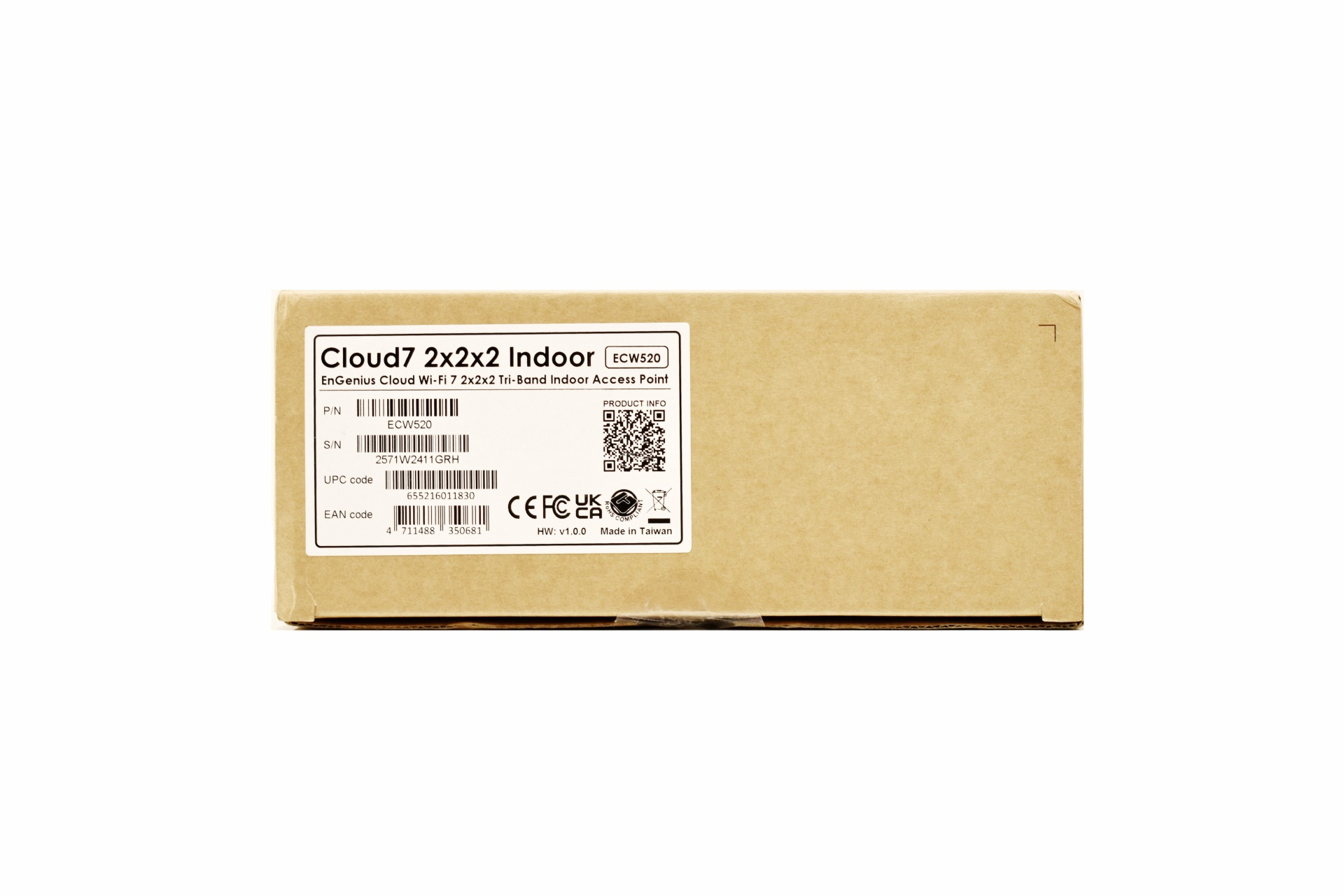
The serial numbers and barcodes are located on sticker on the right side.
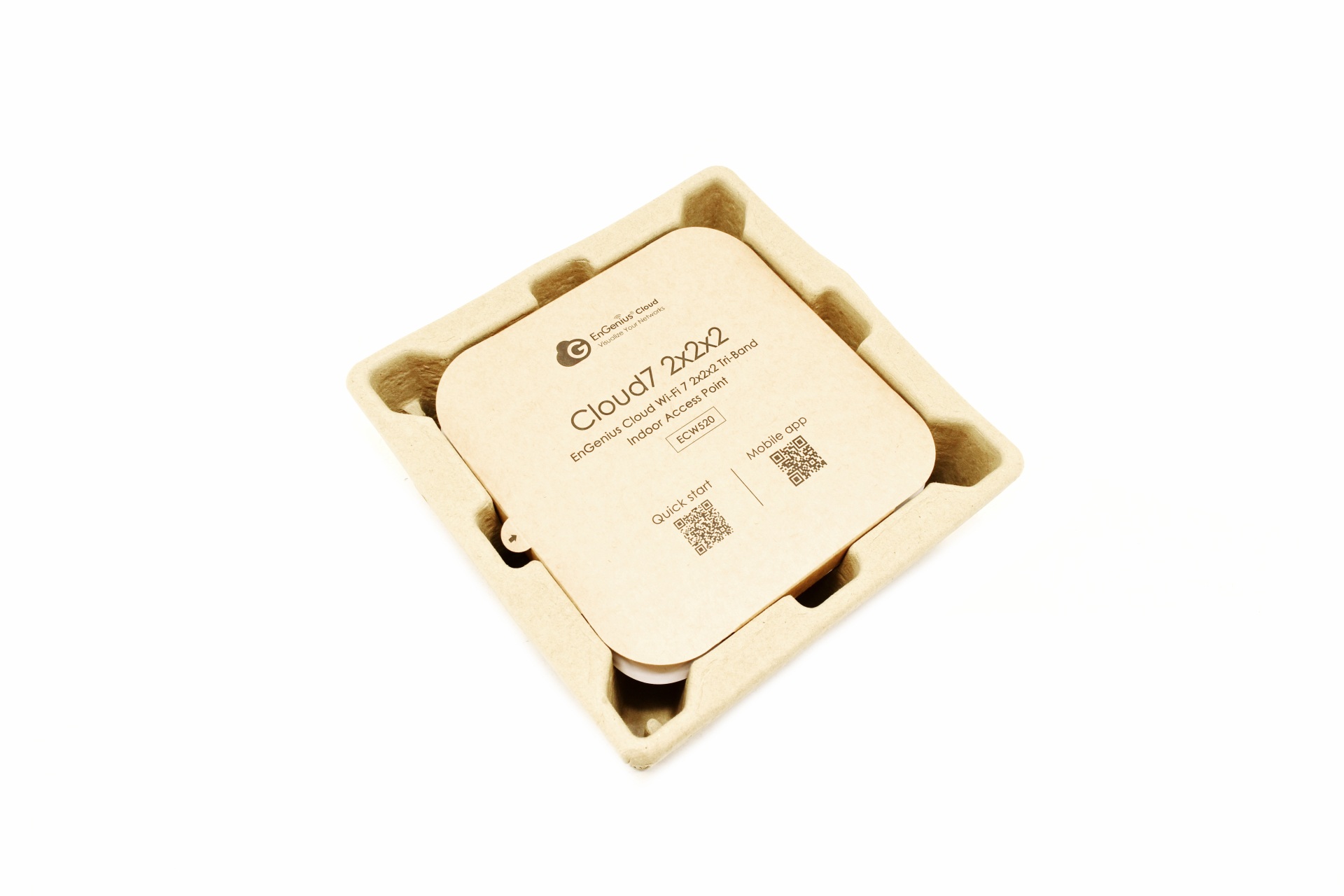
Just like with past models the ECW520 is placed inside a formed piece of cardboard.
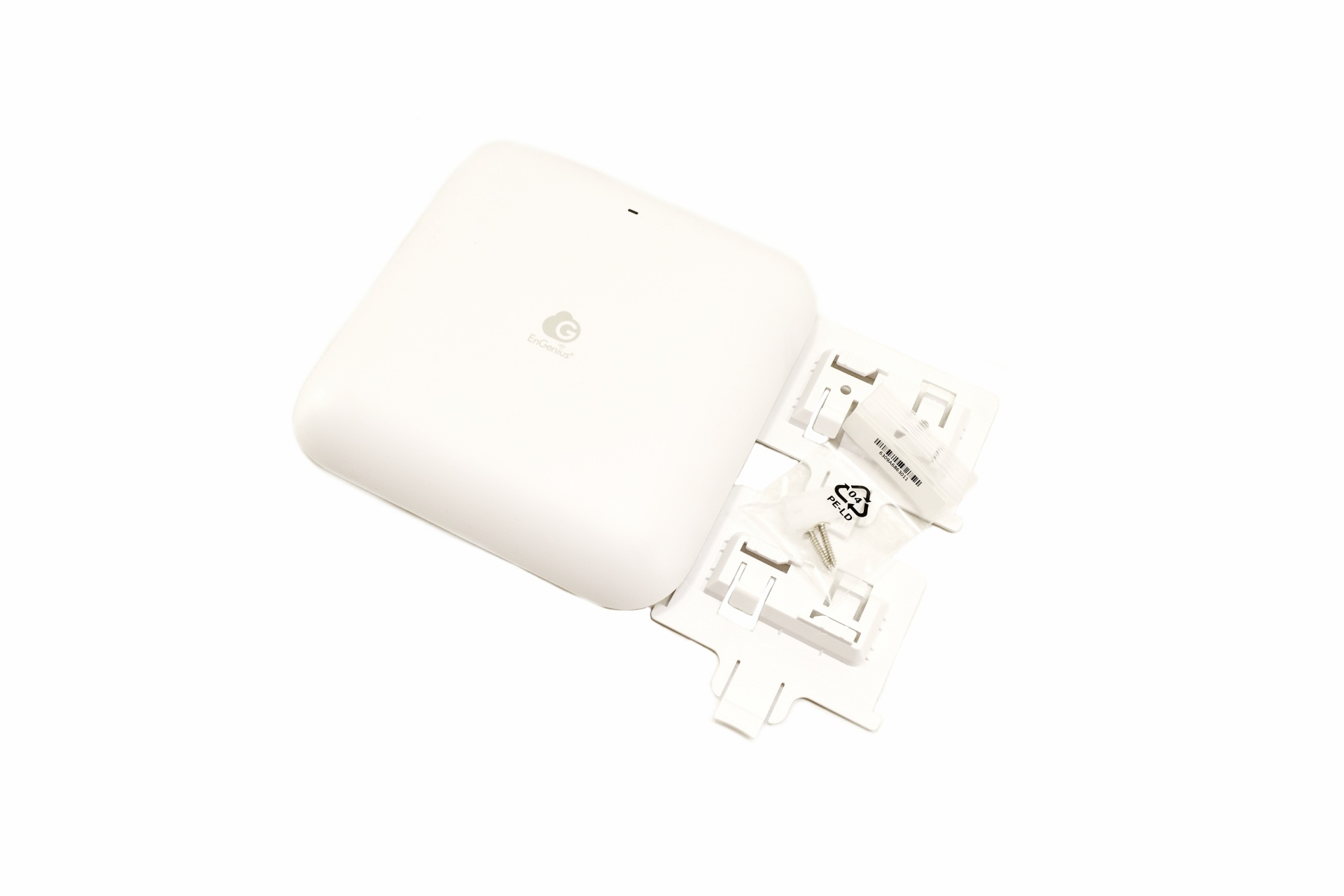
Along with the ECW520 AP inside the box you'll also find wall mounting brackets and screws.
THE ECW520
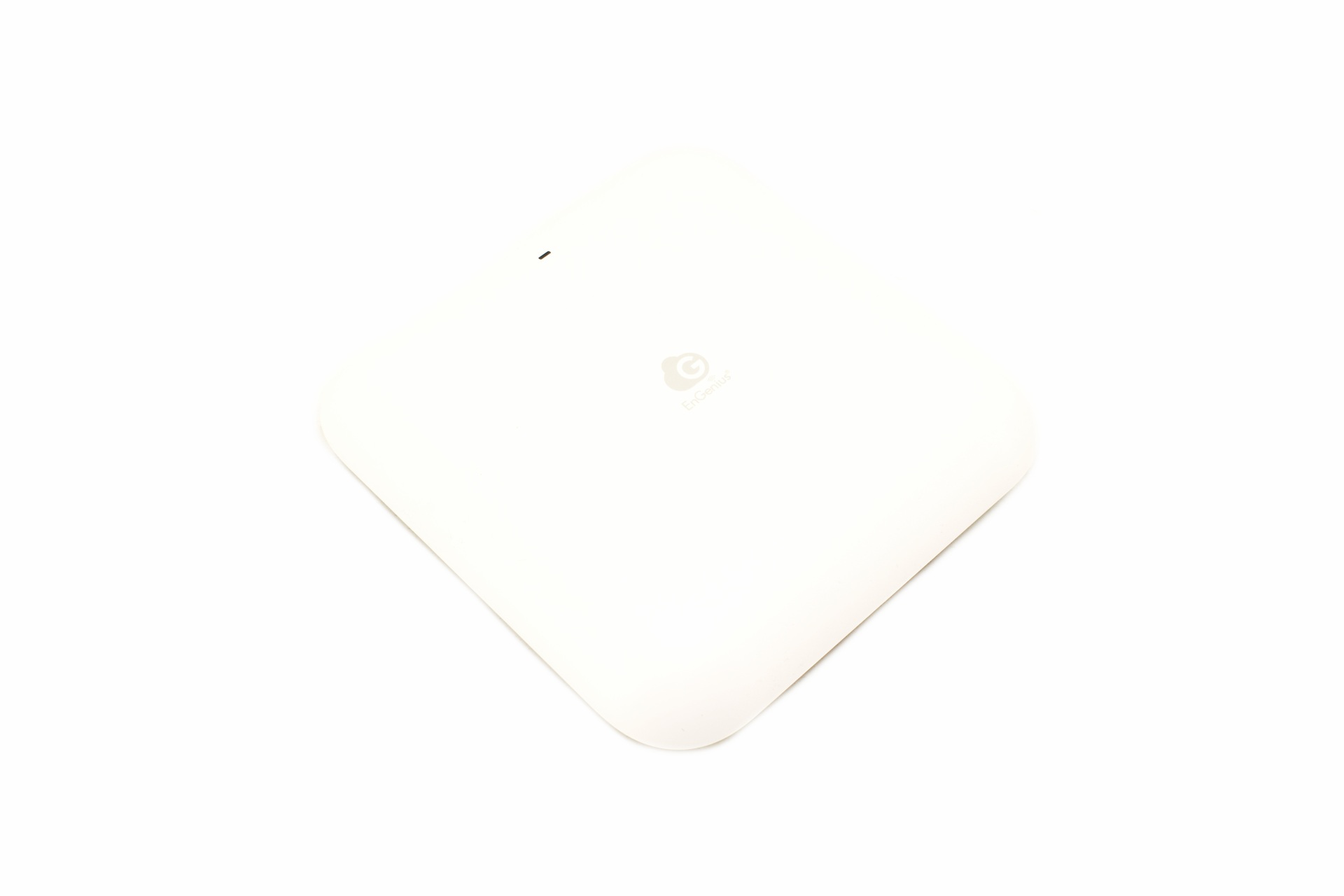
The ECW520 AP comes in white matte color and measures 158mm in width, 158mm in length and 39mm in thickness.
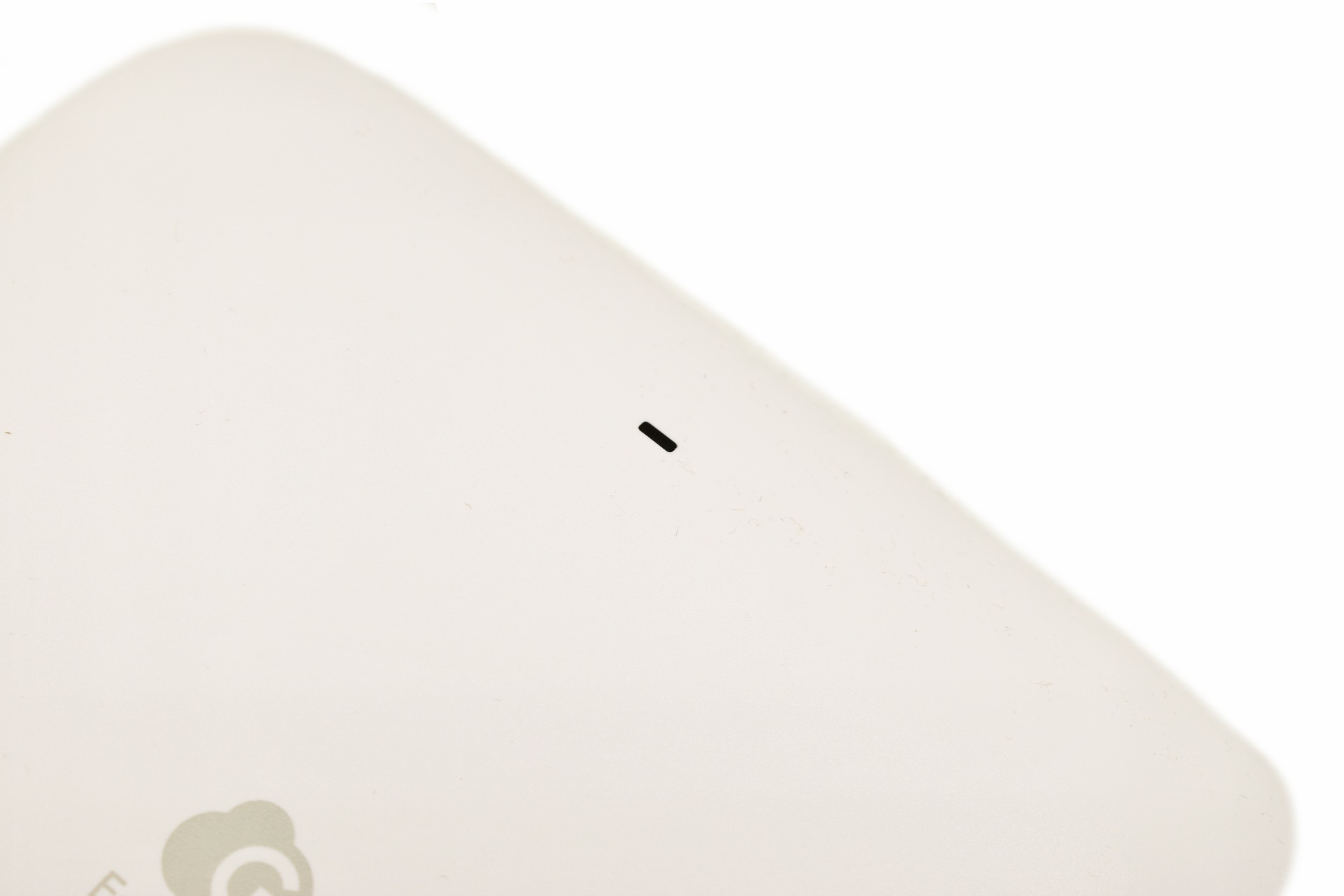
It has but a single multi-color activity LED at the front.
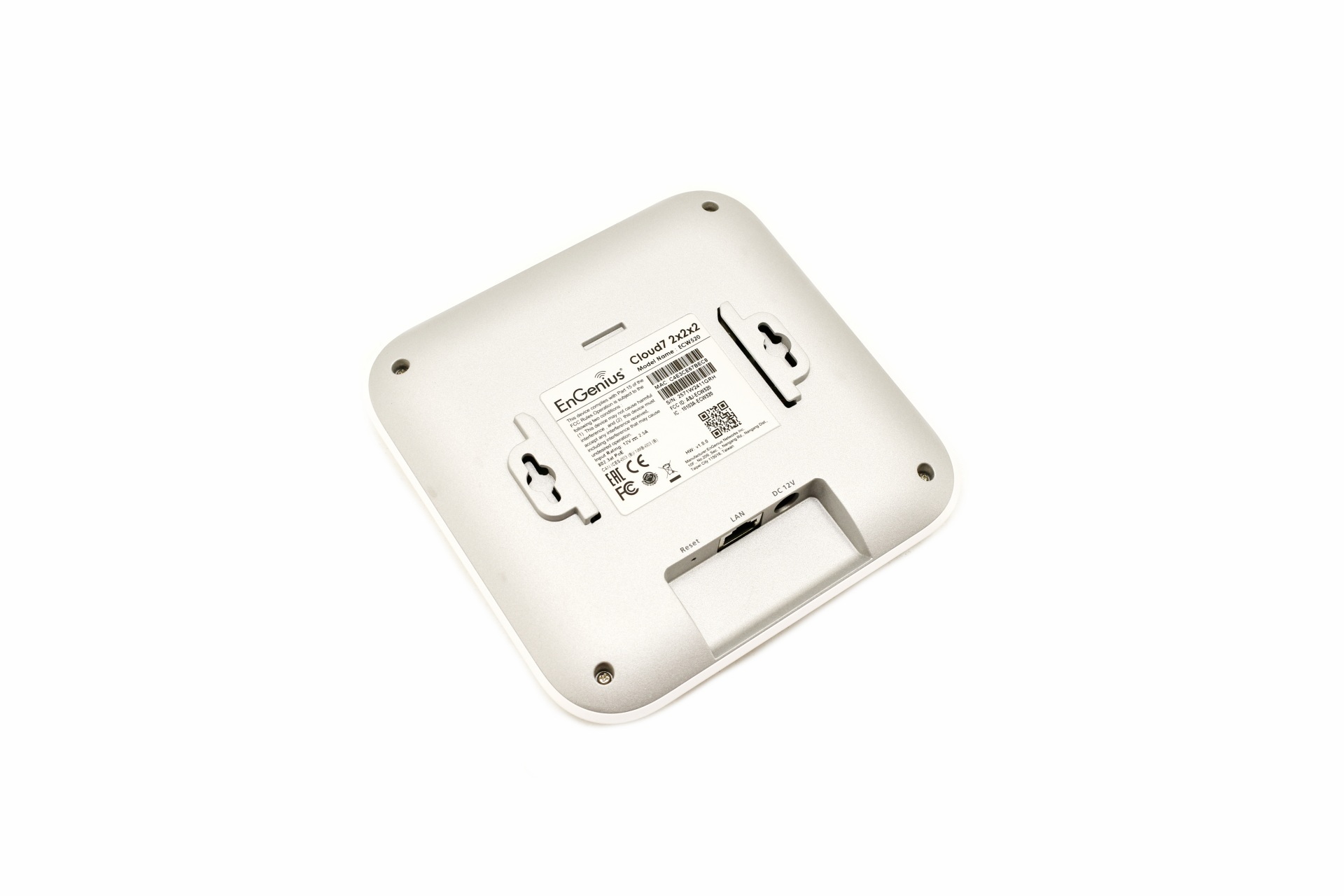
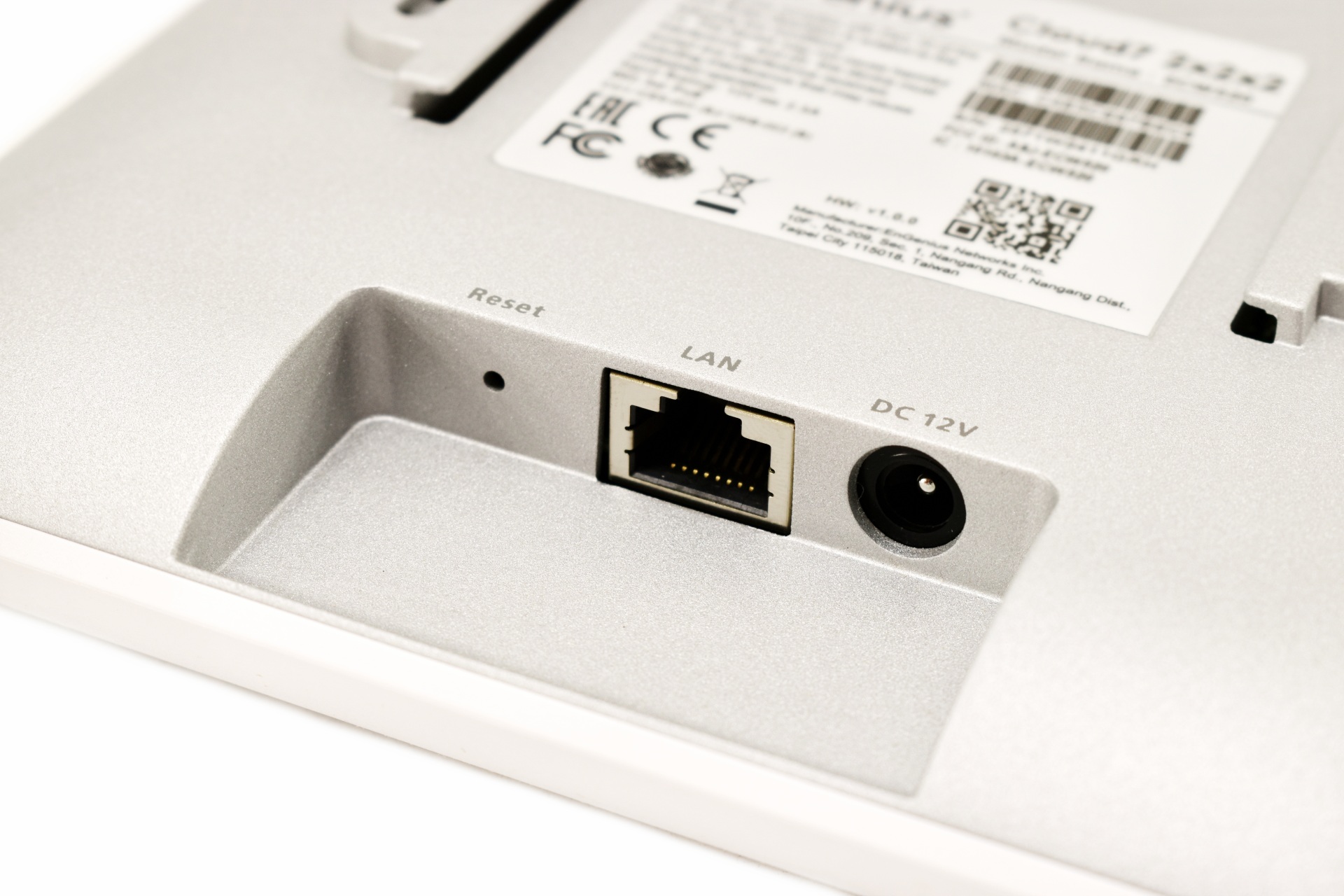
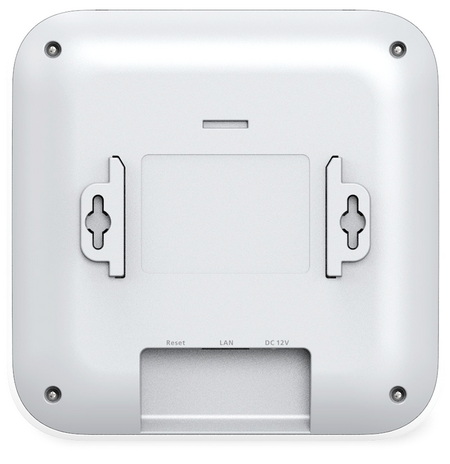
Turning the AP around we find two wall mounts, reset button, 2.5GbE PoE RJ45 port and a DC12V power port (power adapter sold extra).
GO TO CLOUD APP
There are two ways for users to control the ECW520, either from the Cloud web GUI or the Go To Cloud App (for this review, I chose the latter).
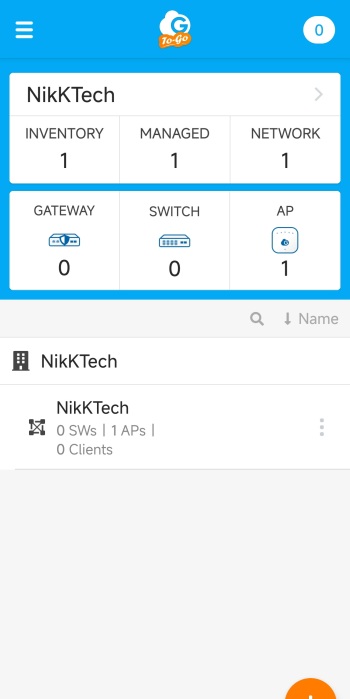
After you add the AP by following the on-screen instructions, you’ll find yourself on the main tab which lists your registered EnGenius devices.
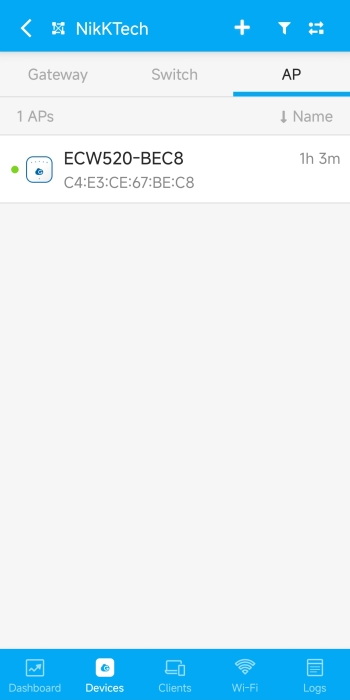
If you go into the bottom organization tab you’ll see the available devices, in this case the AP.
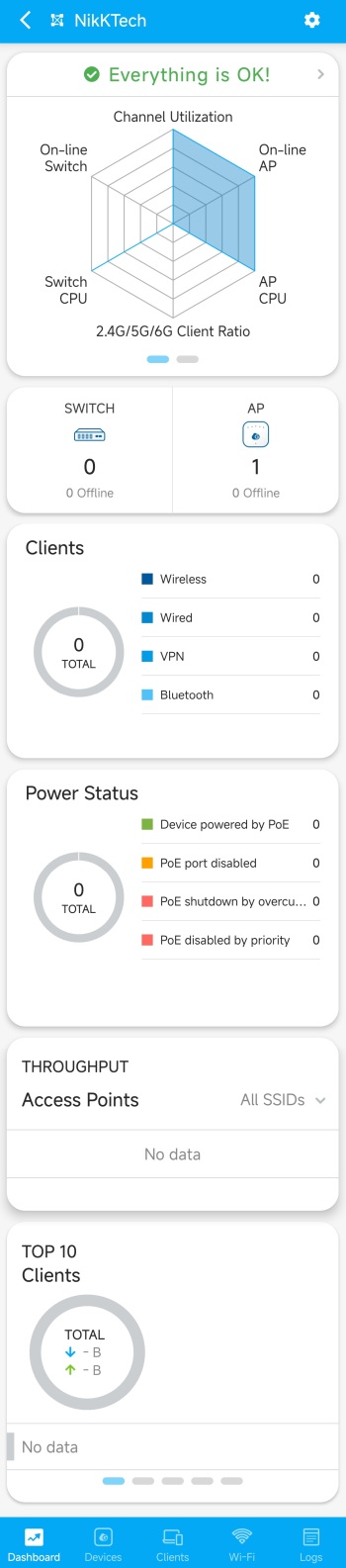
From the dashboard you can see if everything is alright or if there’s something wrong with your registered devices.

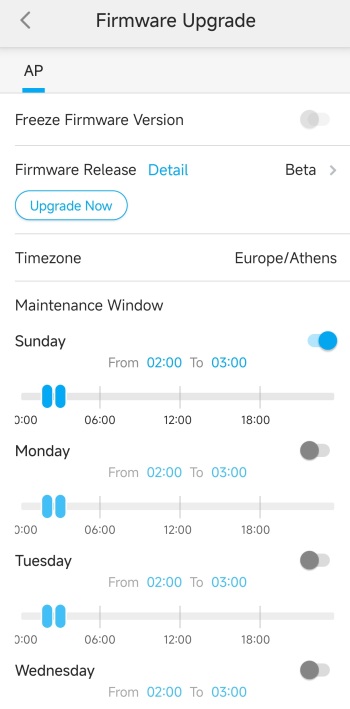
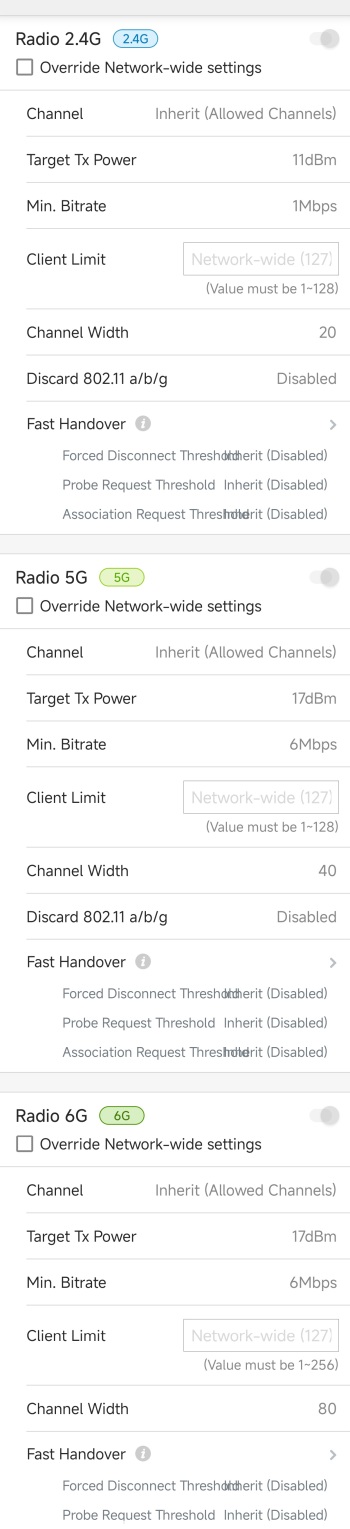
From inside the AP tab you can change the name, check for firmware versions (v1.10.112-13 was used for this review), enable disable radio bands, check the IP addresses, use VLAN management (need to be enabled first), check connected clients, read logs, use diagnostics tools, view statistics, replace the AP with another of the same model, reboot the AP, adjust the LEDs, write a note and post a picture (for device identification/location purposes).
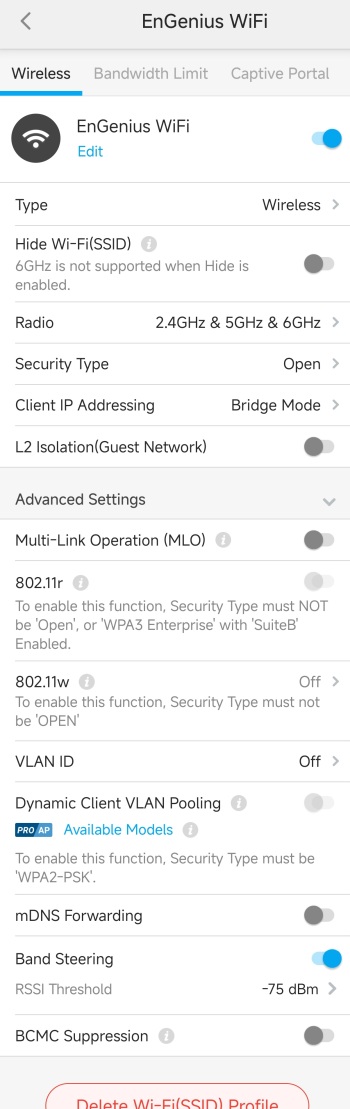
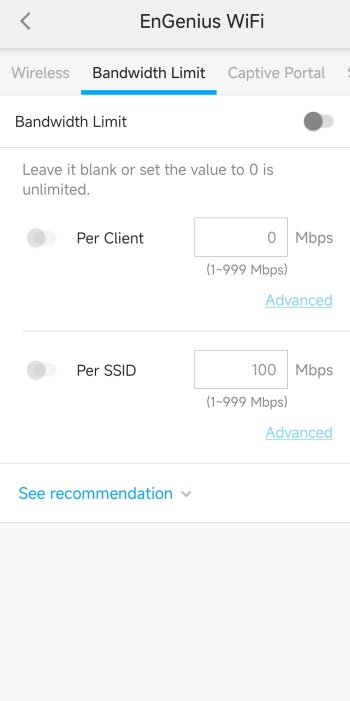
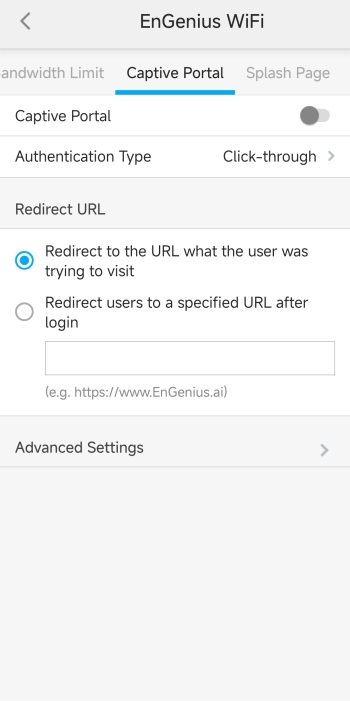
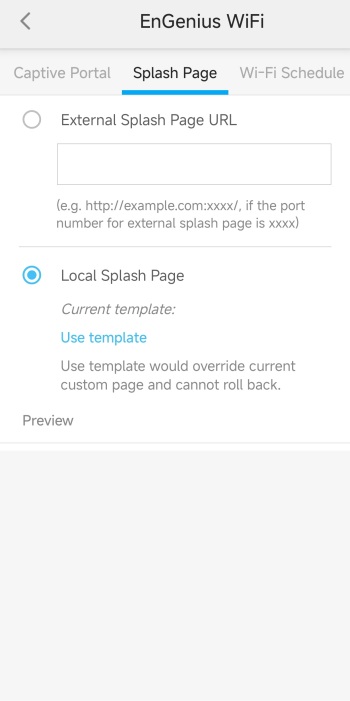
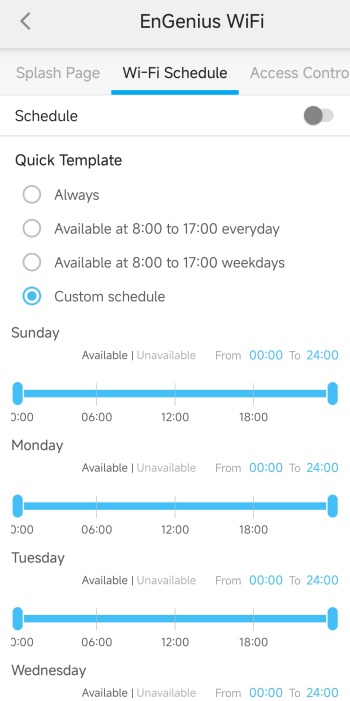
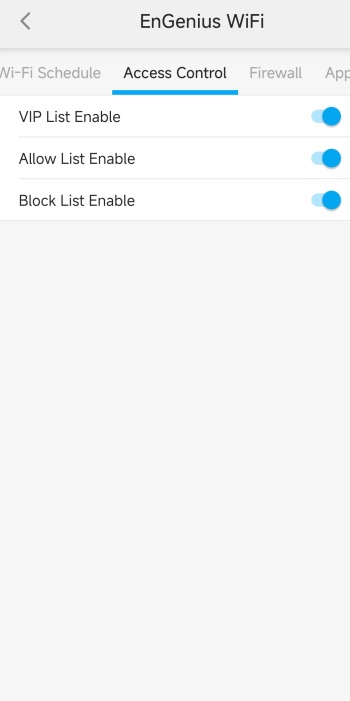
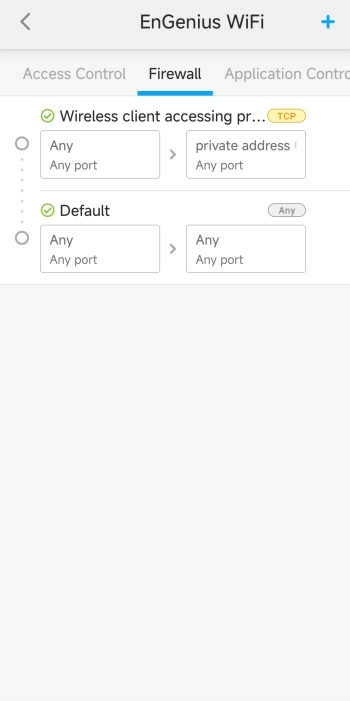
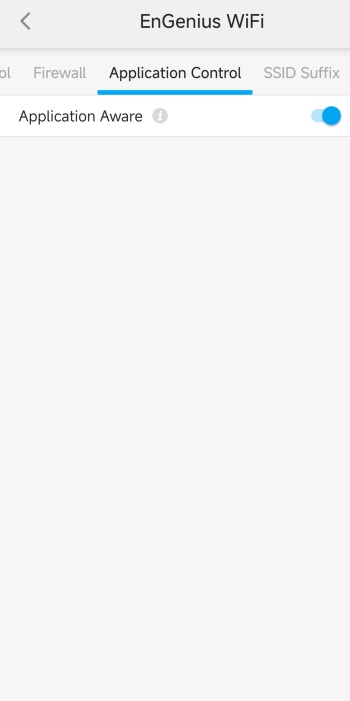
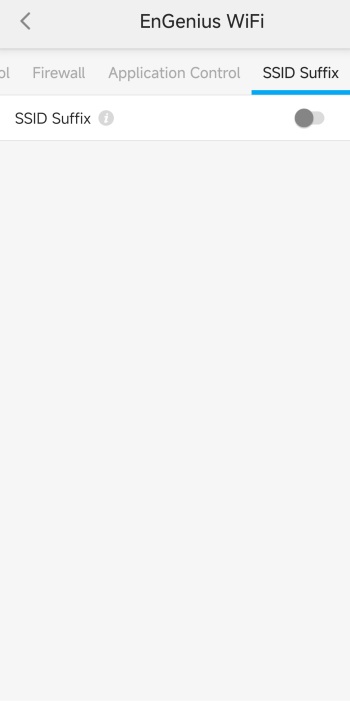 If you head back to the 1st (main) tab and choose the AP device directly (AP graphic) you will see many different tabs regarding bandwidth, portal, splash page, schedule, access control, firewall, application control and SSID suffix.
TESTING METHODOLOGY
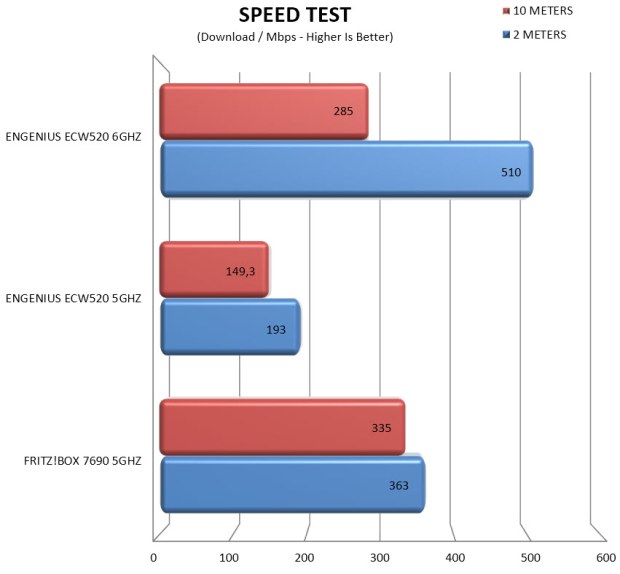
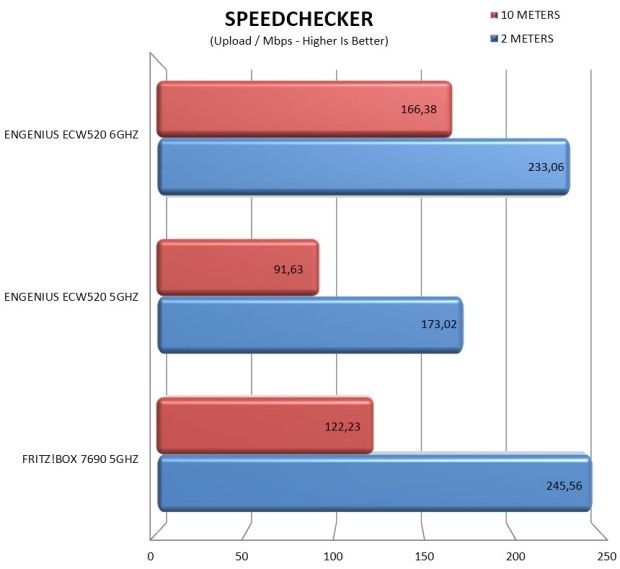
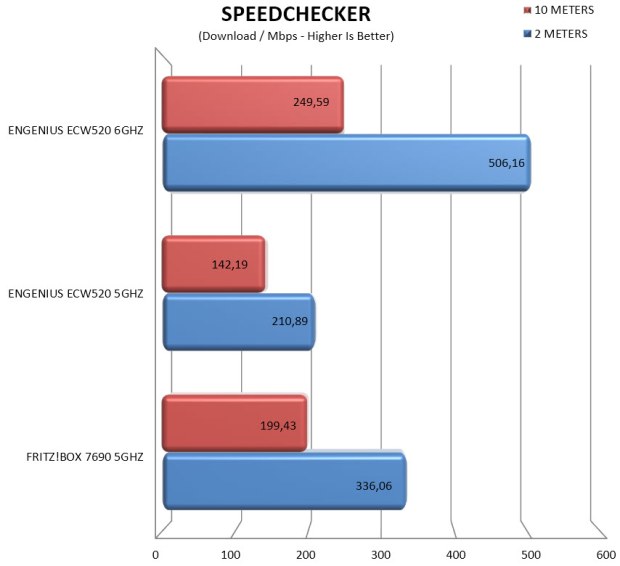
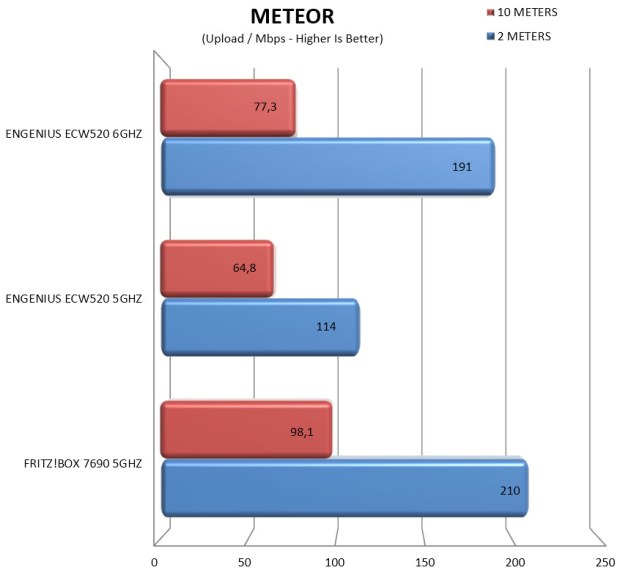
To test access points, I decided on a whole new approach so this time over I’ll been using the Xiaomi 15T smartphone (at least for now, if this changes I will update this page) from a distance of 2 and 10 meters to check internet speeds (the current optical connection at the office/lab is set at 1Gbps so at least for now it should be more than enough).
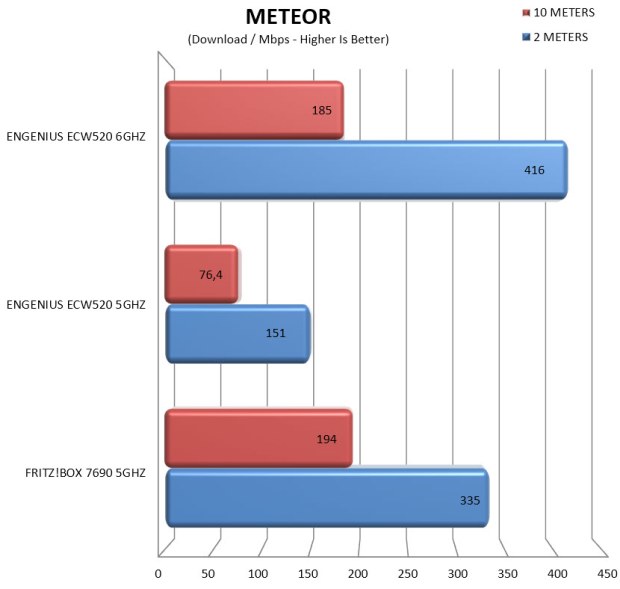
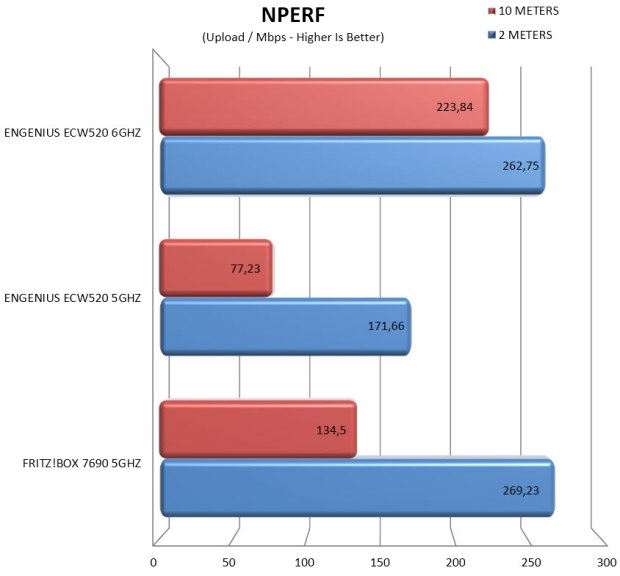
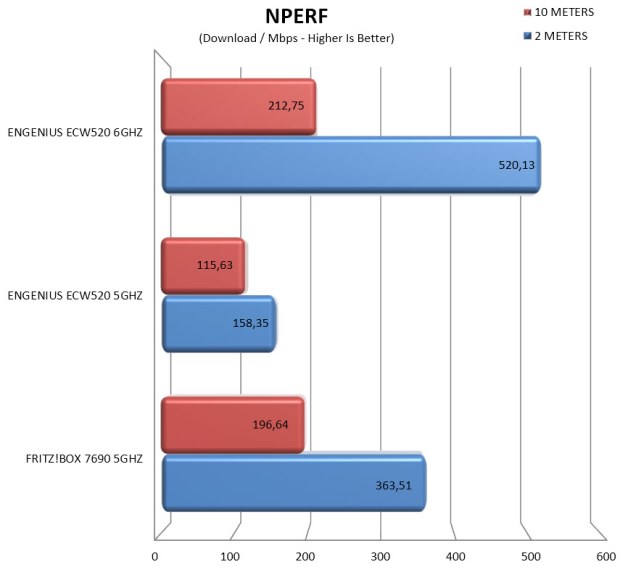
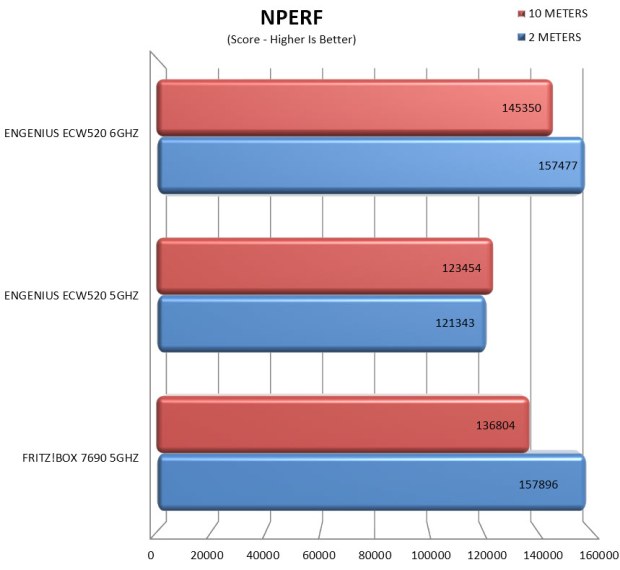
To accomplish this, I will be using several applications including Speedtest, SpeedChecker, Meteor and nPerf (each test is performed a total of 3 times at which point the average results are recorded in the charts). Of course, all AP’s will have a total of 10 concurrent Wi-Fi connections by laptops and smartphones without however actively using the internet.
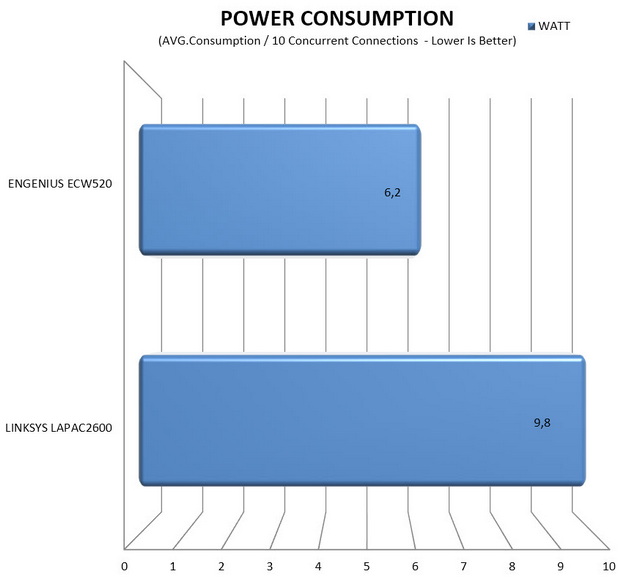
I will also be using the BR1600SI by APC and the FRITZ!Smart Energy 210 by AVM for AP’s with power adapters and the ECS2512FP by EnGenius for PoE/+/++ AP’s to test power consumption during my tests.
TEST RESULTS – SPEEDTEST
TEST RESULTS – SPEEDCHECKER
TEST RESULTS – METEOR
TEST RESULTS – NPERF
TEST RESULTS – POWER CONSUMPTION
CONCLUSION
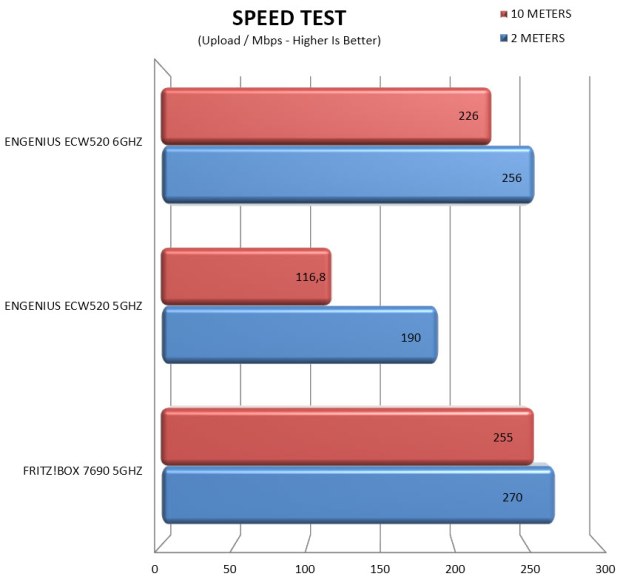
The ECW520 AP by EnGenius wraps up as a small, efficient, and forward‑thinking access point that delivers exactly what Wi‑Fi 7 is supposed to be, excellent 6GHz performance, consistently low latency, and the ability to handle large client counts without strain. Its compact size and low average power draw make it easy to deploy anywhere while EnGenius’ management stack, both the Cloud To‑Go app and the Cloud web GUI, gives you granular control without the usual complexity or licensing overhead. That said, it’s not without compromises. 5GHz performance isn’t as strong as its 6GHz capabilities, the unit is only available in white color, and while PoE keeps cabling simple, the fact that a power adapter isn’t included may frustrate anyone planning a non‑PoE setup. Still, if your priority is stepping into Wi‑Fi 7 with strong 6GHz throughput, cloud‑native management, and a compact, low‑power design, the ECW520 stands out as a practical and well‑balanced choice for modern business environments.
As for cost, the ECW520 by EnGenius currently retails for USD189 inside the USA (Amazon.com) and for around 220Euros inside the EU and so its price certainly reflects its performance and available features. At the end of the day, I haven’t got many complaints about the ECW520 AP. Yes, a power adapter in the bundle would be great for people who don’t have an PoE/+/++ setup and 5GHz performance could be better but thanks to its available features, Cloud Web GUI and Cloud To-Go app and very good 6GHz performance it certainly deserves the Golden Award.

PROS
- Build Quality
- Tri Band Model (2.4/5/6GHz)
- 6GHz Performance
- Compact Size
- Power Consumption
- Up To 512 Concurrent Connections
- WPA3 / WPA2 Encryption
- 2.5GbE RJ45 Port
- PoE & Wall Powered
- Cloud Web & Go To App
CONS
- Wall Power Adapter/Injector (Extra)
- 5GHz Performance
- Current Availability (EU)





