





INTRODUCTION
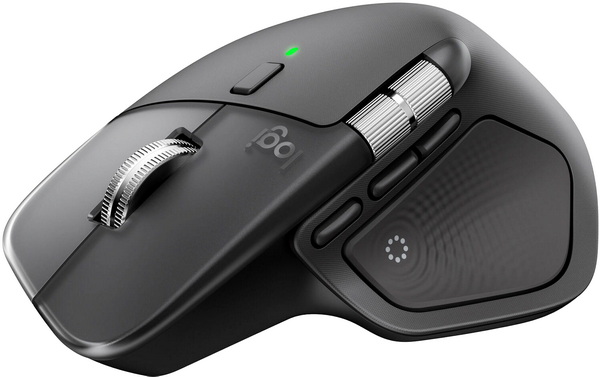
I've always used two types of mice, wired gaming ones with my desktop systems since those are the ones I play games on to test various peripherals and hardware components and wireless ones with my laptops. For example, with one of my laptops I've been using the MX Master 2S Bluetooth Edition mouse by Logitech ever since I got one back in January of 2018 (just a few months after its debut in 2017). Since I really liked the MX Master 2S (and it's still working well) I never did look to get my hands on the MX Master 3S (don't think Logitech had reached out to me back then) but it's now been a while and so when Logitech asked me to review their latest MX Master 4 I was very curious to see how much further they've taken things.
Logitech designs software-enabled hardware solutions that help businesses thrive and unite people when working, creating, gaming, and streaming. As the point of connection between people and the digital world, our mission is to extend human potential in work and play, in a way that is good for people and the planet. Founded in 1981, Logitech International is a Swiss public company listed on the SIX Swiss Exchange (LOGN) and the Nasdaq Global Select Market (LOGI). Find Logitech and its other brands, including Logitech G, at www.logitech.com
The MX Master 4 (currently available in graphite and pale gray colors) is the latest wireless ergonomic mouse by Logitech which as expected follows closely the design of its predecessors. Inside the enclosure (which is not coated this time over) Logitech has placed an 8000DPI Darkfield sensor (compatible with most surfaces available, including glass - can be set in increments of 50 DPI), quiet primary keys, bluetooth 5.1 connectivity (low power - can be used with/without the bundled dongle), haptic sensor and and an user replaceable 650mAh rechargeable Lithium-Ion battery (up to 70 days - up to 3 hours with 1 minute of fast charge). Just like with its predecessors the MX Master 4 is a feature-rich model and so this time over it comes ready with a haptic sense left side panel (feedback via vibrations) which can also be used by loading program plugins from the Logi Options+ software, gesture controls, actions ring which allows the end user to access various shortcuts/commands, magspeed clickable scroll wheel for very fast and precise scrolling (up to 1000 lines per second) and a Logi Bolt USB-C wireless dongle (low power, BLE). So, let's see just how good the latest MX Master 4 really is.





