





INTRODUCTION
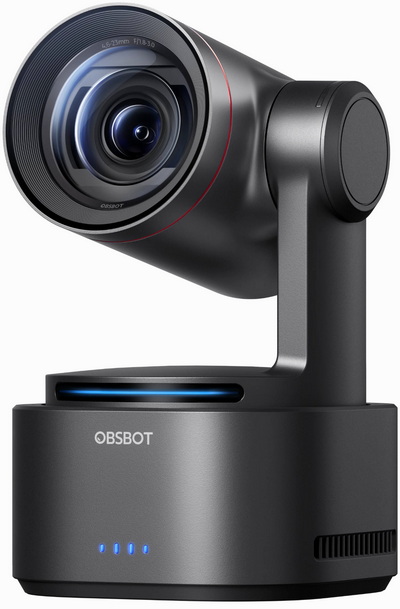
Webcams have quietly become one of the most essential tools in modern digital life, whether you're jumping into daily meetings, teaching online, or building a presence on social platforms owning a capable model is a must. As expectations rise, so does the demand for cameras that deliver more than just good image quality. High‑end models now cater to content creators, streamers, educators, and remote professionals who need reliable autofocus, strong low‑light performance, intelligent tracking and A.I features. These aren’t just “webcams” anymore, they’re compact production tools designed to keep up with fast, dynamic workflows. The OBSBOT Tail 2 is a webcam like no other currently in the market, it's a device that pushes the category forward with a very different approach to how a camera should follow and frame you.
Founded in 2016, OBSBOT is an innovative imaging technology and hardware brand dedicated to using new technologies such as AI to inject new vitality into the videography market. With the artificial intelligence as the core, OBSBOT focuses on the application research of new technologies in the field of videography. It hopes to use revolutionary technology and innovative products to innovate the way of public records and image creation, and to change people's social way.
The OBSBOT Tail 2 is built around a 1/1.5'' 50‑megapixel CMOS sensor capable of delivering up to 8K stills and 4K video at frame rates as high as 60fps, backed by an integrated AI chip designed to handle trillions of calculations per second for real‑time tracking and framing. Its 12‑element lens system offers 5× optical zoom and 12× hybrid zoom with an aperture range of ƒ/1.8–ƒ/3.0, giving it strong low‑light performance and flexible depth control. The camera supports advanced AI features including human, animal, and object tracking, gesture control 2.0, and PTZR movement for smooth, autonomous reframing during shoots while its 5000mAh rechargeable Lithium-Polymer battery allows for cordless usage (up to 343 minutes at 1080p/30 video recording). Connectivity is unusually robust for a compact unit, with a MicroSD card slot (supports capacities up to 1TB), HDMI, SDI, USB‑C, Ethernet/IP streaming, NDI HX support, and a 3.5mm mic/line input, making it suitable for live production setups as well as solo creators who need a self‑operating camera system.
SPECIFICATIONS AND FEATURES

PACKAGING AND CONTENTS
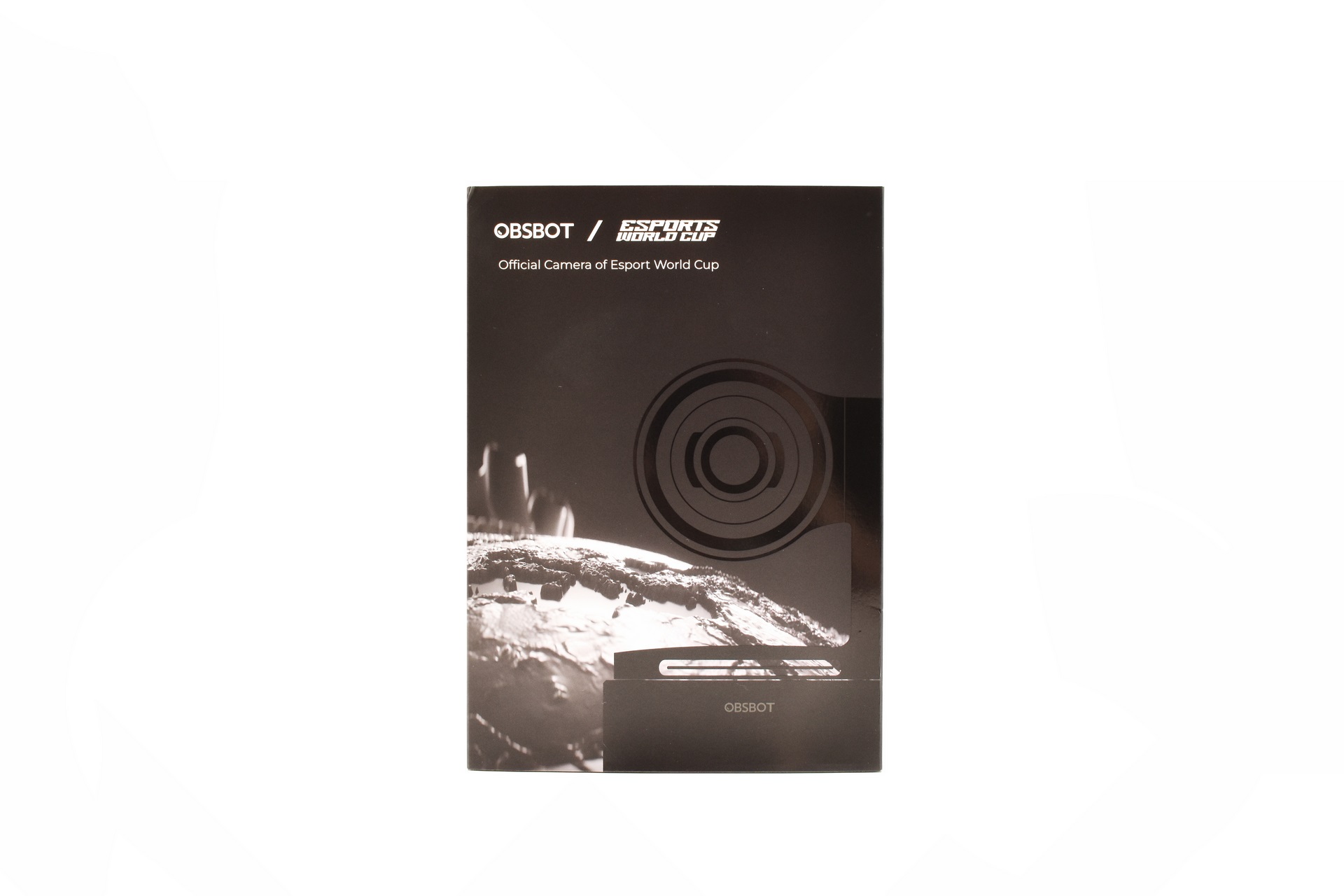
OBSBOT ships the Tail 2 inside a large box that has a cover the front of which is taken by a lens drawing and the company logo.
At the rear OBSBOT speaks about them sponsoring the eSports World Cup.
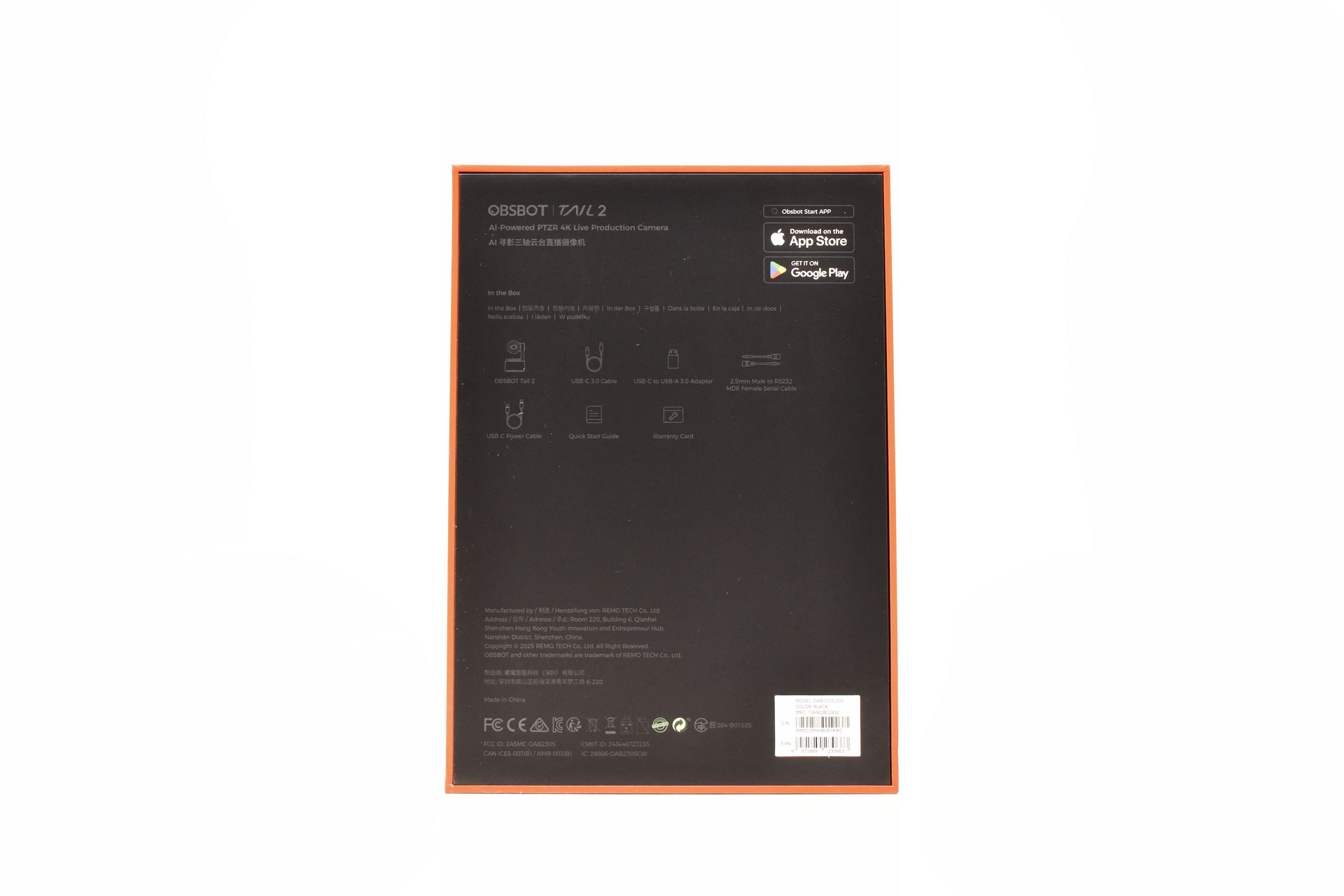
Removing the cover reveals the contents of the bundle and contact information for OBSBOT.
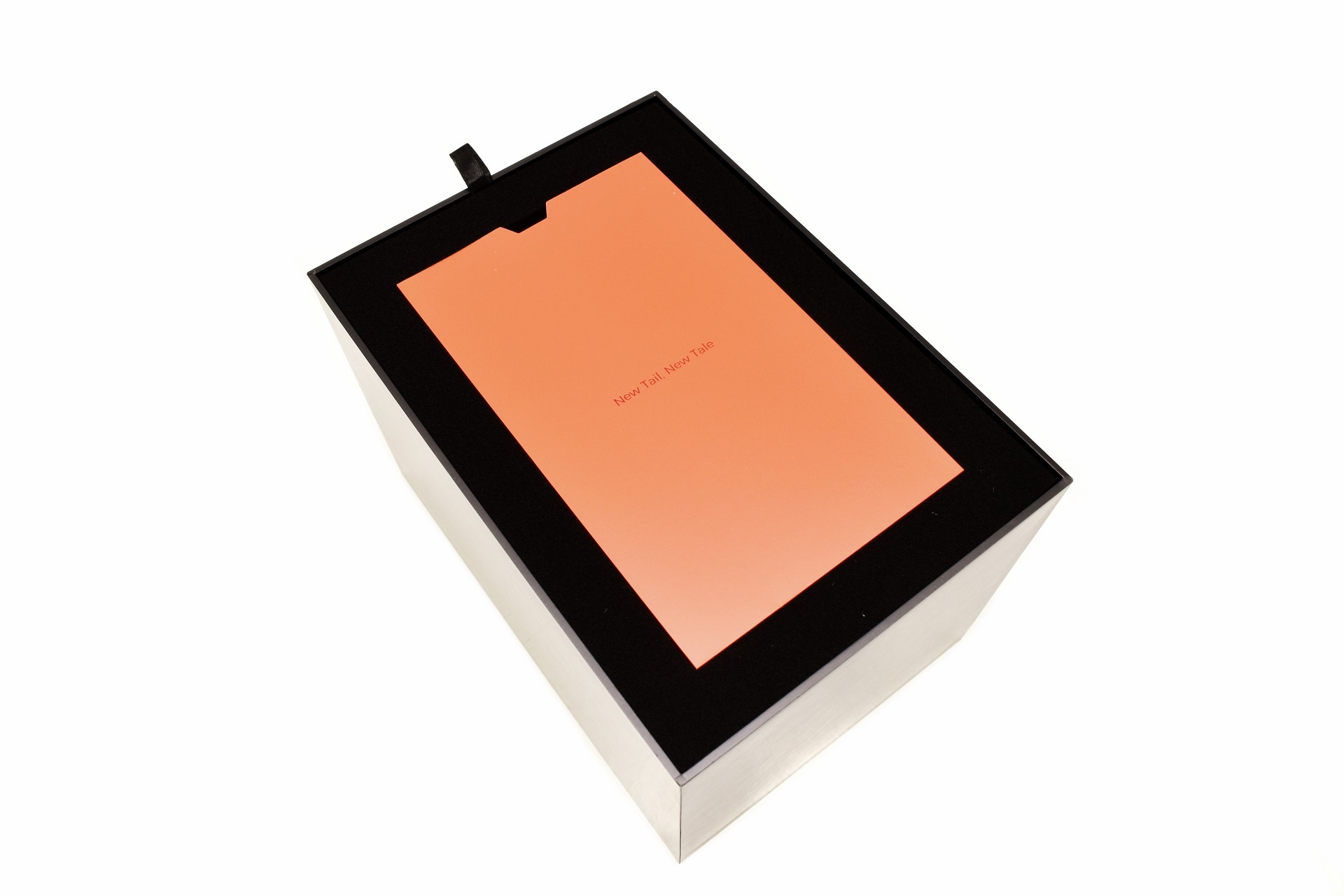
Packaging is flawless with two soft pieces of foam keeping the Tail 2 secure.
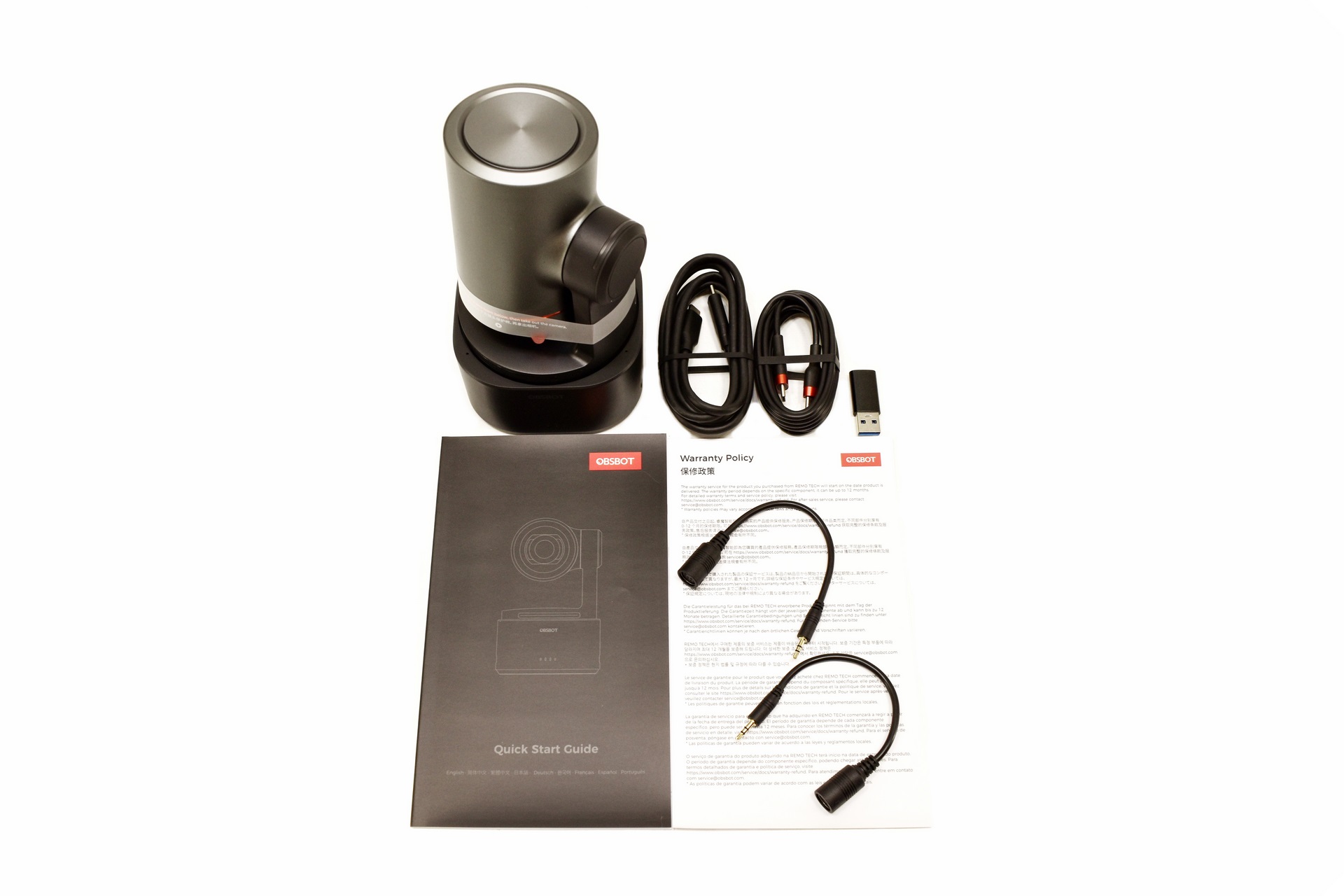
Aside the Tail 2 inside the box OBSBOT has also placed a USB-C data cable, USB-C power cable, USB-C to USB-A adapter, two 2.5mm to RS232 cables, warranty card and a quick start guide.
THE TAIL 2
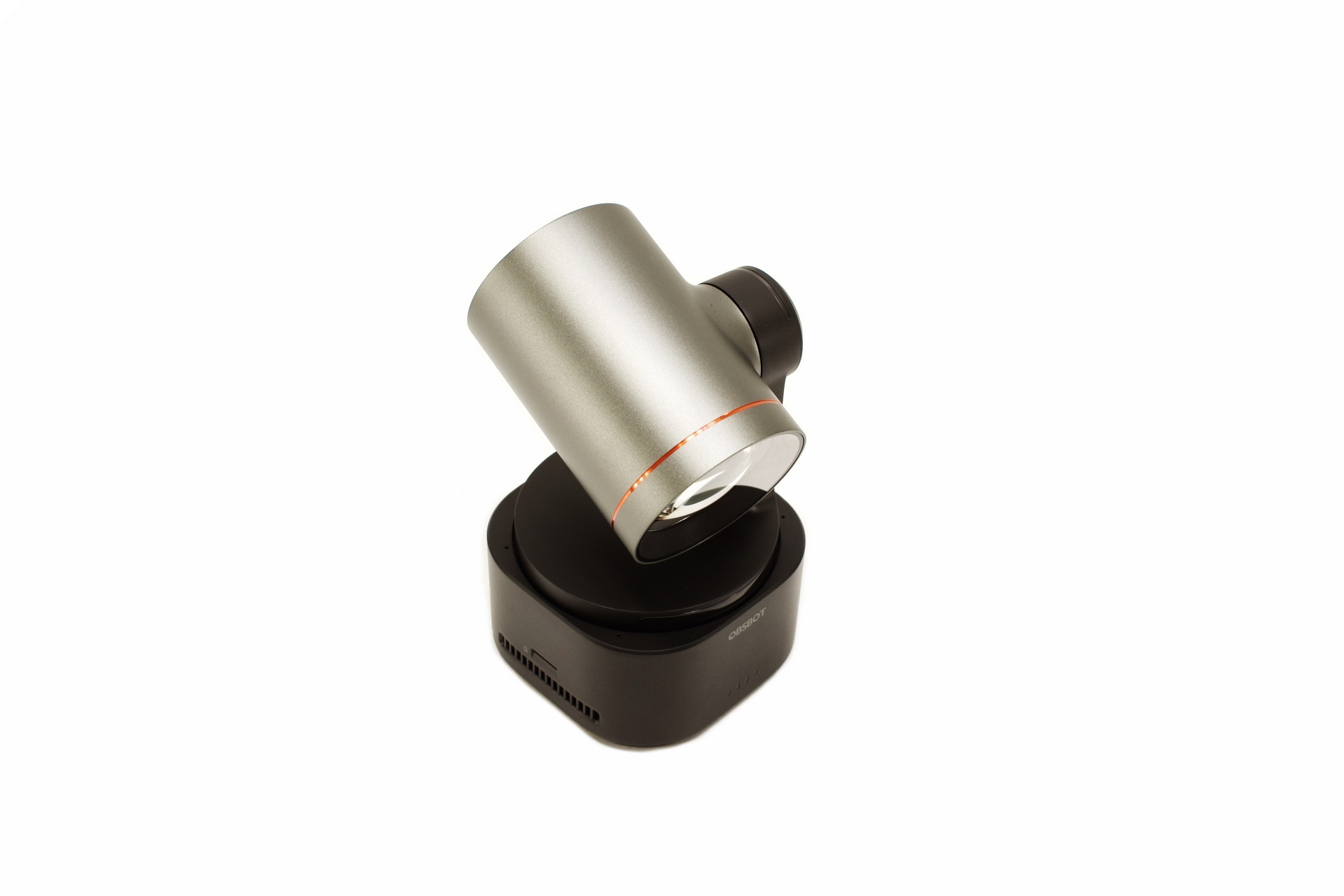
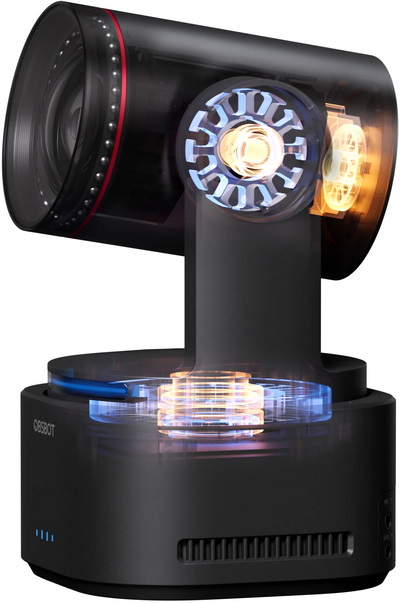
The Tail 2 is clearly the largest PTZR webcam to ever arrive in the lab, weighing 1.066g and measuring 97.5mm in width, 103.5mm in length and 172mm in height (when turned on height is reduced to 155mm).
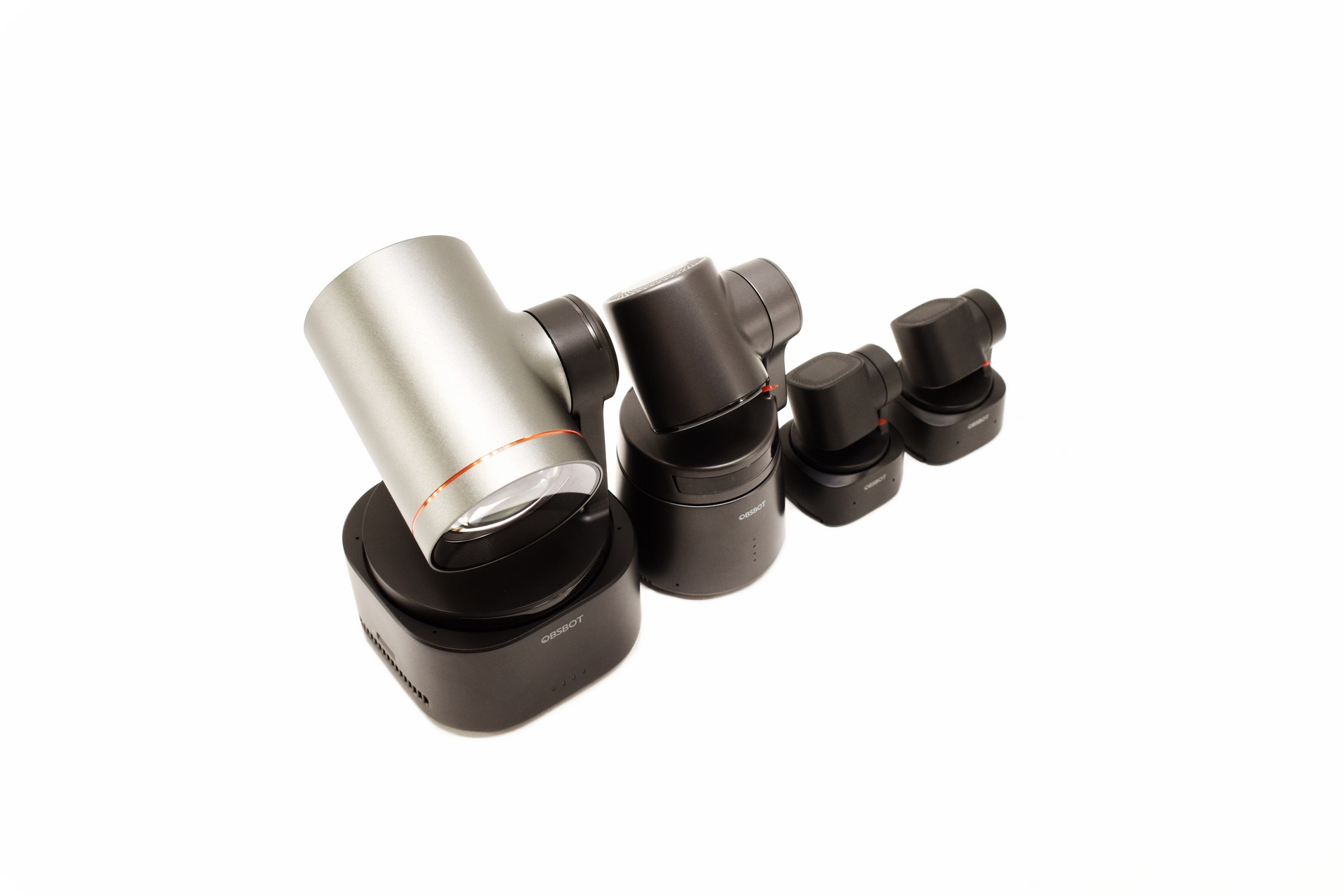
To have a better idea about size I placed the Tail 2 next to the Tail Air, Tiny 2 and Tiny 2 Lite models.
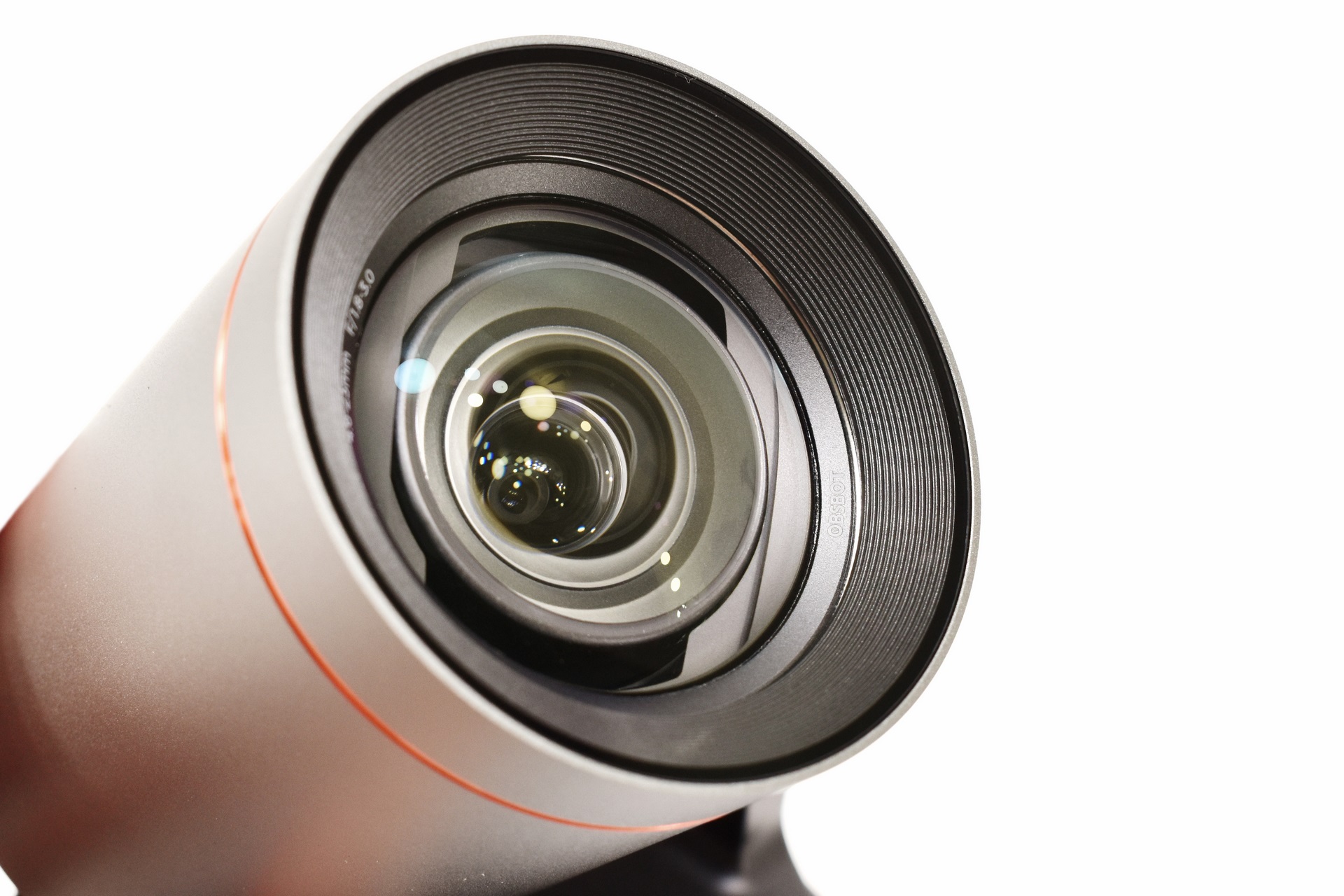
The 12‑element lens system is quite unique even compared to broadcast cameras.
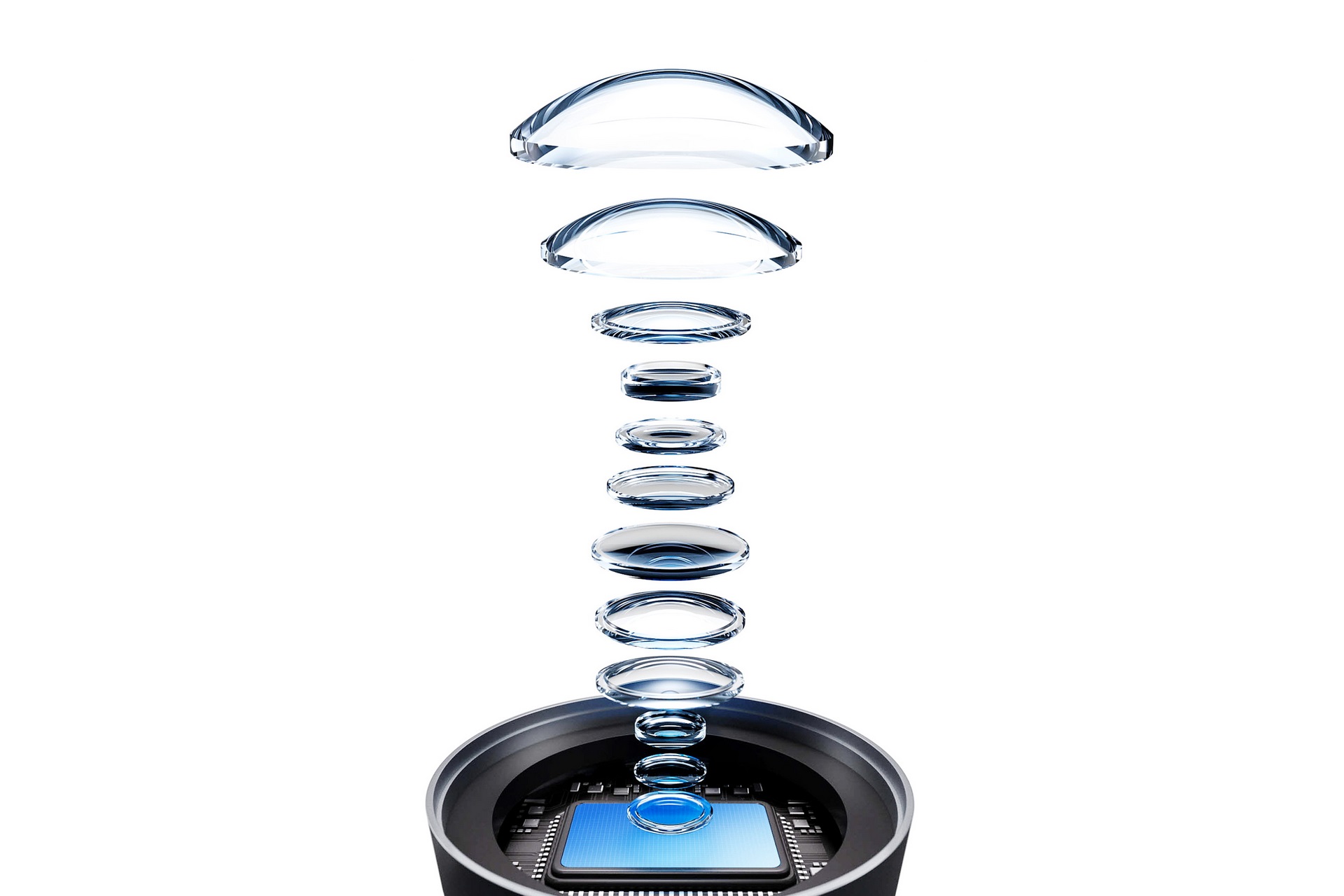
Above you can see an exposed view of the 12-element lens system (marketing material).
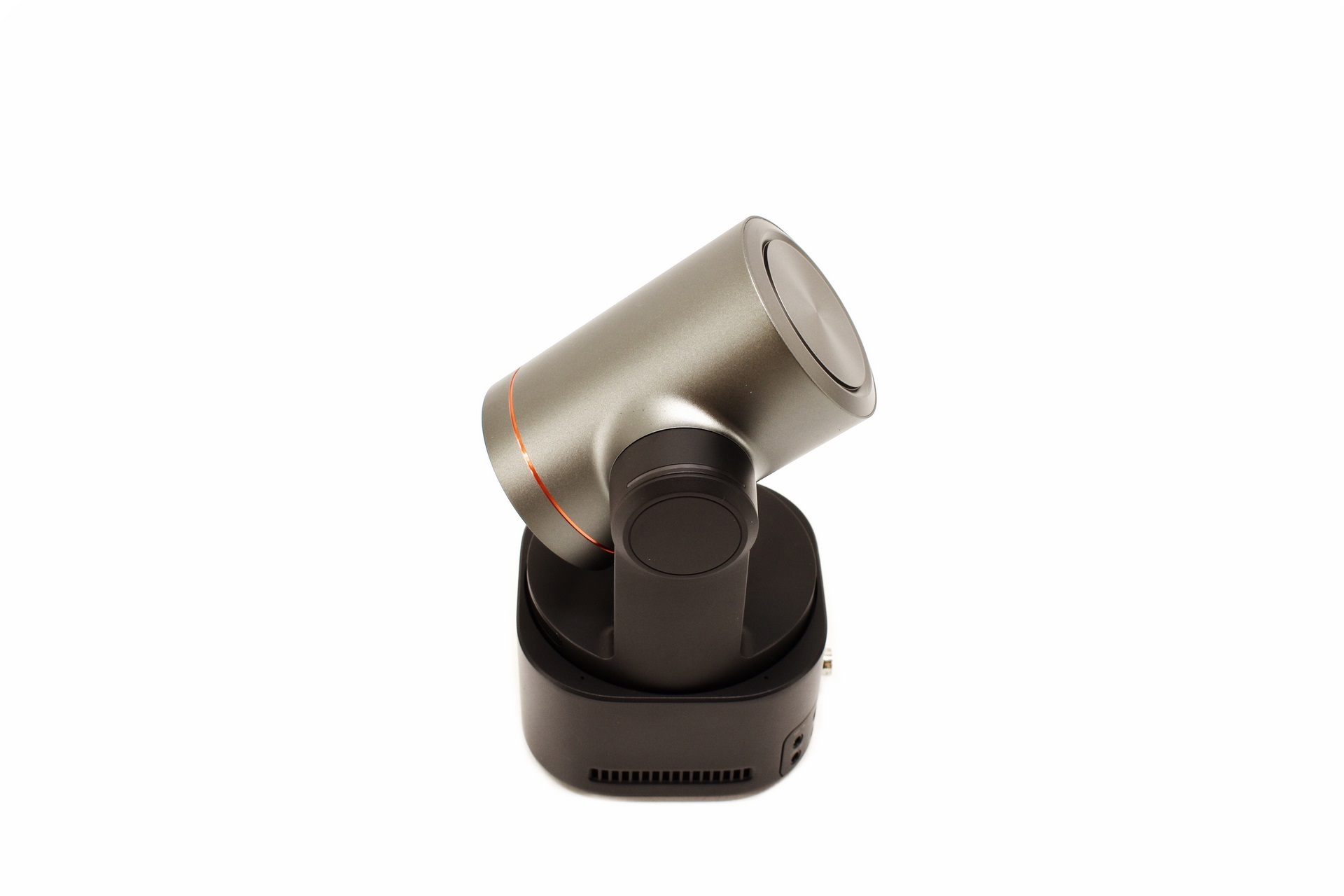
Just like all PTZR cameras the Tail 2 allows for smooth pan (up to +-175 degrees, 160 controllable), tilt (+-90 degrees, -60~32 degrees controllable) and roll (-135~135 degrees, -120~120 degrees controllable) movement.
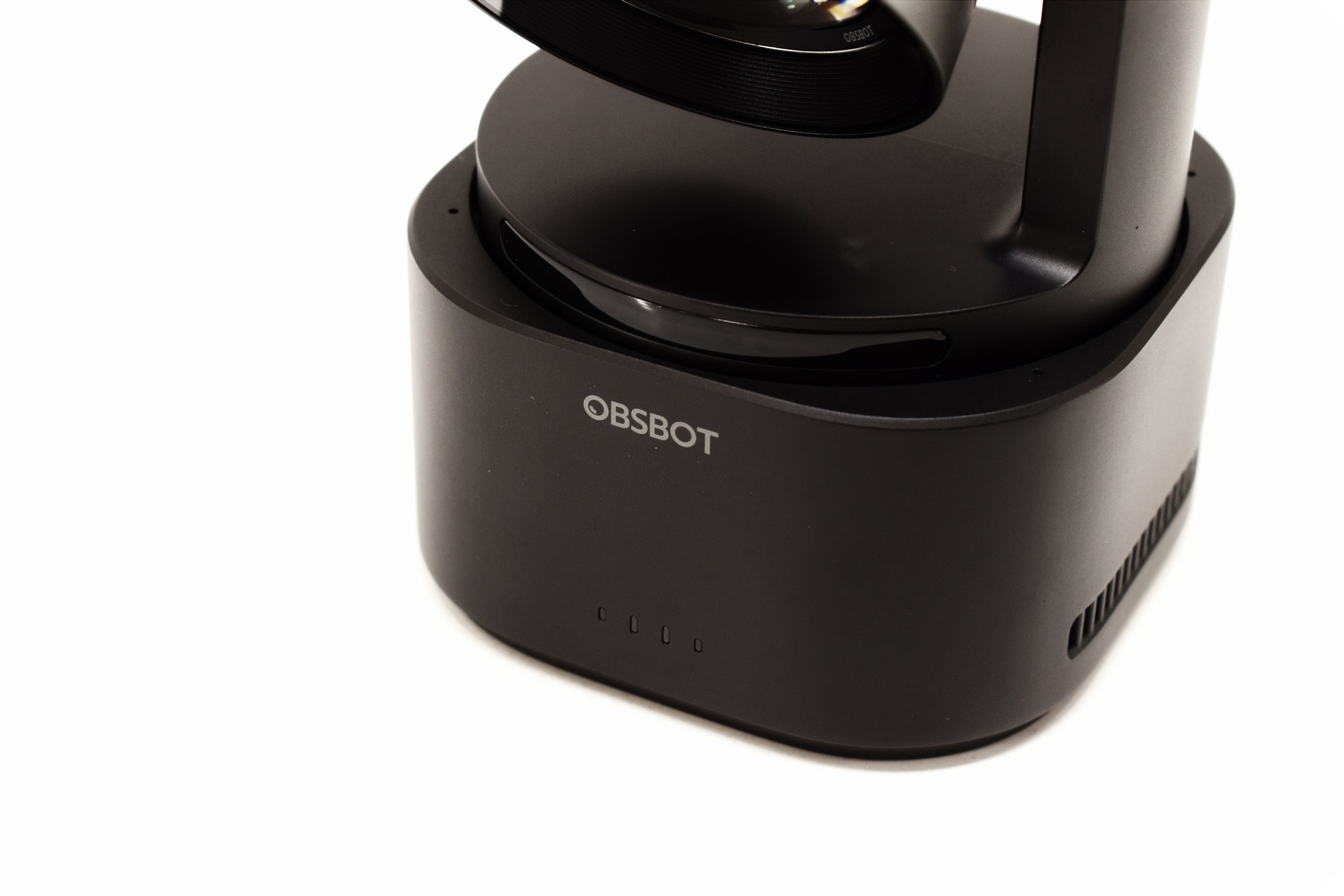
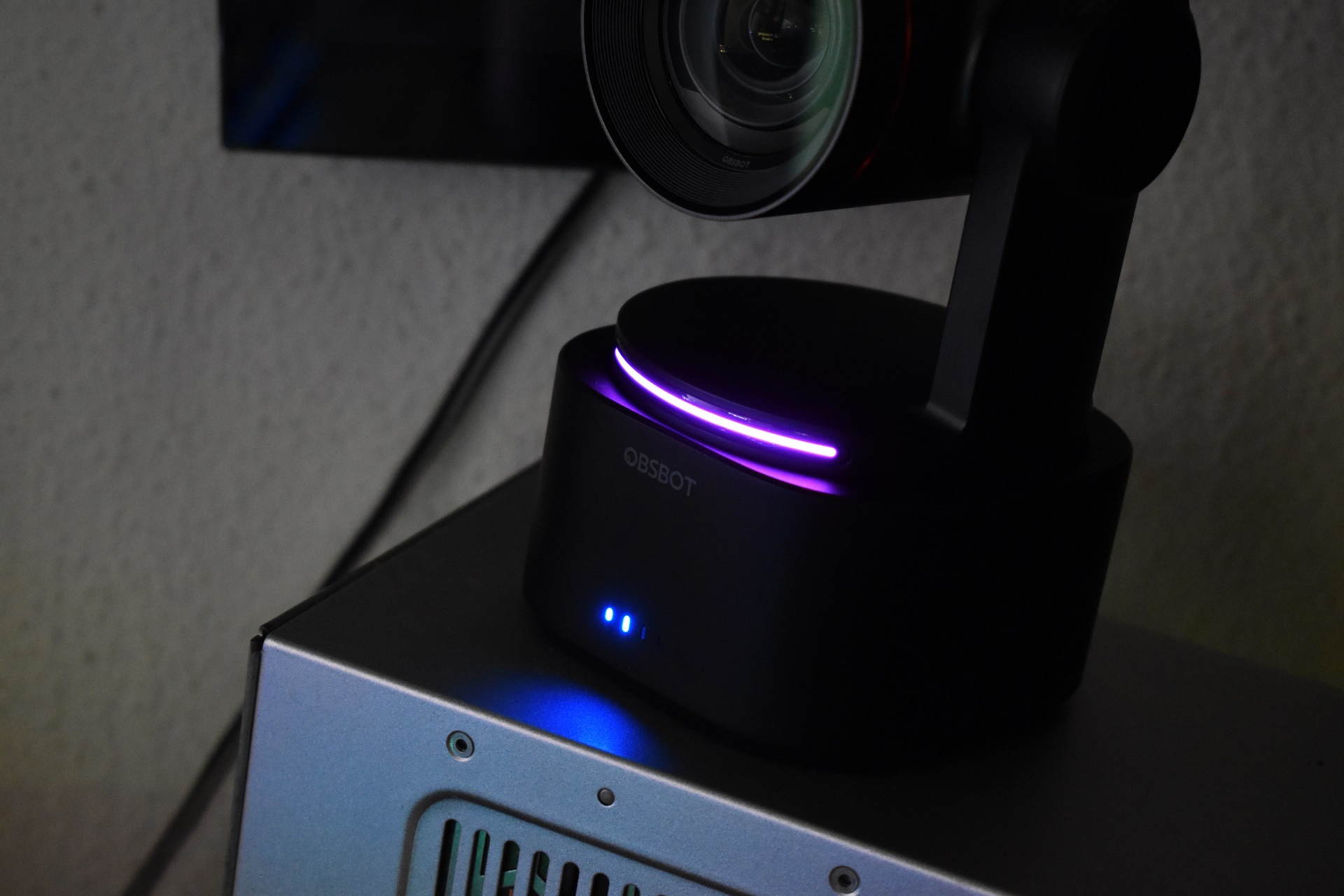
At the front of the Tail 2 we find a horizontal activity LED (PTZR base) and 4 small activity LEDs near the base used to indicate remaining battery life.
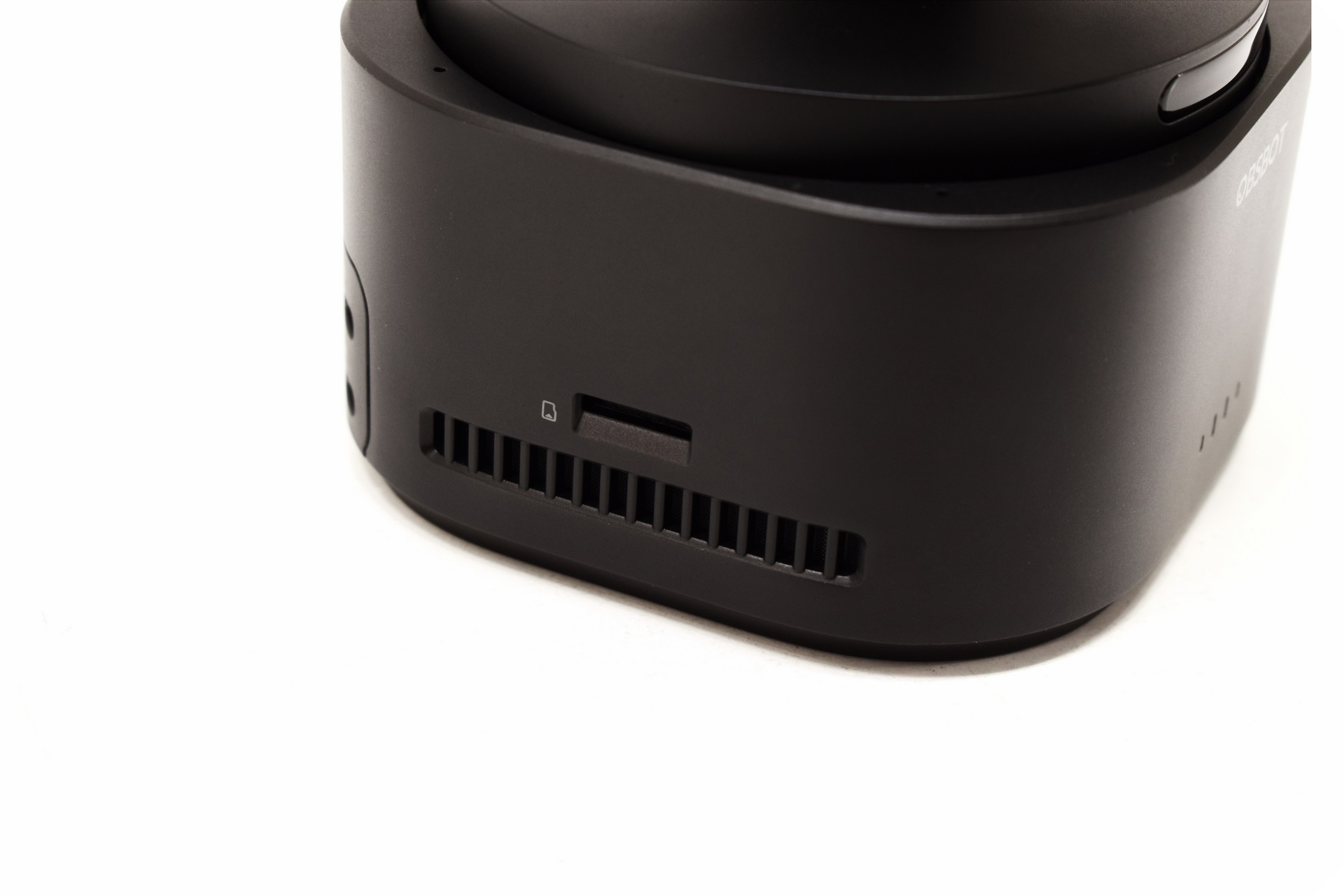
Both sides feature exhaust holes, but the left side also has the microSD card slot (up to 1TB cards supported).
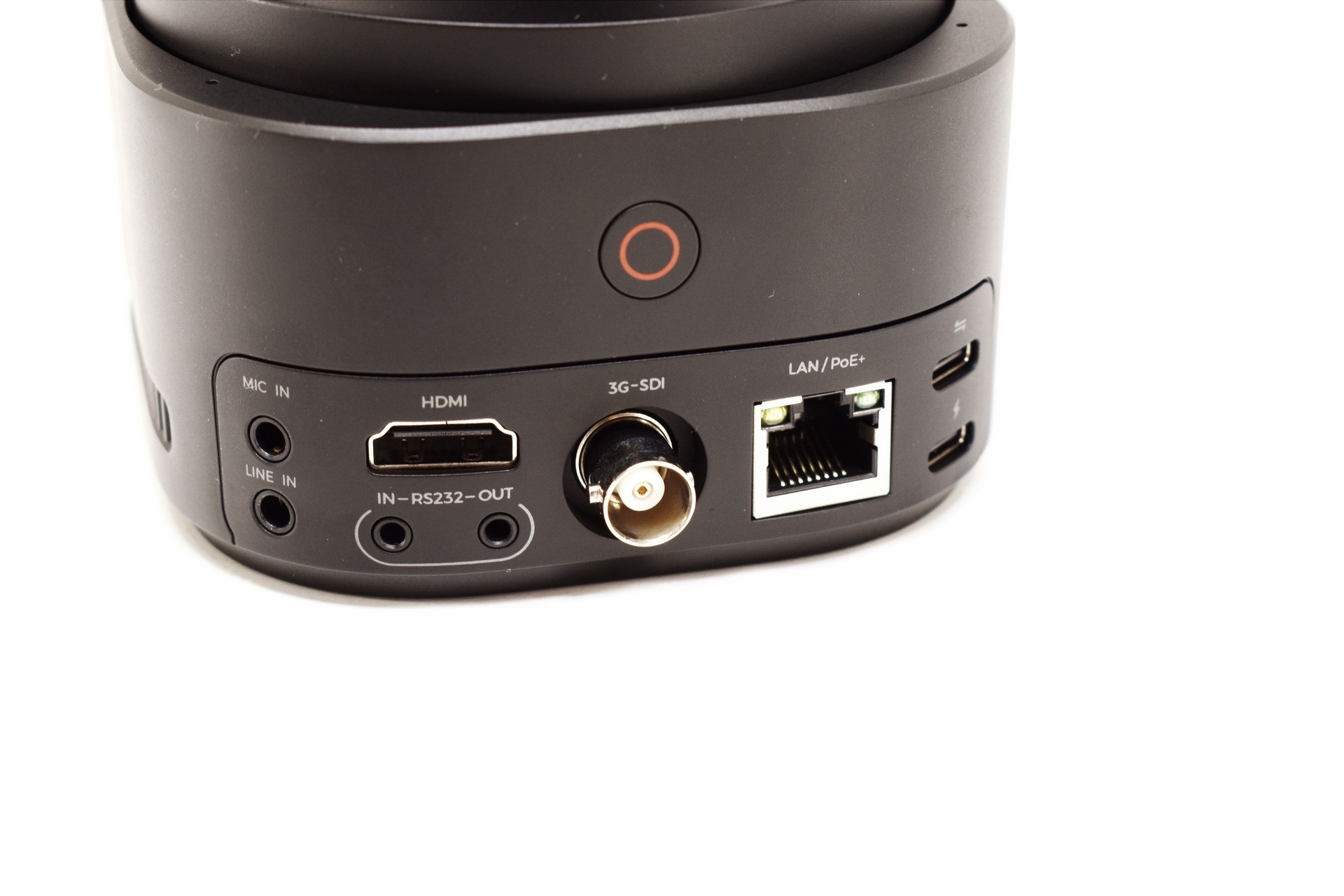
At the lower rear of the Tail 2 we find the 3.5mm microphone and line inputs, HDMI output, RS232 input/output, power on/off button, 3G-SDI port, RJ45 PoE+ Ethernet port and the USB-C data and power ports.
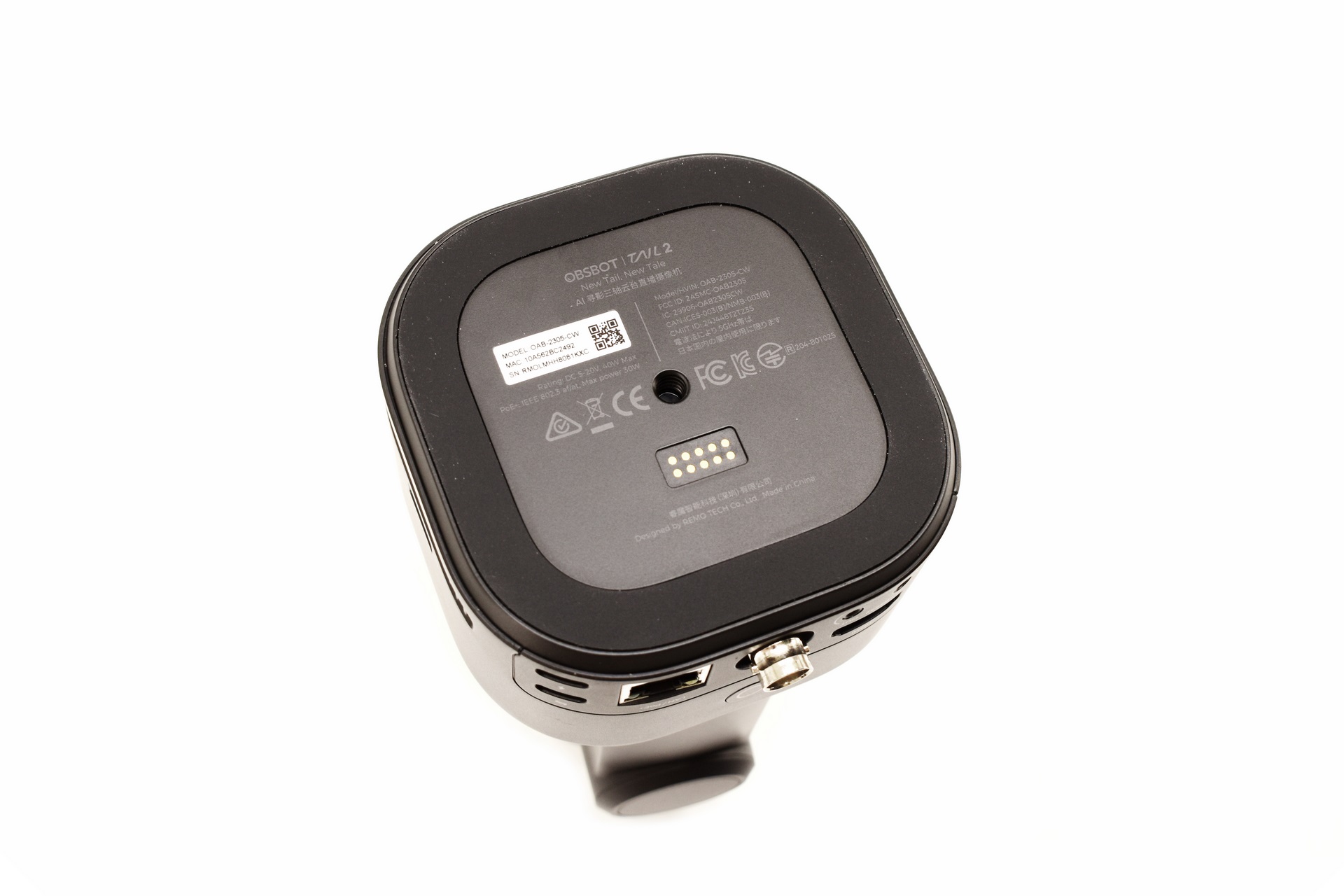
The Tail 2 sits on a rectangular rubber pad at the center of which we find an electrical contact interface and a 1/4-inch tripod compatible hole.
The base of the Tail 2 is also magnetic so you can place it on metallic surfaces regardless of angle.
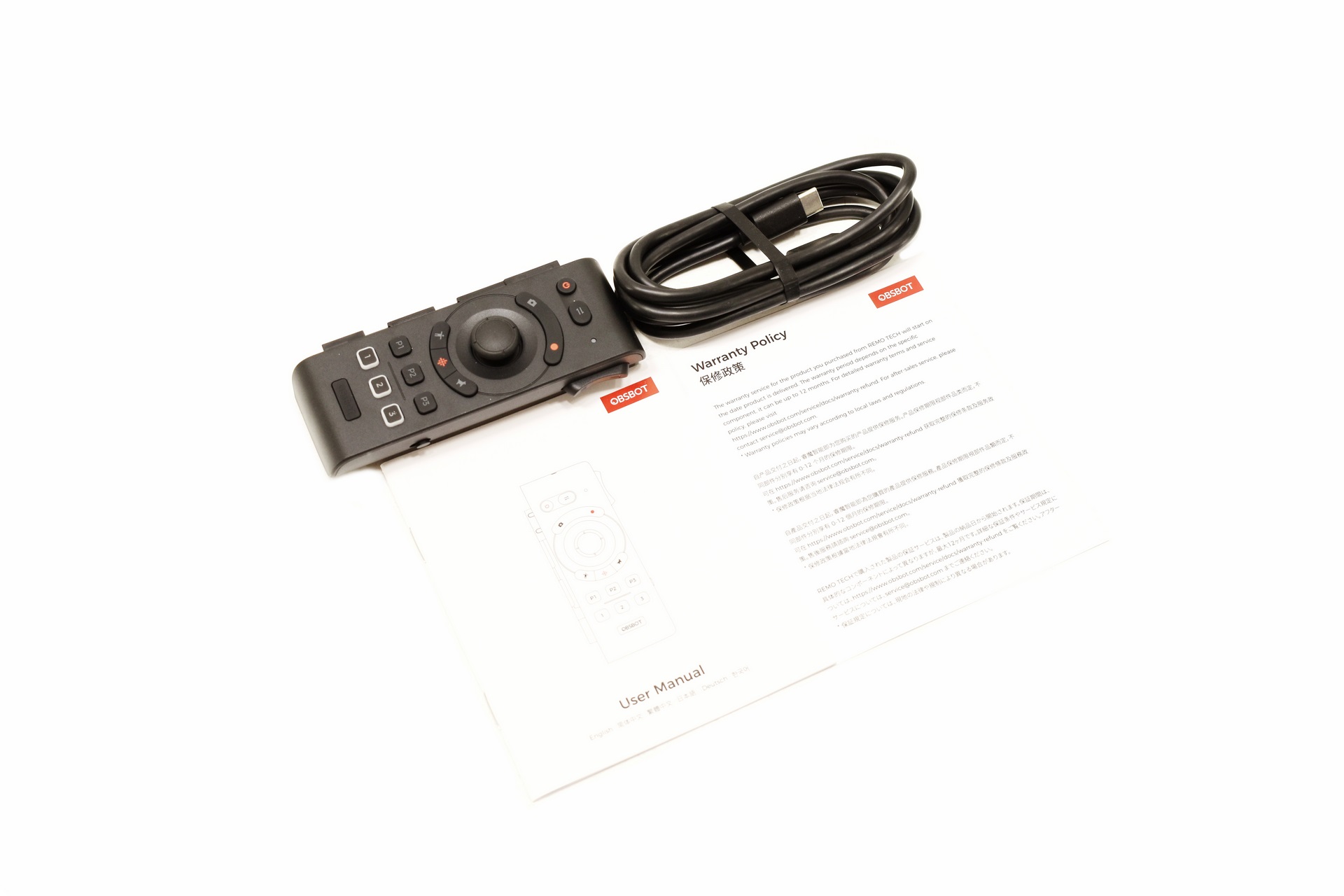
OBSBOT also send their remote control for the Tail 2.
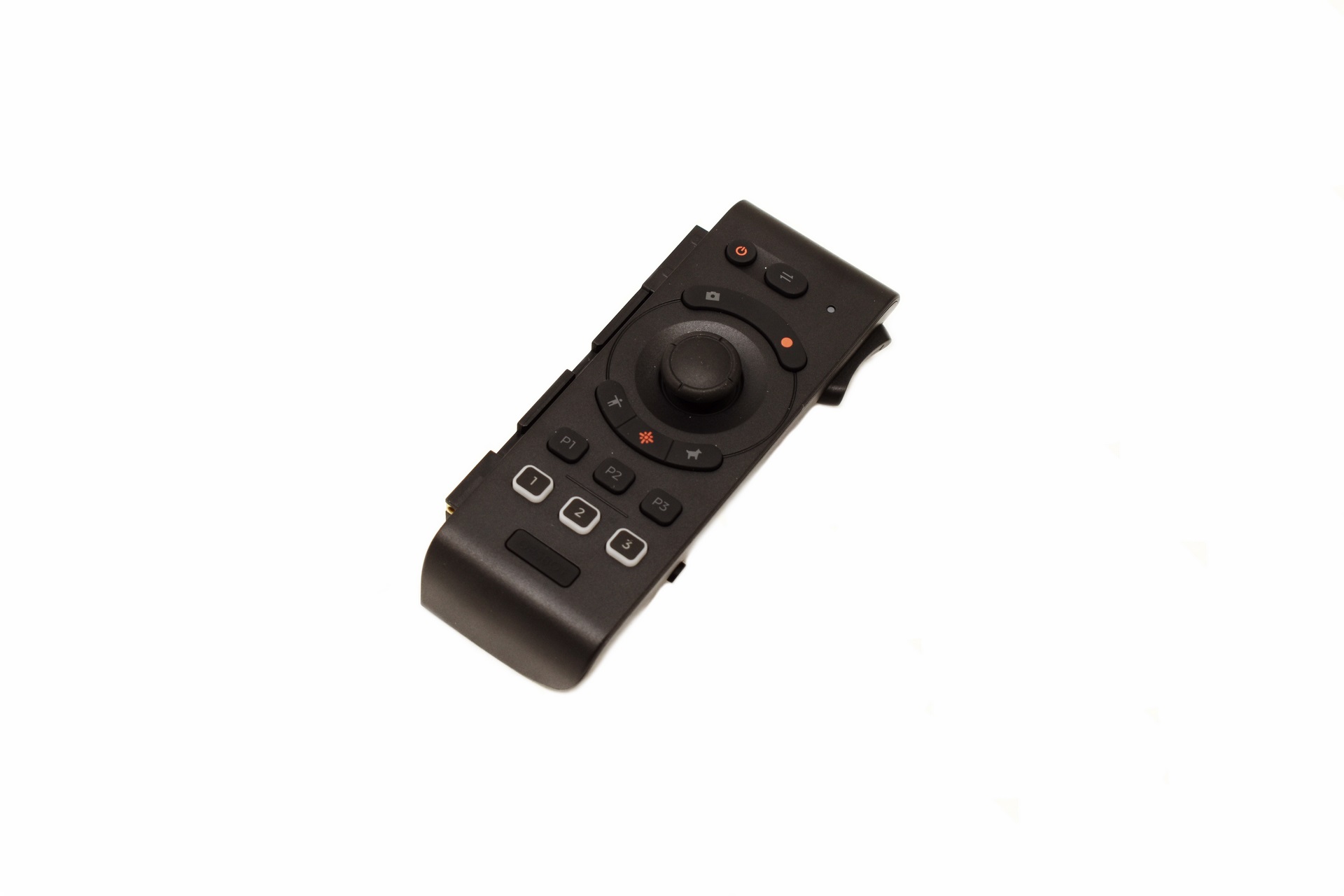
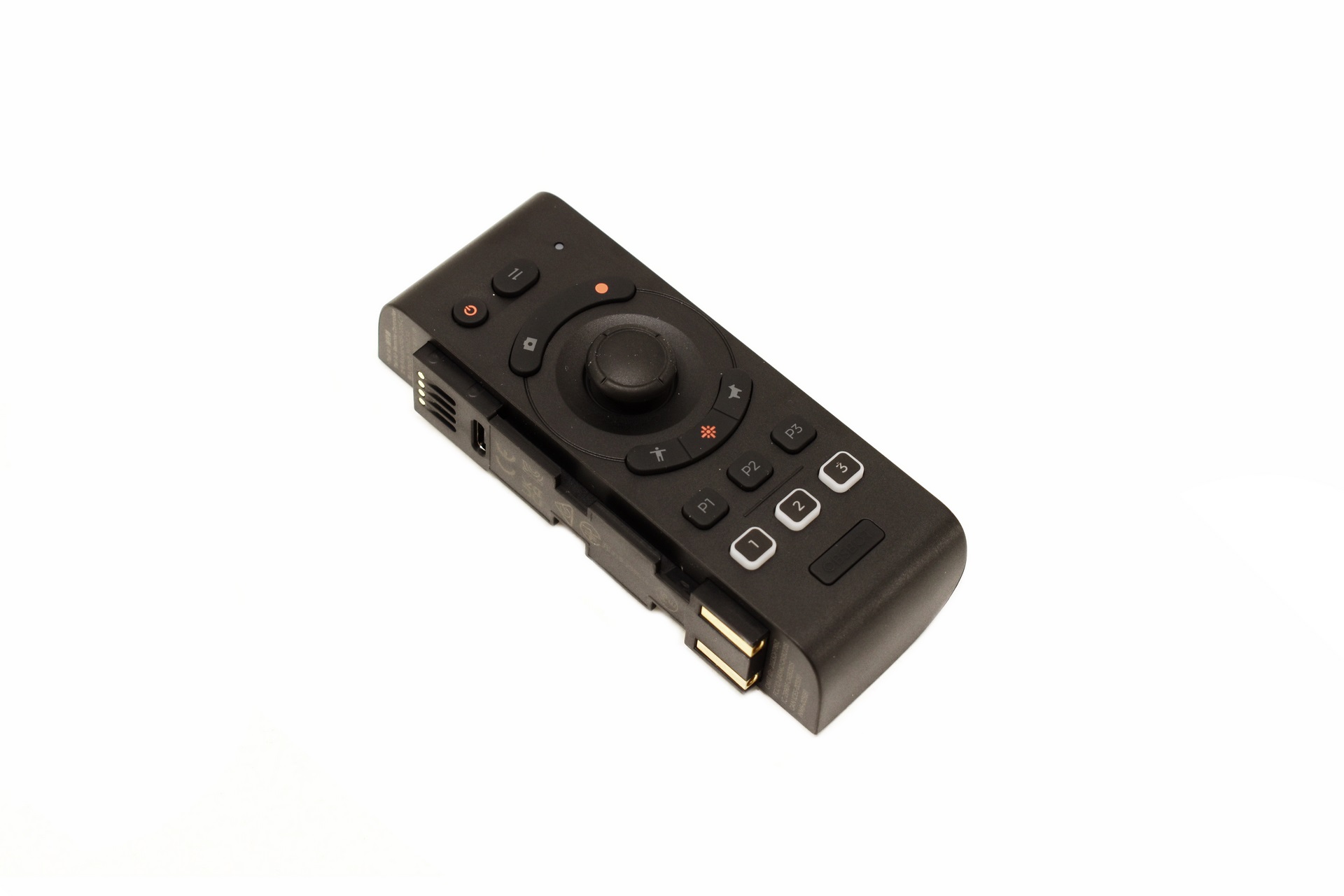 The remote basically allows you to control the Tail 2 without having to use an app (needless to say you’ll still need a video input for proper use).
OBSBOT CENTER
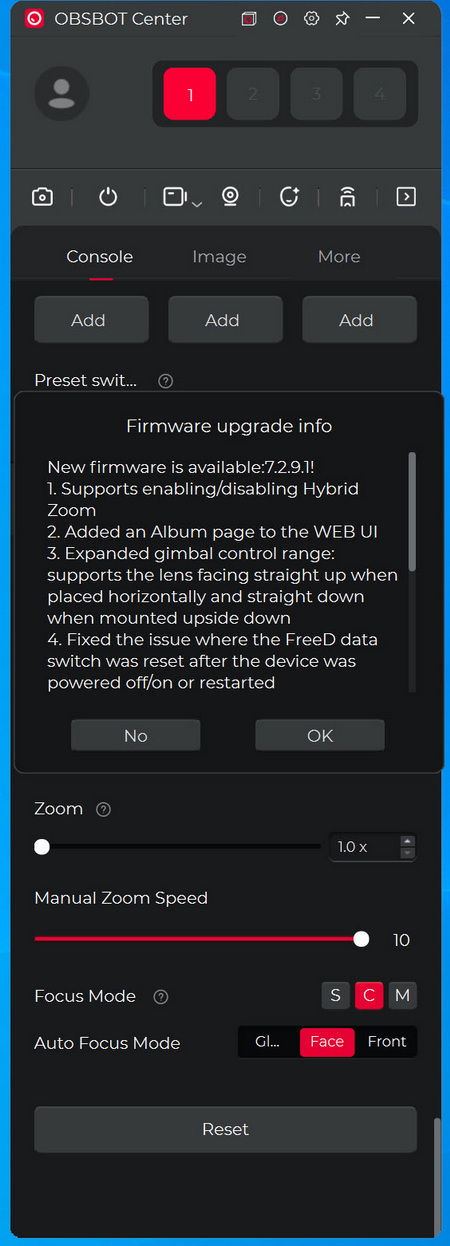
The moment you complete connecting the camera to your PC the Center software will detect for new firmware versions and inform you.

From the control tab you can see the Tail 2 remaining battery life, start recording, take pictures, playback recordings, set the tracking speed and mode, set the AI mode (animal tracking is very useful if you have pets), save your settings to different presets and use the PTZR and digital zoom functions.
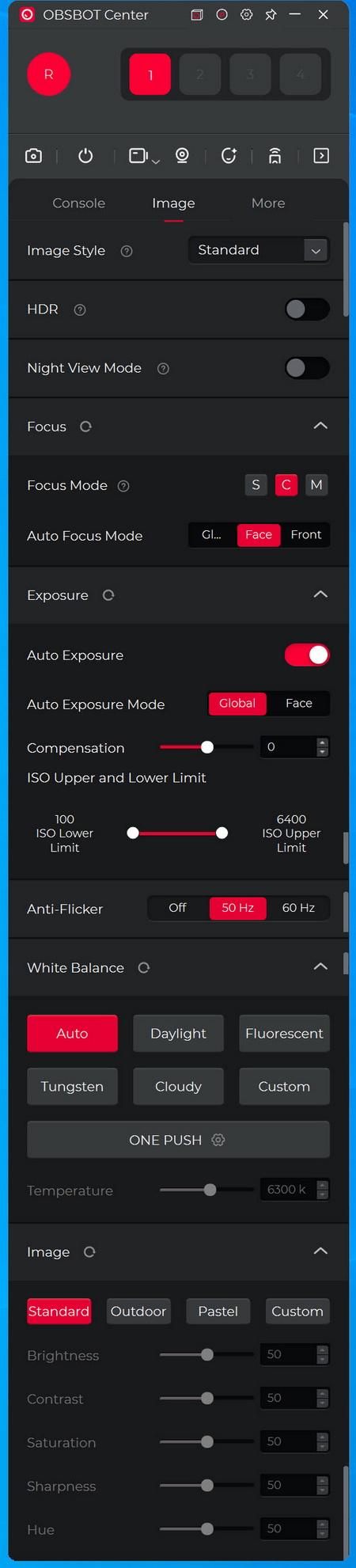
Under the image tab you can enable/disable HDR, enable night view mode, adjust focus, exposure, ISO range, anti-flicker, white balance and adjust image settings.

Settings like auto and timed power on/off, UVC/RTSP modes, recording settings (frame rate, codec, bitrate and resolution), 3G-SDI mode, HDMI output, gesture control, audio settings (volume, noise reduction and automatic gain), mirror image, pan-tilt controls, LED control, micro SD card management (format and video segmentation), feedback, settings reset and firmware updates are placed inside the more tab.
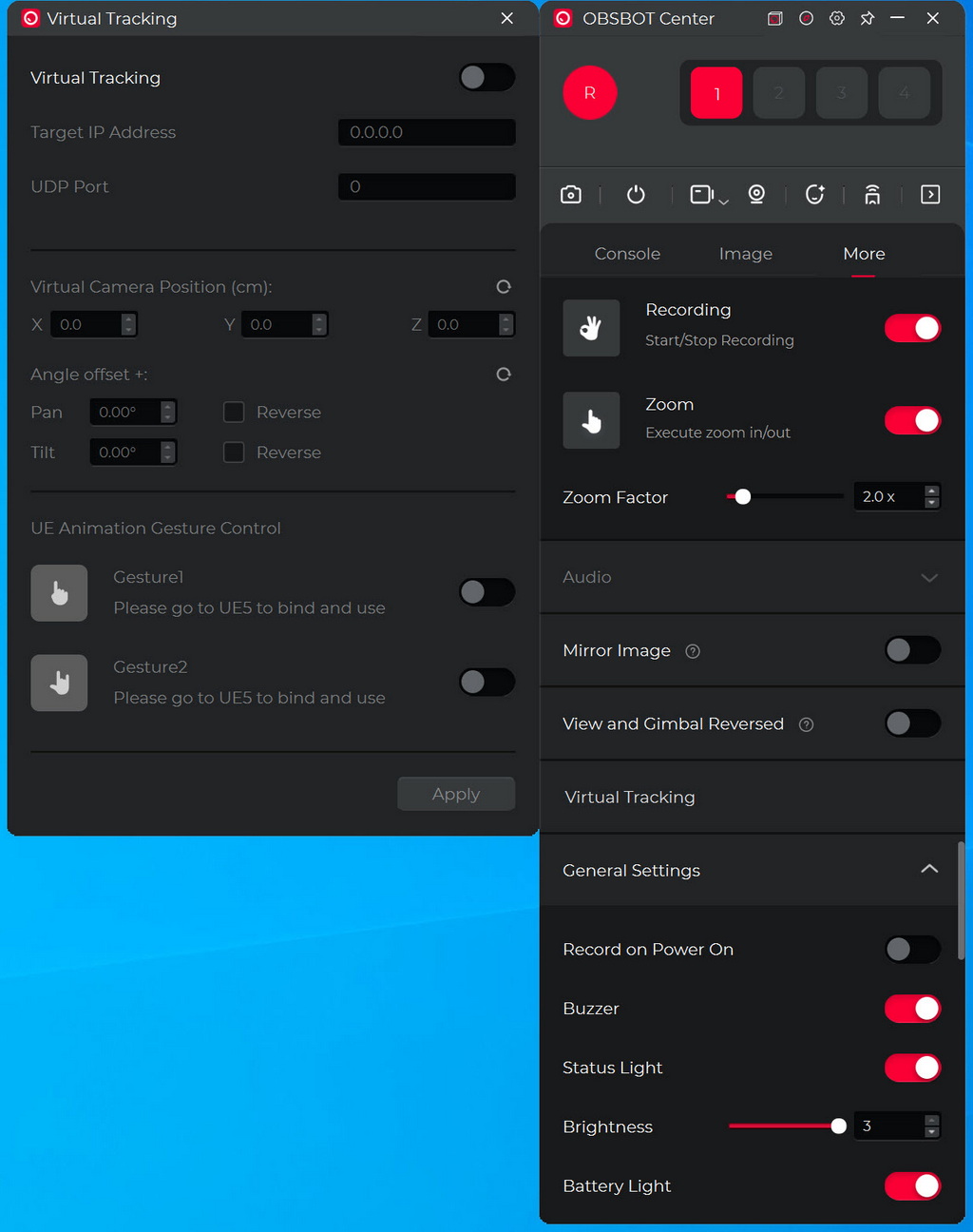
You can also set virtual tracking from the more tab.
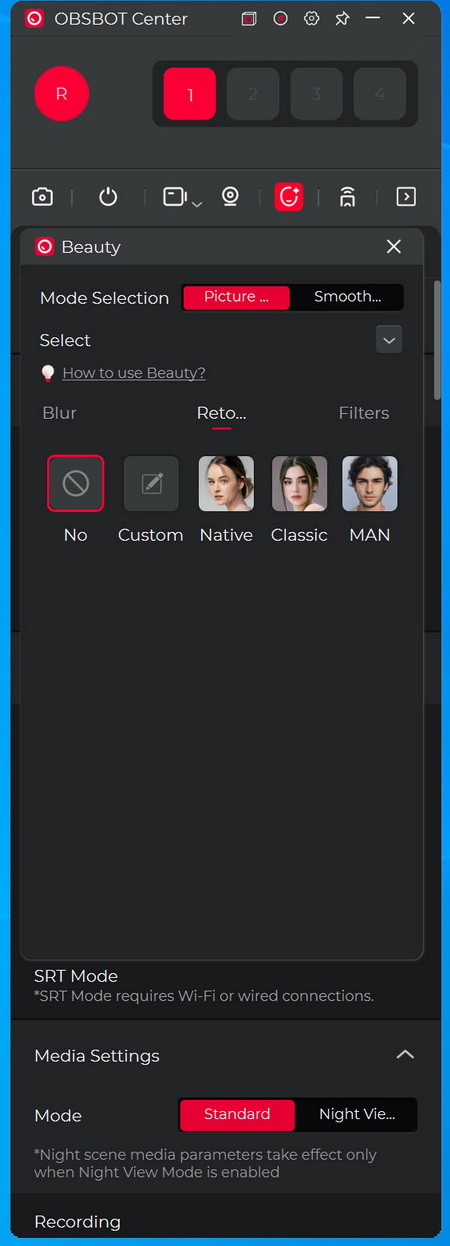
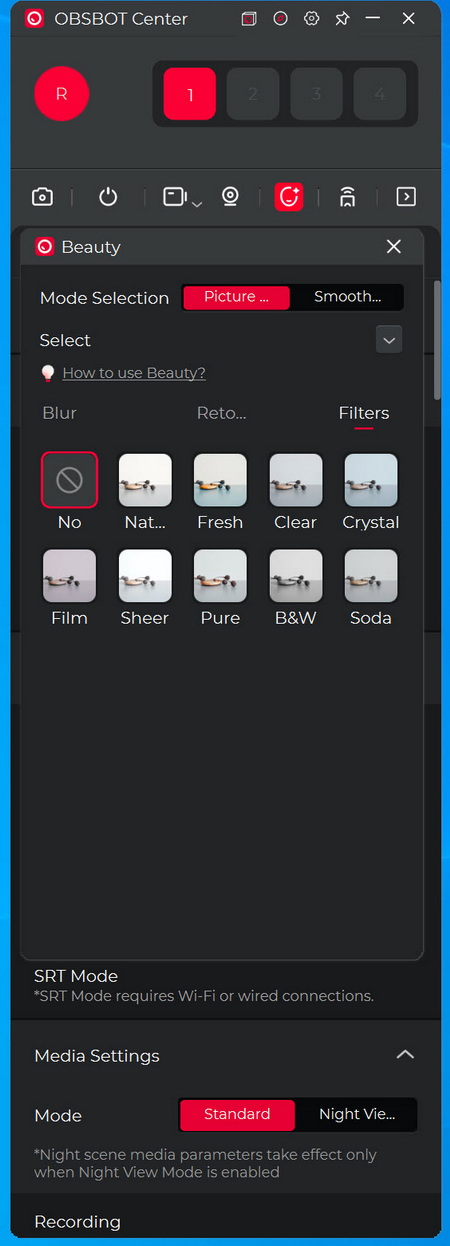
Beauty mode basically allows you to retouch your looks (via virtual mode) and use filters.
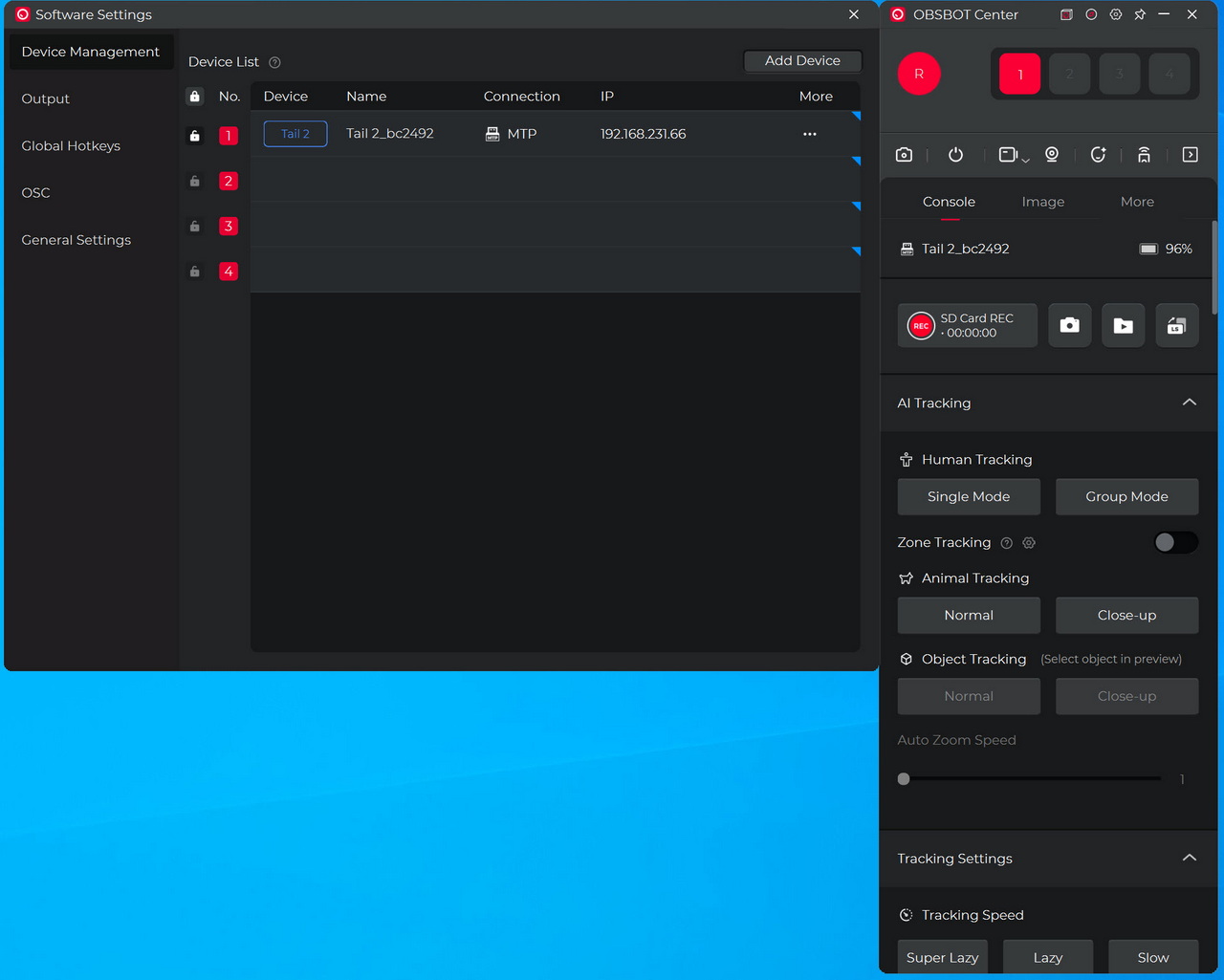
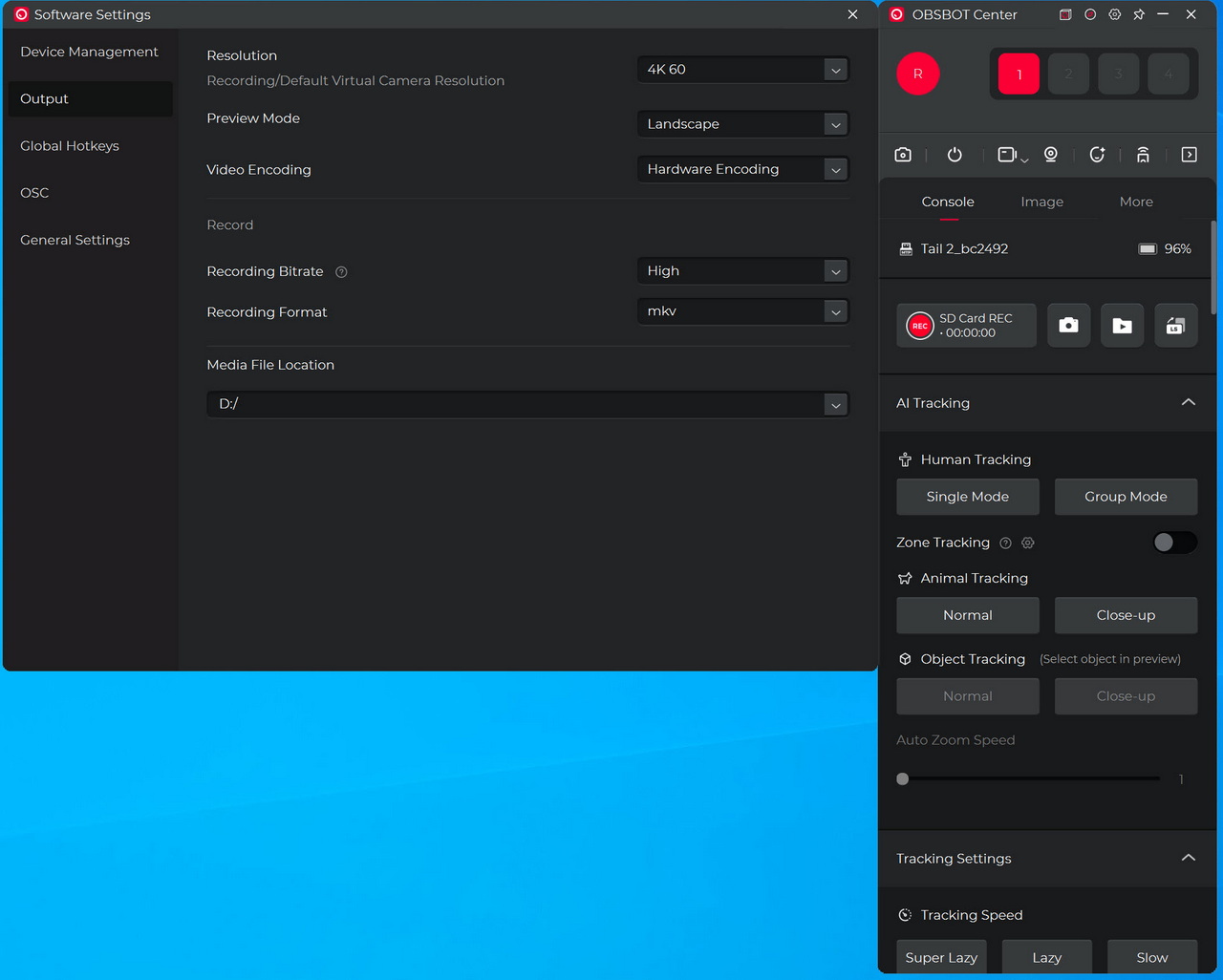
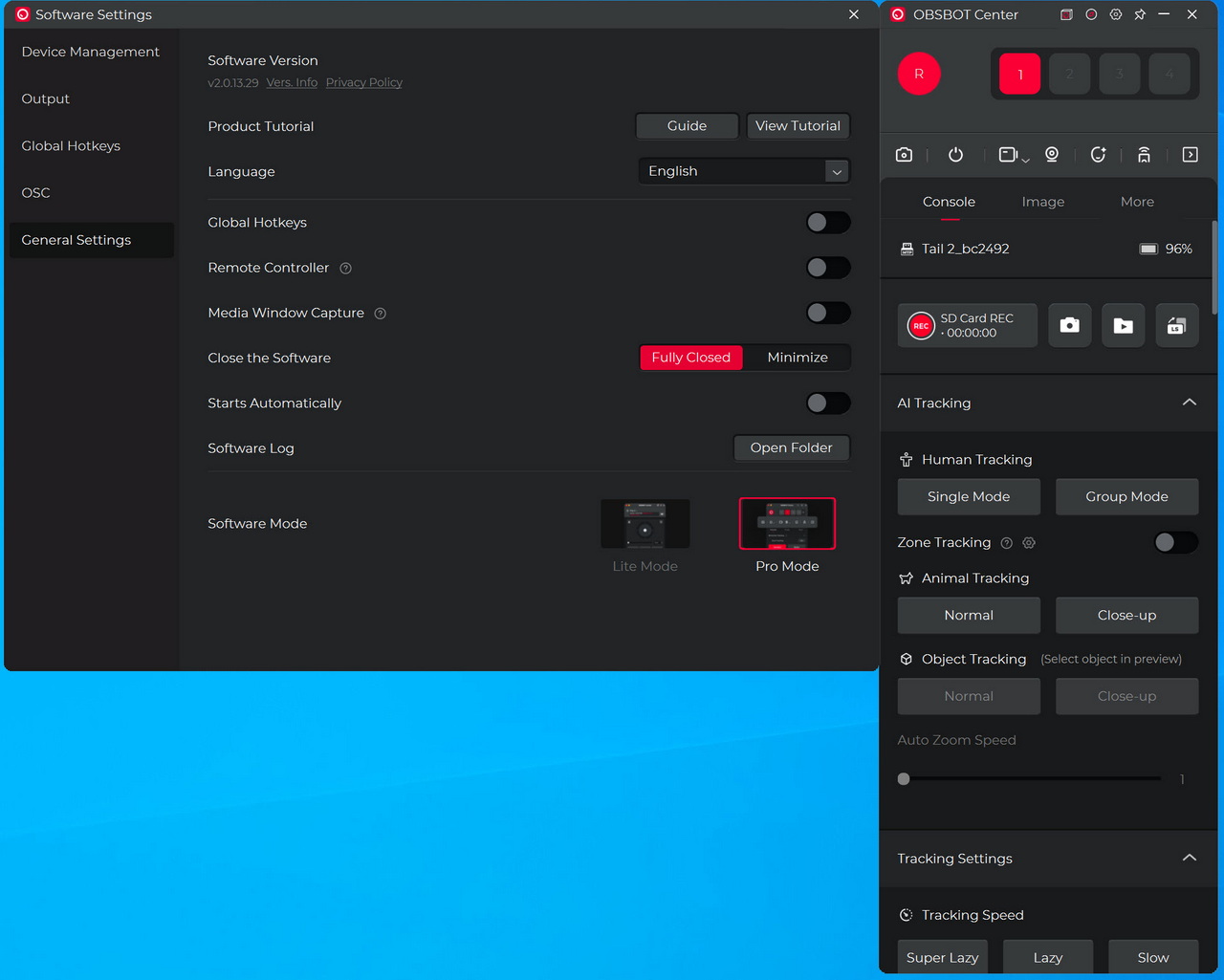
Inside the settings tab you can select the camera you’d like to control, adjust the output, set the global hotkeys, adjust the OSC and access the main settings as seen above.
OBSBOT APPS
OBSBOT also offers 2 smartphone apps called start and live for remote viewing & control of the Tail 2 (very similar but also a bit different).
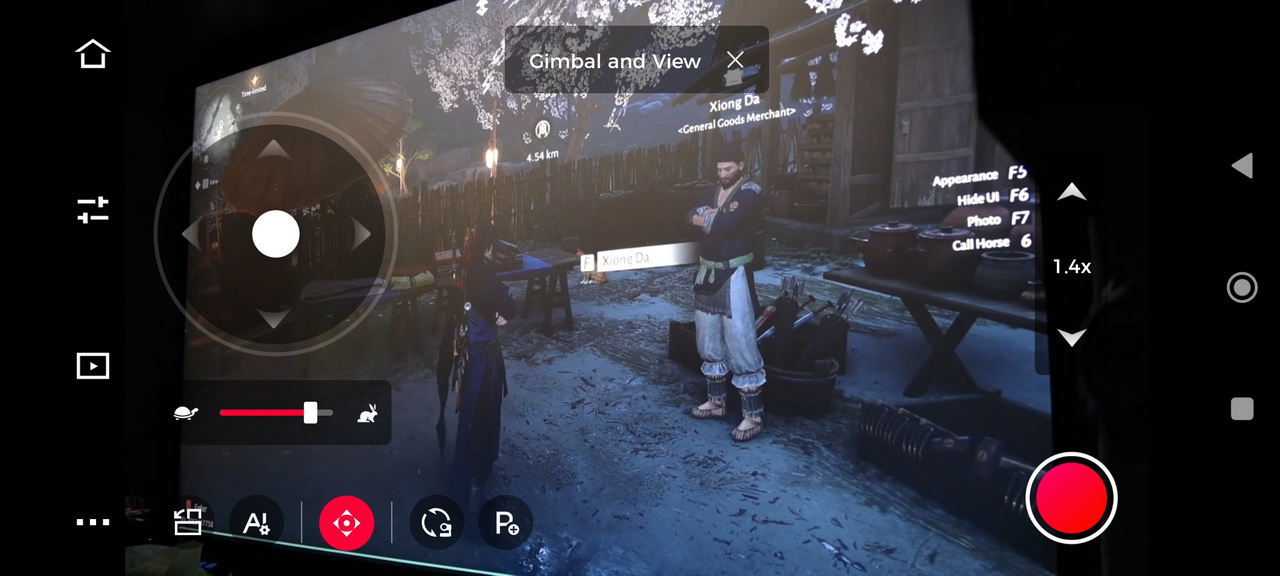
The start app can be used to control a single Tail 2 and offers features like tracking, gestures, settings and recording (ideal for single creators).
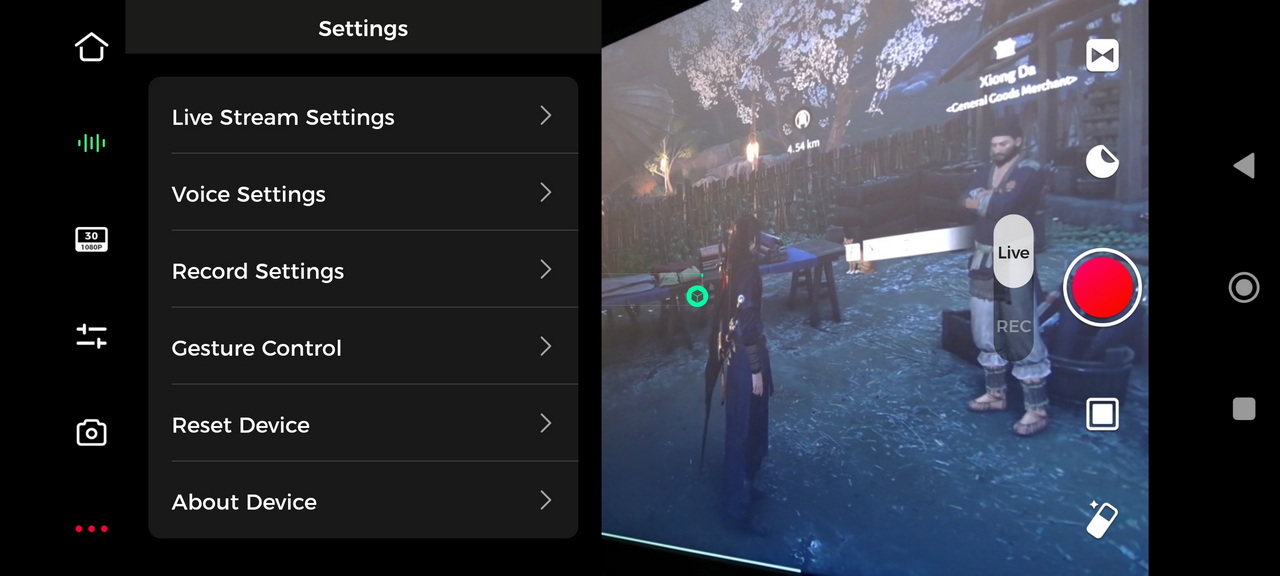
The live app on the other hand can be used to control up to three Tail 2 cameras and offers different features like switching, live‑streaming, multi‑device control and recording (ideal for streamers, podcasters and multi-angle creators).
SCORE
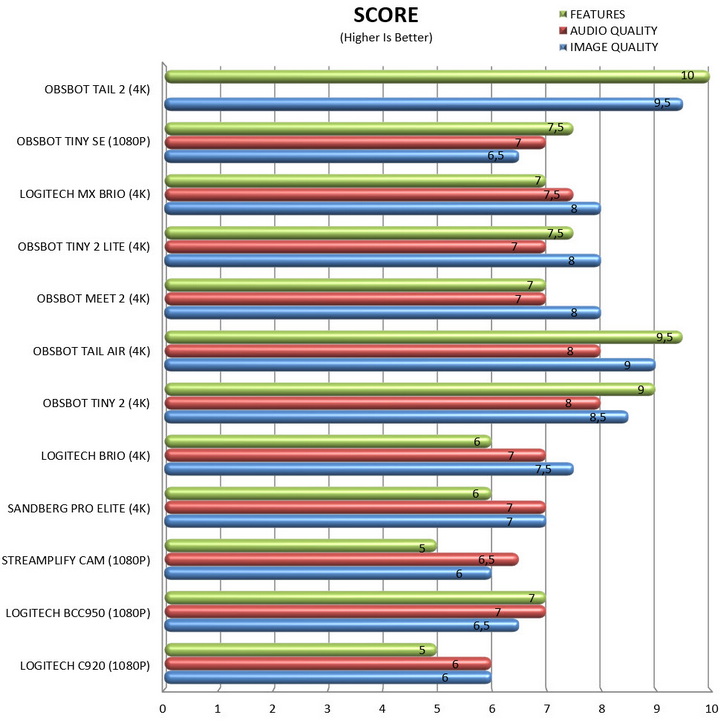
I haven't really tested and/or used that many web cameras over the years but the ones that I have are still in the lab so it wasn't hard for me to test all of them with numerous Viber and Skype calls and make a chart based on my opinion (again, just like with all charts based on my opinion and/or findings you should take this with a grain of salt).
CONCLUSION
The OBSBOT Tail Air has been the best webcam to ever arrive in the lab, up until the Tail 2 made its way here that is. From the sensor (1/1.8" 8.4‑megapixel for the Tail Air and 1/1.5" 50‑megapixel for the Tail 2) and its lens (8‑element lens system with 4x digital zoom, 85° wide FOV and ƒ/1.8 fixed aperture for the Tail Air and 12‑element lens system with 5x optical and 12x hybrid zoom, 89° wide to 21° tele FOV and ƒ/1.8–ƒ/3.0 variable aperture for the Tail 2) to recording capabilities (4K30 recording and 8.4MP stills for the Tail Air and 4K60 recording and 50MP stills for the Tail 2) and available connectivity (USB‑C, micro HDMI, and PoE Ethernet for the Tail Air and HDMI, SDI, USB‑C, Ethernet/IP, NDI HX, and a 3.5mm mic/line input for the Tail 2) the Tail 2 is clearly a full‑fat PTZR production camera built for creators who need optical reach, higher frame rates, and pro‑grade I/O. The Tail Air is still a very capable portable 4K PTZ option for streamers and small setups so unless you want the best (which the Tail 2 clearly is), you can't go wrong with the Tail Air. So, the Tail 2 produces excellent picture quality with a plethora of advanced features including AI, does that mean it's perfect? Honestly, almost. During the 1 month I used the Tail 2 I only encountered two small bugs which isn't a lot, not for what is probably the most advanced PTZR webcam of its kind. What were those bugs? First when switching to night recording many times the Tail 2 would just freeze and disconnect from my PC. It would eventually work but it could disconnect 2 or even 3 times before doing so (this of course should be easily resolved with a future firmware update). Second is battery life and so at 4K60 recording the Tail 2 would drain its built-in 5000mAh Lithium-Polymer battery in well under 1 and 1/2 hour. This of course isn’t an issue since you shouldn’t be using the Tail 2 solely based on its built-in battery but still, certain demanding content creators may have an issue with this. The lack of a built-in microphone is also a tiny issue for people who may not want to expand their setup by including external devices for that use (although if you’re looking for such a camera, chances is you don’t mind about that).
With just days left before Christmas the Tail 2 by OBSBOT retails for USD1199 inside the USA (Amazon.com) and for 1561.98Euros inside the EU (Amazon.de – several local retailers have it for less, but they don’t offer EU wide delivery) so pricing alone makes it clear that this isn’t your typical content creation camera. Again, if you’re a single content creator that doesn’t need all the bells and whistles the Tail 2 offers then I’d suggest going for the much cheaper Tail Air model which is still a great choice for its target audience. For people however who have need of its image quality and features the Tail 2 is a one way and for that it gets the Platinum Award.

PROS
- Build Quality (Metal Enclosure)
- Wired & Wireless Connectivity
- Image / Video Quality (50MP CMOS Sensors / 4K60 Recording With HDR / Low Light Recording)
- 12 Elements Lens System (5XOptical / 12X Hybrid Zoom)
- PTZR Function (3 Axis Gimbal / 6 Axis Gyroscope)
- 5000mAh Rechargeable Battery (Up To 5 Hours)
- Voice & Gestures Controls
- Magnetic Base
- MicroSD Card Slot (Up To 1TB)
- Beauty Mode (Streaming)
- 3G NDI / HX Support
- Available Accessories
- PC & Smartphone Software
CONS
- Price (For Some)
- No Built In Microphone
- Built In Battery Drains Fast





