





INTRODUCTION
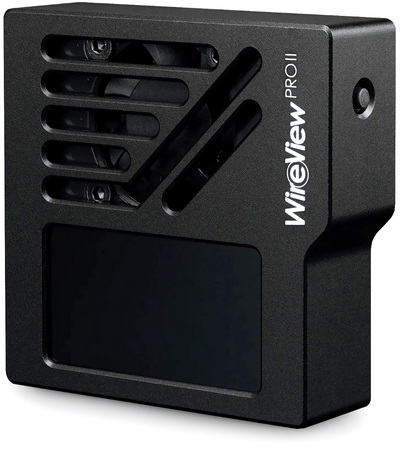
As modern GPUs push well beyond the 400W envelope and routinely generate transient spikes that stress even high‑end PSUs, the electrical interface between the card and its power delivery has become a critical point of failure. Real‑time power monitoring isn’t just a convenience anymore, it’s a diagnostic necessity for validating load behavior, transient response, and connector integrity under sustained thermal and electrical stress. This is especially relevant today, as both the original 12VHPWR and its successor, the supposedly improved 12V‑2X6 connector, continue to exhibit documented cases of melting, pin‑row deformation, and partial‑seating failures under load. With incidents occurring even on undervolted or power‑limited cards, it’s clear the problem could be deeper and even tied to the connector design itself. Thermal Grizzly’s WireView Pro II directly addresses this vulnerability by inserting a precision measurement stage into the 12VHPWR/12V‑2X6 path, giving users an instrument‑grade view of real power draw and helping identify unsafe conditions long before they escalate into catastrophic connector damage.
Thermal Grizzly was founded in 2013 as a sole proprietorship by Dipl.-Inf. (FH) Wolf Eike Salow in Hamburg. In 2015, the first thermal paste was launched after Eike Salow entered into a collaboration with B. Eng. Roman Hartung (der8auer e.K.) for product development. Eike and Roman merged from sole proprietors in 2020 to form the newly founded Thermal Grizzly Holding GmbH. In 2021, the company headquarters were relocated to Berlin, where a new location for development and production was established. After almost two years, the company moved to the new production site in Hohen Neuendorf, Brandenburg, in 2023. The logistics center has been located in Lippstadt since 2019.
The WireView Pro II represents a substantial evolution over the original WireView Pro, moving from a straightforward inline power‑monitoring tool to a far more advanced diagnostic platform tailored for modern 12VHPWR and 12V‑2X6 GPU power delivery. The first‑generation WireView Pro introduced core features such as an OLED display for real‑time power readouts, onboard and external temperature sensors, connector‑type detection, and an adjustable acoustic alarm for thermal or electrical irregularities. The WireView Pro II builds on this foundation with per‑pin current measurement, enabling users to detect uneven load distribution or poor terminal contact key contributors to connector overheating. It also adds PC software integration, allowing the device to be controlled, monitored, and logged directly from a computer for deeper analysis and long‑term data capture. Thermal Grizzly further enhances reliability by integrating an 30mm active cooling fan inside the unit to help dissipate heat around the connector area, reducing thermal stress during high‑load or extended testing scenarios. Additional improvements include automatic data logging, 320x170p TFT‑IPS display for higher‑clarity readouts, and an extended warranty on the GPU‑side connector. To accommodate different GPU layouts and cable‑routing constraints, Thermal Grizzly offers the WireView Pro II in two orientations, normal and reverse. Together, these upgrades position the WireView Pro II as a comprehensive, precision‑grade tool for monitoring total and per‑pin current, temperature behavior, connector integrity, and now full PC‑based control and even active cooling.
SPECIFICATIONS AND FEATURES
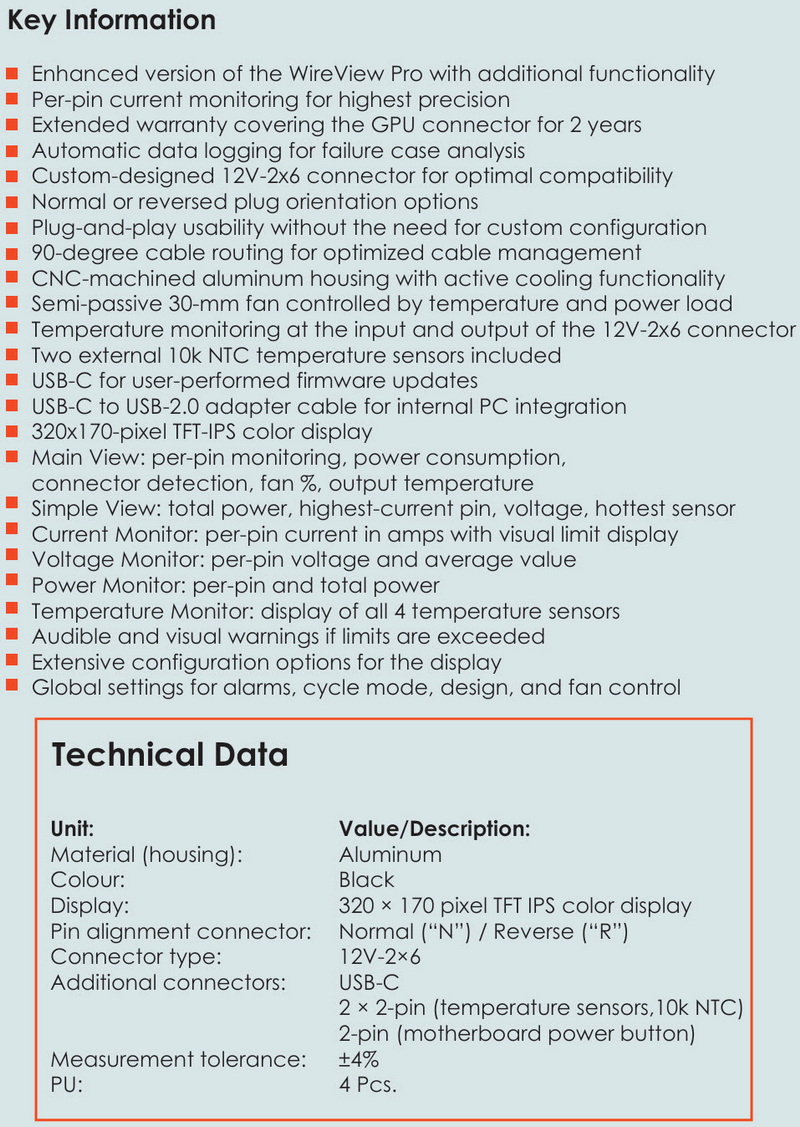
PACKAGING AND CONTENTS

Thermal Grizzly shipped both orientations to us and so even though both boxes have the company logo and model name at the front each has a different design of the device (different connector orientation) and of course the type of connector and orientation printed beneath it.

The product features are printed at the rear of the box in 10 languages and just over a 2D barcode, serial number and barcode and contact information for Therman Grizzly.

A foam piece keeps the device safe inside the box.

Inside the box of either orientation, you’ll find a USB-C to motherboard header cable, two temperature sensors/probes, 2 pin motherboard power cable, thank you card and a guide.
THE WIREVIEW PRO II

What stands out at the front is without doubt the 320x170p TFT-IPS screen.

For any of you wondering this is how the WireView Pro II looks next to the original WireView/Pro device.

Right under the screen we find the 30mm cooling intake fan (an single button is placed on the right side).

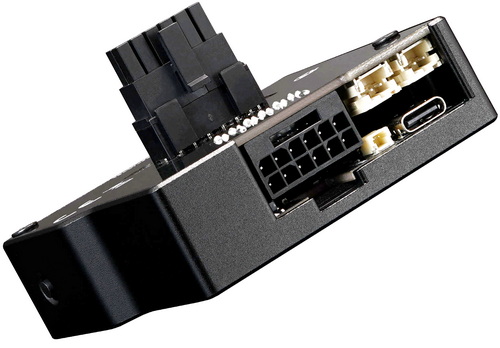
At the base both models have the 12VHPWR/12V-2X6 power connector, USB-C port, two temperature probe headers and the motherboard power on/off header.


At the rear both have a small soft pad at the area where the devices touch the GPU and the 12V-2X6 connector, normal and reversed.


The 320x170p TFT-IPS display has a live view of power consumption (W), cable type/output, temperature, current (A) and voltages.

You can also check the firmware update (v03 for this review).

Finally, you can enter the menu to change the current and power scales, temperature source and information order (short clip is available on both YouTube and TikTok).
WIREVIEW2 SOFTWARE V1.0.5
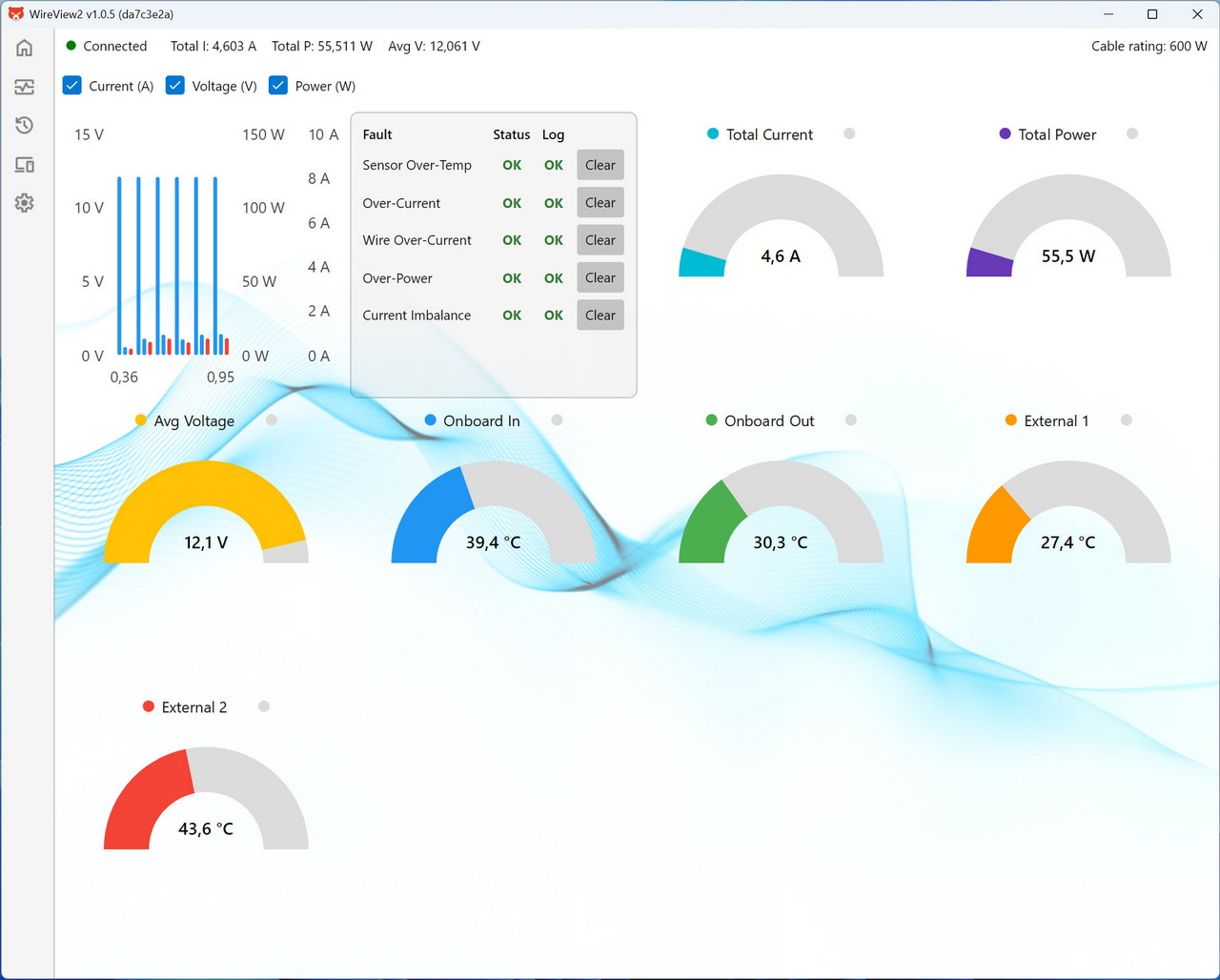
Initial tab is basically a monitoring dashboard showing total current, voltage, power draw, and multiple temperature sensors, along with a fault‑status panel that confirms whether any electrical or thermal limits have been triggered.
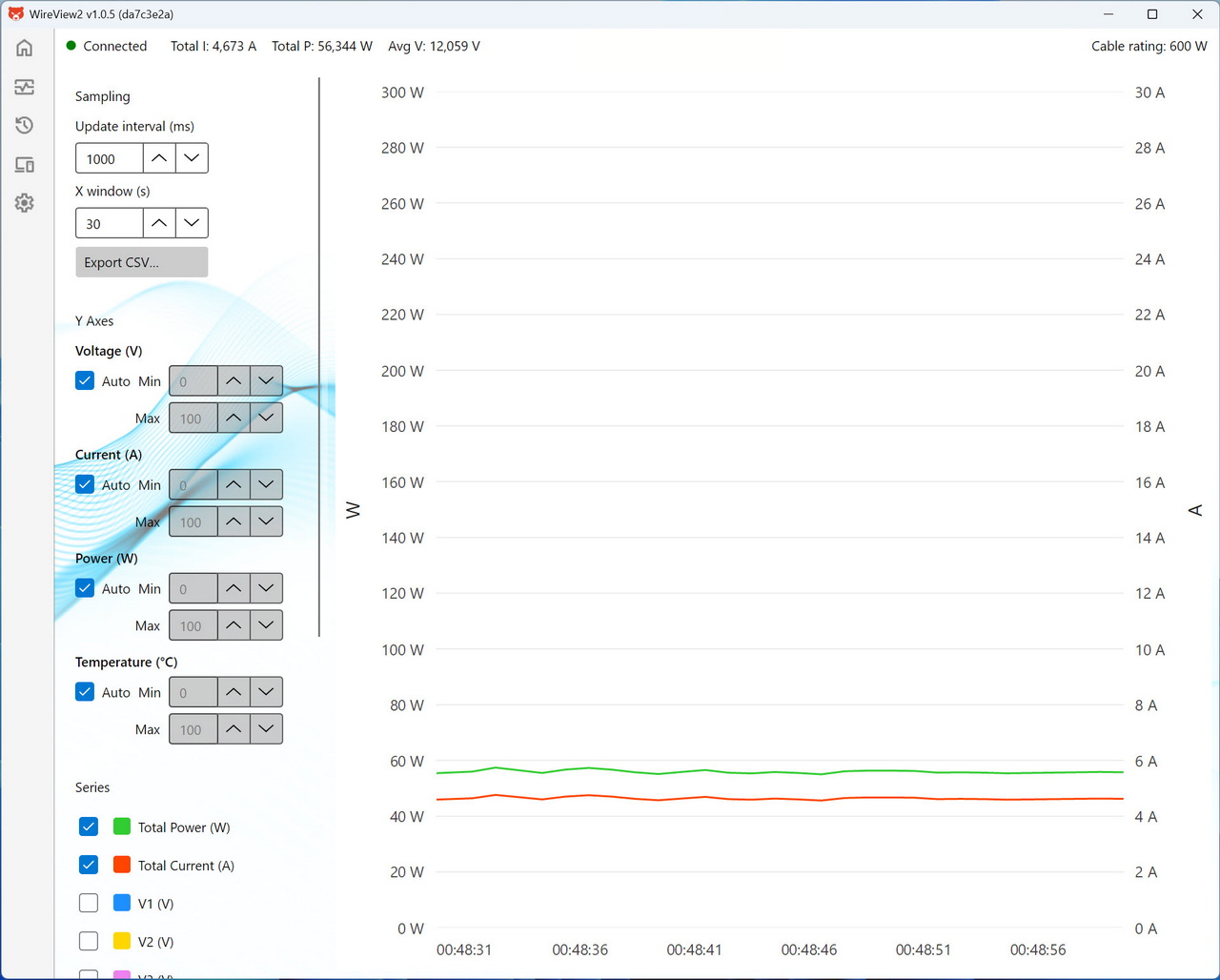
Second tab features a time‑based graph that plots total power, total current, and voltage lines, with adjustable sampling intervals and export options for logging and analysis.
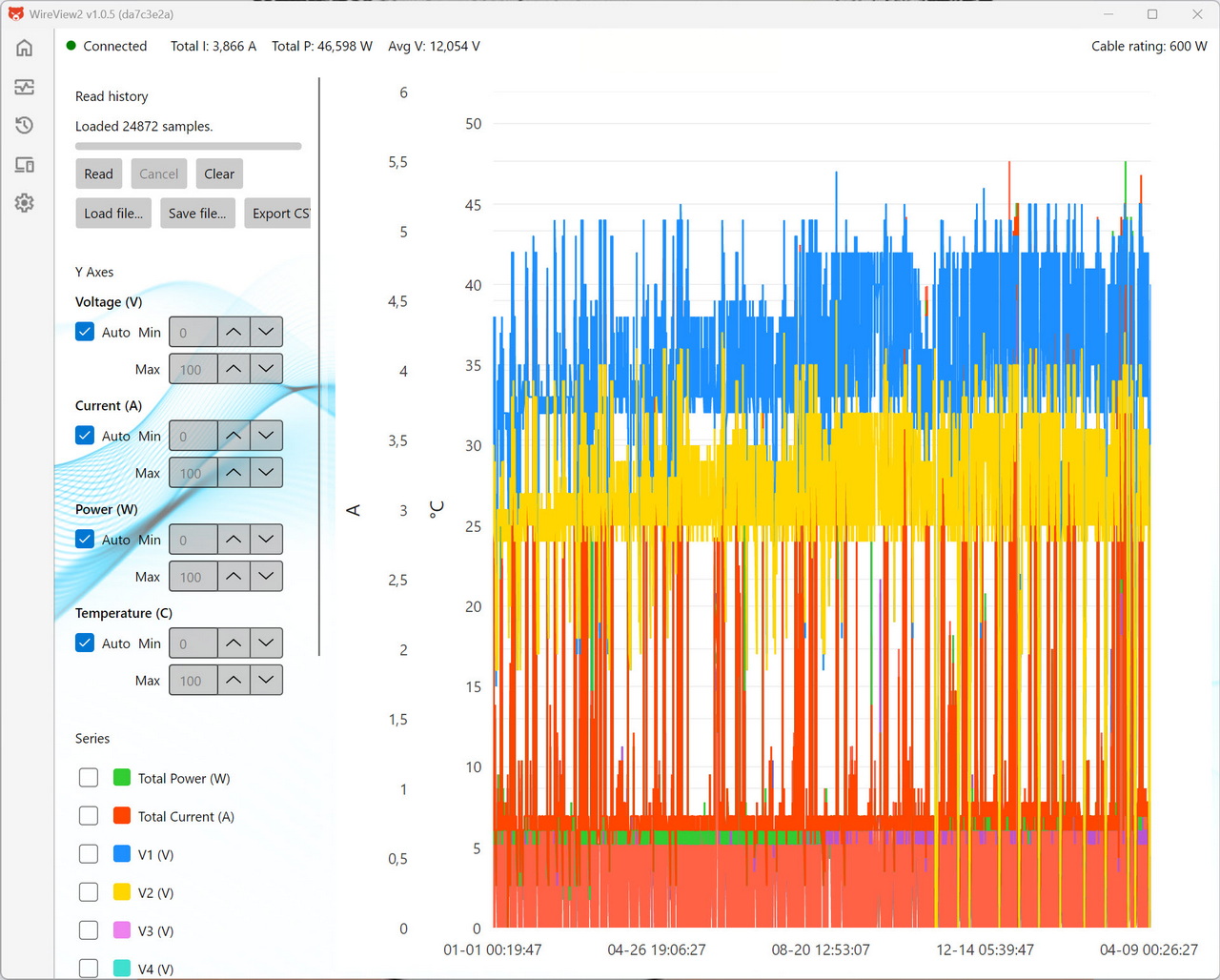
Next tab has a long‑duration graph displaying thousands of loaded samples, allowing users to inspect voltage, current, power, and temperature trends over extended periods for deeper diagnostics.
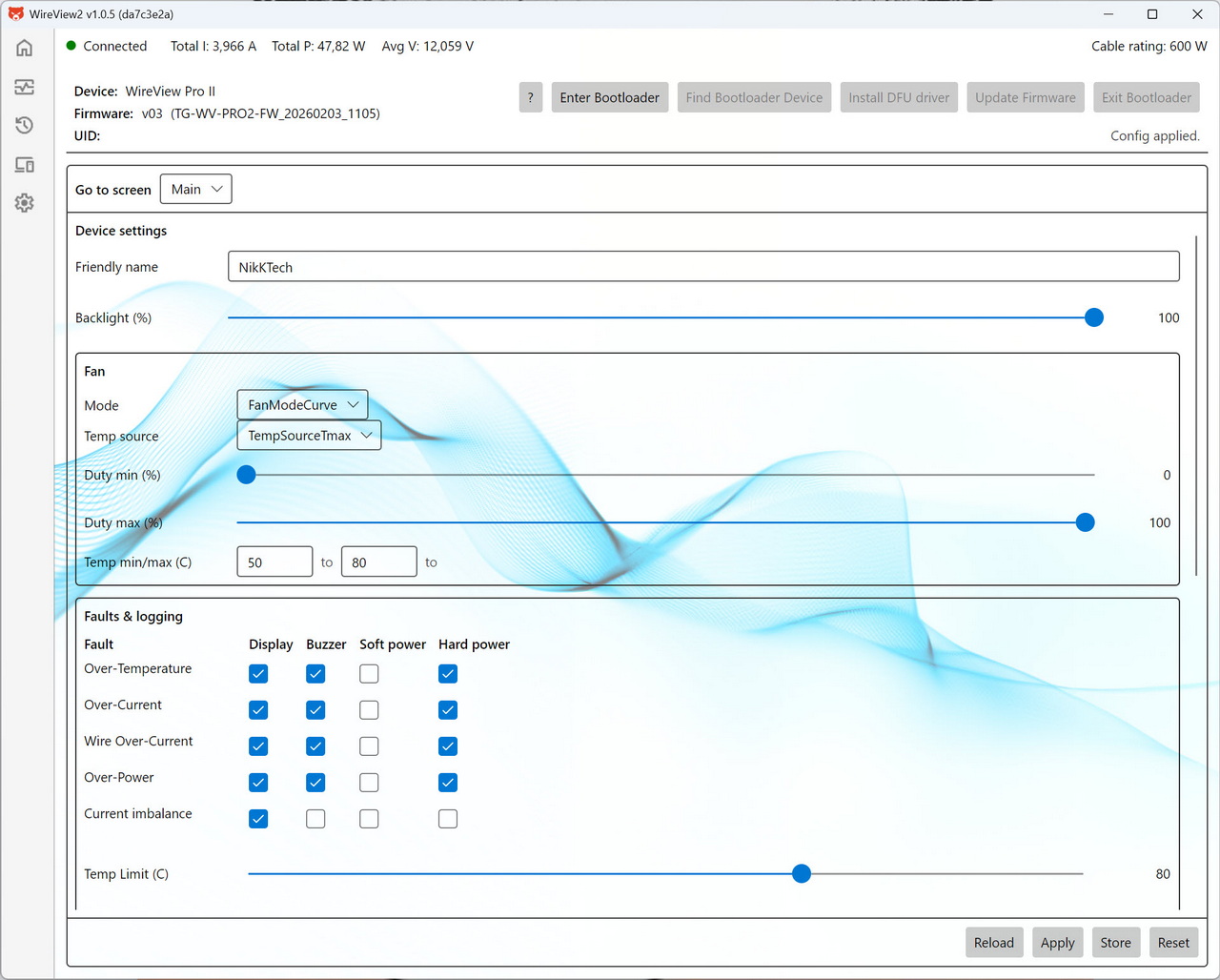
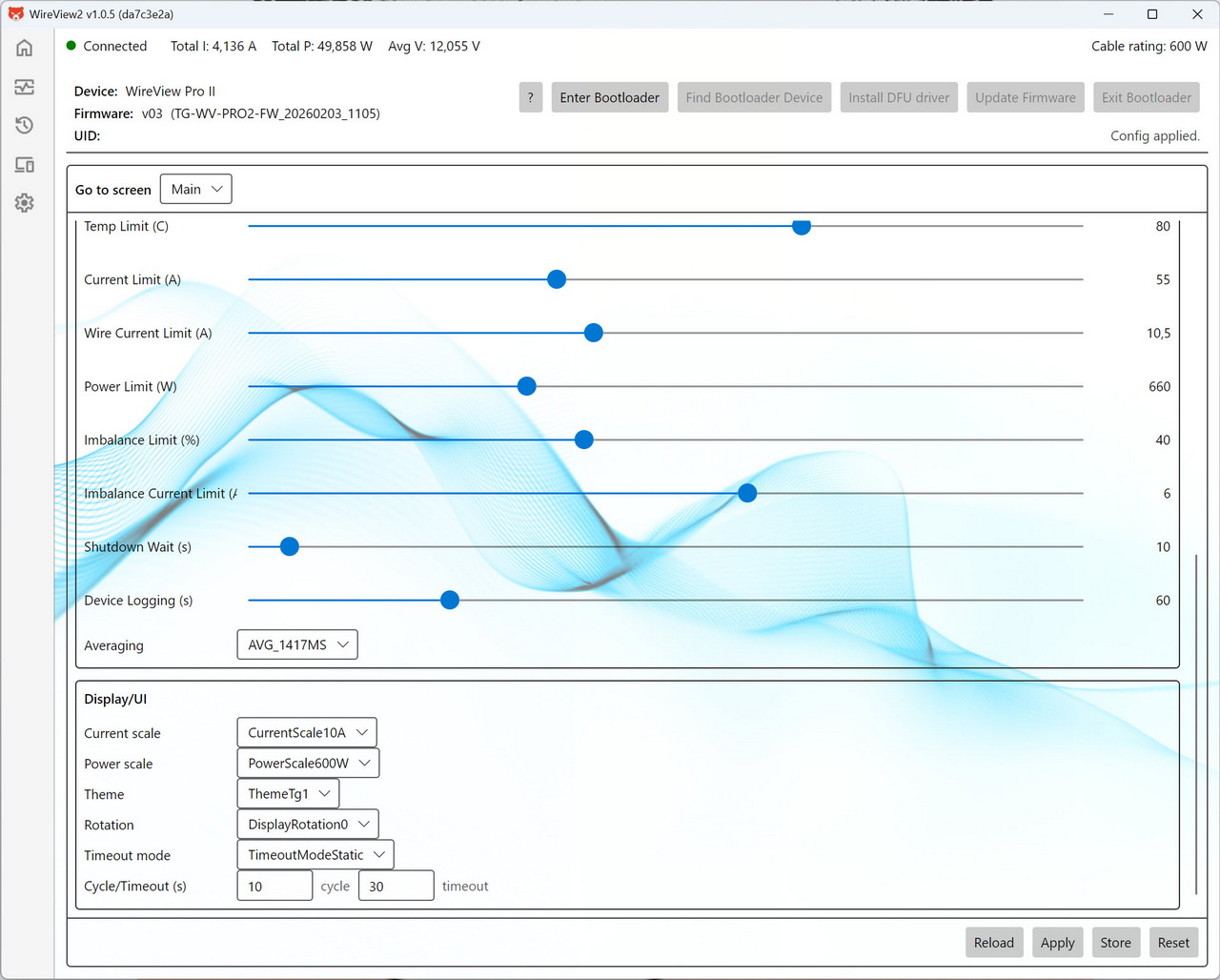
From the device tab you can rename the unit, adjust display brightness, configure the cooling‑fan curve, set how the device responds to various fault conditions, set temperature, current, wire‑current, power, and imbalance limits and adjust the display.
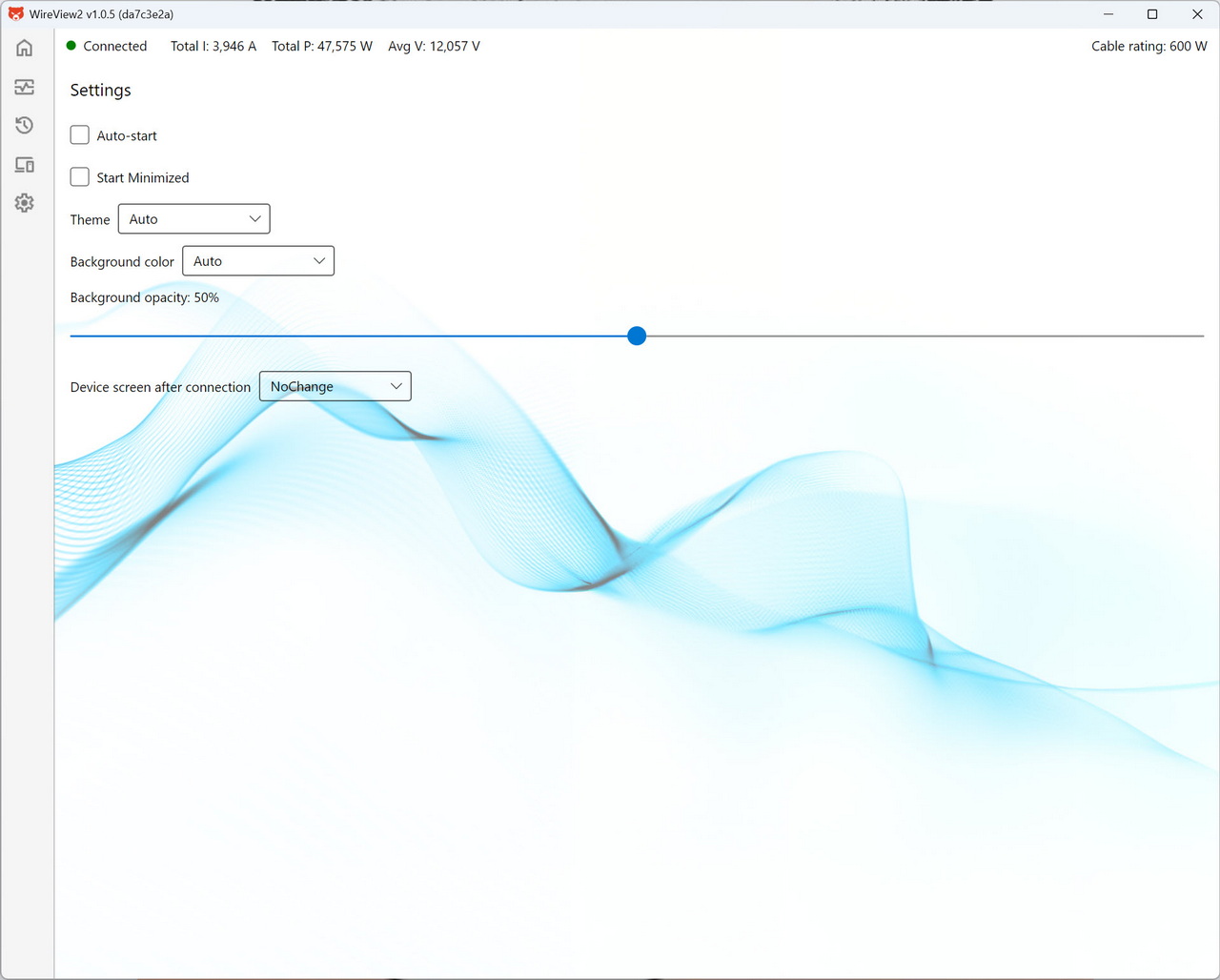
Inside the settings tab you can adjust UI preferences such as theme, background color, opacity, startup behavior, and what screen the device should show upon connection.
CONCLUSION
What ultimately elevates the WireView Pro II is how well its hardware and software work together to give you a clear, controlled view of your GPU’s power behavior. The upgraded TFT‑IPS display already makes on‑device monitoring far more readable, but the real leap comes from the PC software. It provides structured graphs, per‑pin data visualization, adjustable limits, fan‑curve control, and full logging, thus turning the WireView Pro II into a proper analysis tool rather than just an inline meter. You can tweak thresholds, monitor temperatures, export data, and even adjust the device’s behavior in real time, all from a clean, responsive interface. And with the integrated cooling fan actively managing connector temperatures during heavy load or long‑term testing, the device doesn’t just report conditions, it helps stabilize them. My sole concern is clearance issues with very large CPU coolers since the WireView Pro II is larger/longer compared to its predecessor. This of course also has to do with the length and location of the power port on the graphics card but it's a possibility.
At the time of my you can pre-order the WireView Pro II directly from Thermal Grizzly for USD140.28/119.90Euros, a price tag which is considerably higher compared to its predecessor. Thing is it’s a definite upgrade and so for people who really want what the WireView Pro II offers it’s a one way currently and that’s also why it gets the Golden Award.

PROS
- Display Information (Power Consumption / Temperatures / Current)
- Large 320x170p TFT IPS Color Display
- 30mm Cooling Fan
- PC Software
- Available Orientations (Normal & Reversed)
- Bundle (2 Temperature Probes & PC On/Off Header Cable)
CONS
- Price (For Some)
- Current Availability
- Size (Potential Clearance Issues)





